AI Data Analysis: Turn Questions into Reproducible Findings

Bring a business question and a dataset you are authorized to use. Check data quality, develop queries or scripts, and explain the findings with the assumptions and limitations visible.

Start with an Analysis Brief

Choose a sample or describe your data analysis workflow, then continue in MiniMax Code.

Sample prompts

Explore Four AI Data Analysis Examples

Each example starts from verifiable material and a clear brief. Choose a prompt, then adapt it to your own requirements.

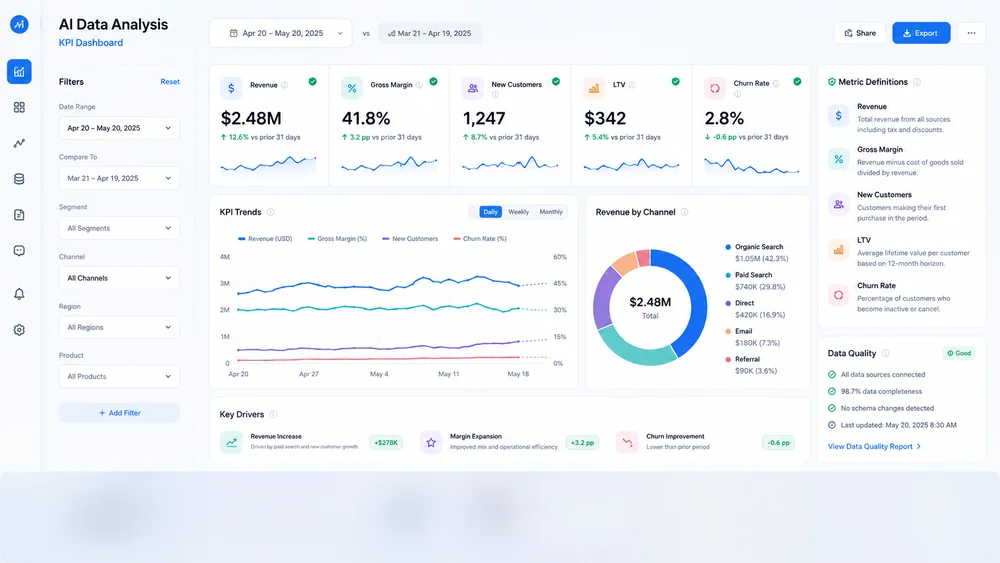
Illustrative kpi dashboard created from a focused brief.

A focused view of verified metrics, trends, definitions, and data-quality notes.

Turn a Data Question into Reviewable Analysis

Connect data readiness, reproducible calculations, and careful interpretation before sharing conclusions.

Data Readiness

Validate Inputs Before Analysis

Inspect schemas, units, types, missing values, duplicates, and date ranges before calculating results. State the row meaning, reporting period, and filters so a missing value or duplicate is not mistaken for a real trend.

Try Now
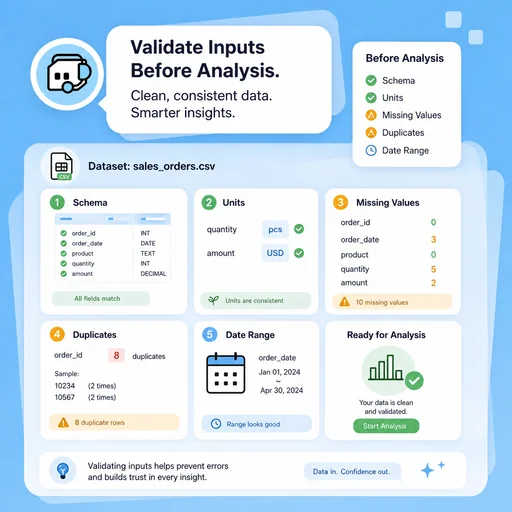
Illustrative workflow for validate inputs before analysis.

Reproducible Work

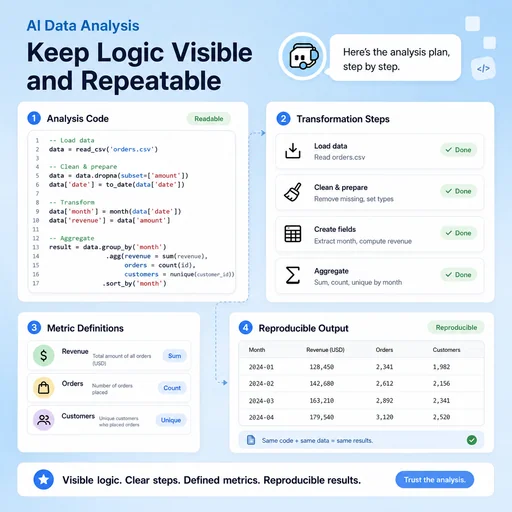
Keep Logic Visible and Repeatable

Create readable queries or scripts, document transformations, and preserve metric definitions for review. Keep raw data separate from transformations and record library versions or query parameters needed to repeat the calculation.

Try Now
Illustrative workflow for keep logic visible and repeatable.

Insight Review

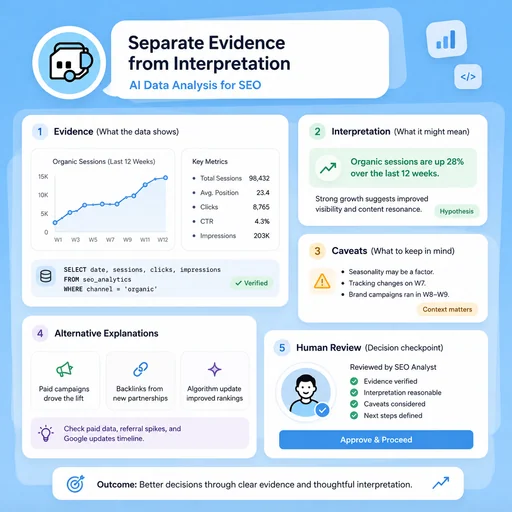
Separate Evidence from Interpretation

Present calculations, caveats, and alternative explanations so stakeholders can verify the conclusion. Show the sample size and uncertainty, and distinguish a correlation from evidence that one factor caused another. Choose a useful delivery format: a chart with its source table, a stakeholder summary, or a dashboard draft with named filters and metric definitions.

Try Now
Illustrative workflow for separate evidence from interpretation.

Keep the Entire Workflow Connected

A workflow comparison, not a performance benchmark. Important facts and final results still need human review.

Working Manually

Planning
Organize material separately
Analysis outputs
Move calculations into separate charts and report files
Review
Track issues manually
Data quality
Inspect duplicates, missing values, and units
Reproducibility
Record calculations and parameters separately
Interpretation
Write conclusions from charts and tables

With MiniMax Code

Planning
Structure the brief and sources
Analysis outputs
Develop a data-backed chart or report draft with the underlying logic visible
Review
Prepare review and handoff checks
Data quality
Draft explicit validation checks before calculating metrics
Reproducibility
Keep queries, transformations, and metric definitions with the analysis
Interpretation
Separate observed findings, uncertainty, and alternative explanations

Analyze Your Data in Four Steps

Start with a focused brief, create a reviewable draft, and validate the result before delivery.

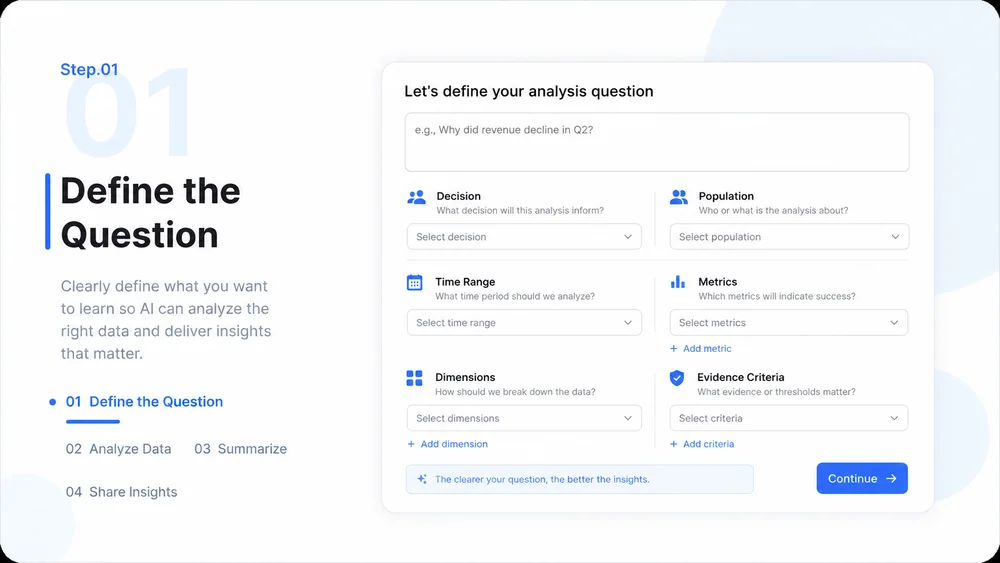
  1. Step.01

    Define the Question

    State the decision, population, time range, metrics, dimensions, and acceptable evidence.

    AI Data Analysis workflow, step 1: Define the Question.
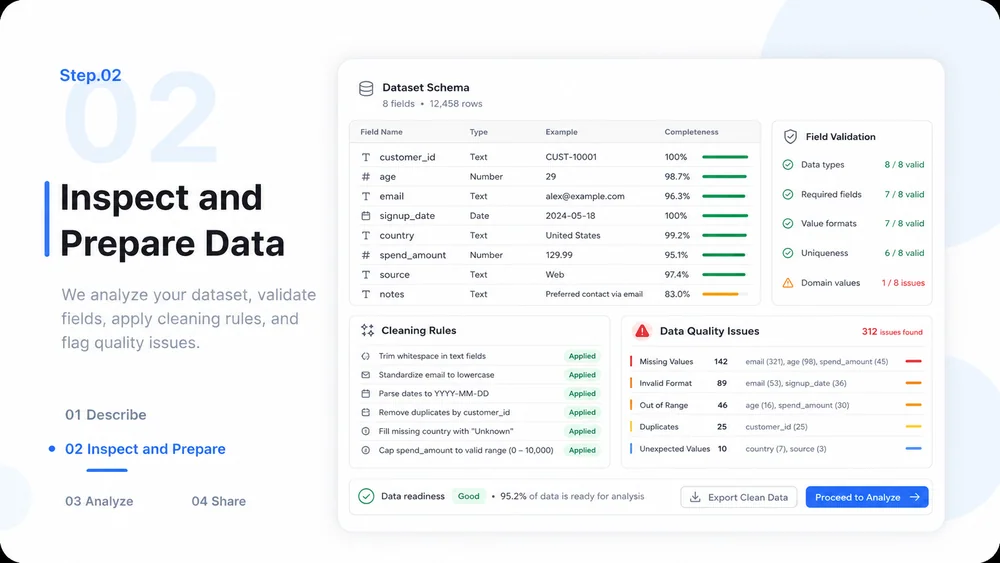
  2. Step.02

    Inspect and Prepare Data

    Review the supplied dataset, validate fields, document cleaning rules, and flag quality issues.

    AI Data Analysis workflow, step 2: Inspect and Prepare Data.
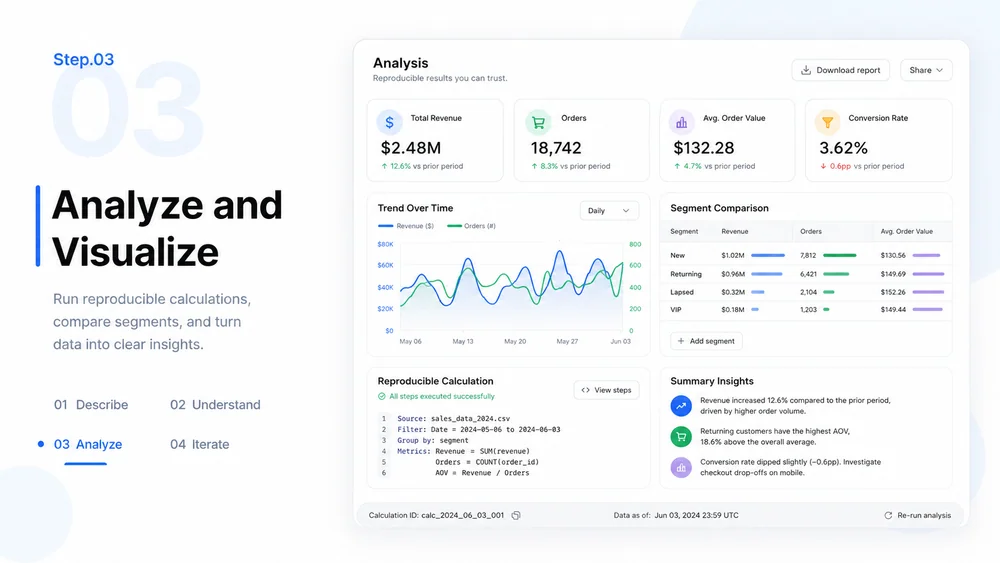
  3. Step.03

    Analyze and Visualize

    Run reproducible calculations, compare relevant segments, and create clear charts or tables.

    AI Data Analysis workflow, step 3: Analyze and Visualize.
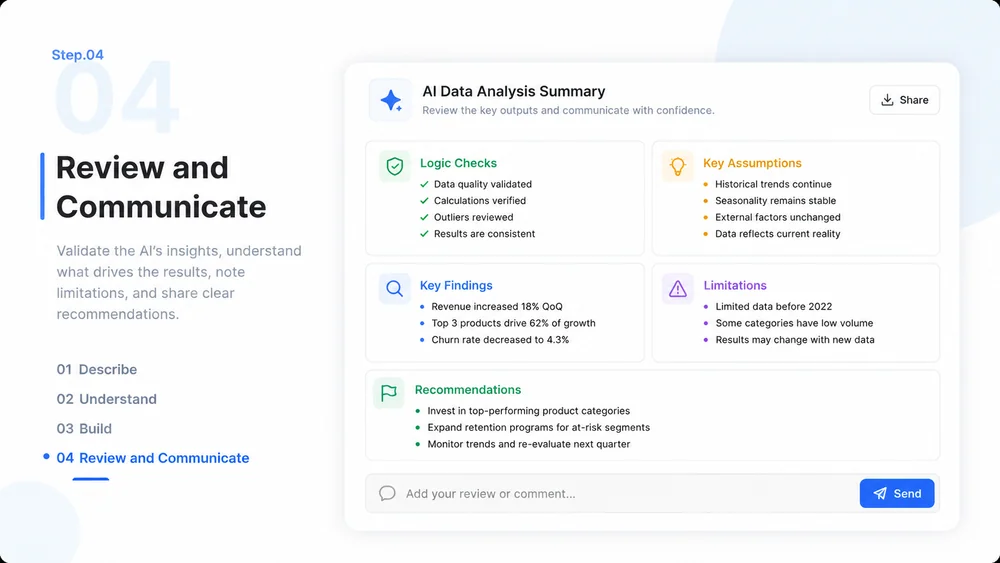
  4. Step.04

    Review and Communicate

    Check logic and assumptions, summarize findings, and distinguish evidence from recommendations.

    AI Data Analysis workflow, step 4: Review and Communicate.

AI Data Analysis FAQs

What to prepare, where the work happens, and what still needs review.

Explore Your Data with a Reviewable Workflow