Create Professional Documents from Verified Inputs

Create structured proposals, SOPs, product requirements, and reports from verified inputs with a review-ready workflow.

Start with a Document Brief

Choose a sample or describe your professional document, then continue in MiniMax Code.

Sample prompts

Explore Four AI Document Generator Examples

Each example starts from verifiable material and a clear brief. Choose a prompt, then adapt it to your own requirements.

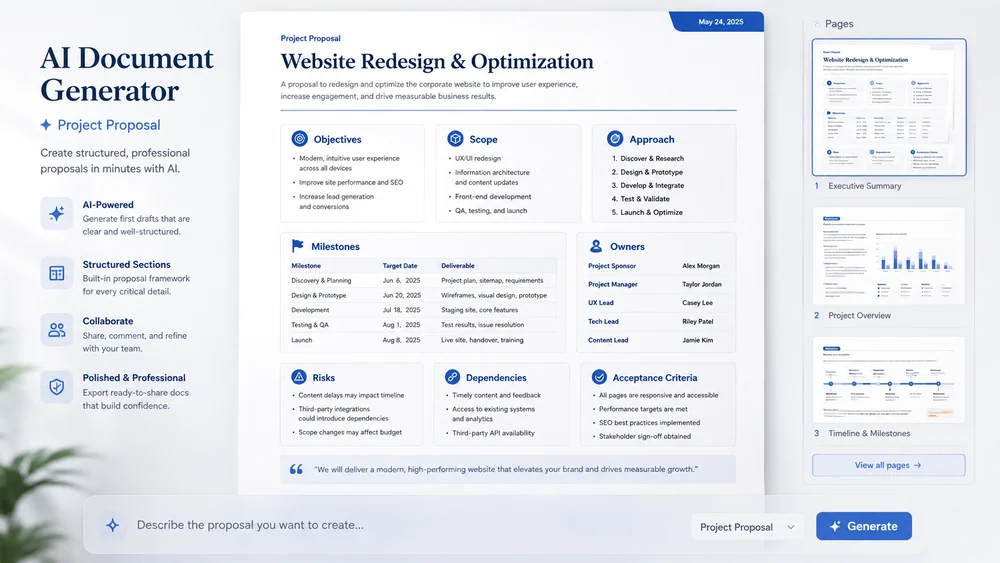
Illustrative project proposal created from a focused brief.

Turn a Brief into a Reviewable Document

Keep planning, creation, review, and handoff connected in one clear workflow.

Structured Brief

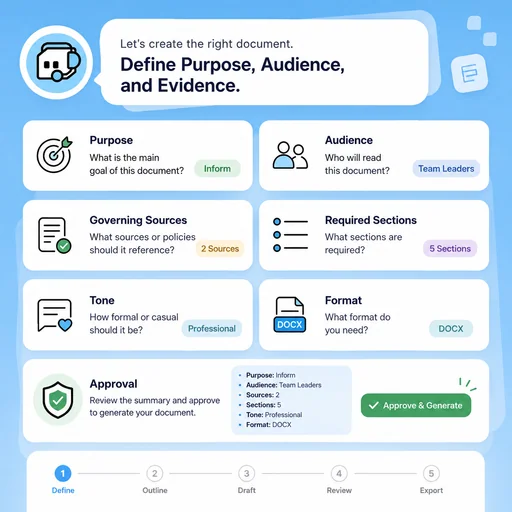
Define Purpose, Audience, and Evidence

Clarify why the document exists, who will use it, what sources govern it, and what approval it needs.

Try Now
Illustrative workflow for define purpose, audience, and evidence.

Consistent Drafting

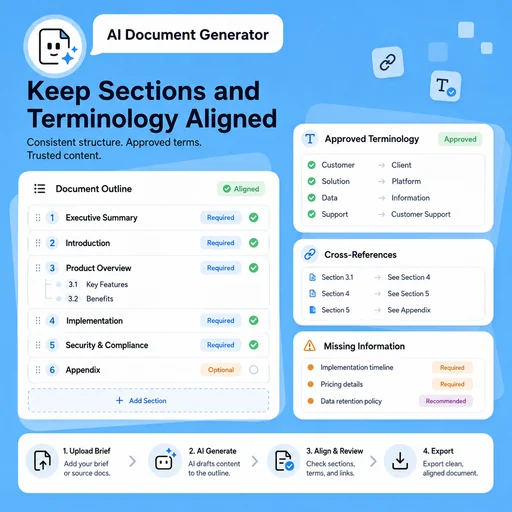
Keep Sections and Terminology Aligned

Use a repeatable outline, approved terms, cross-references, and explicit placeholders for missing information.

Try Now
Illustrative workflow for keep sections and terminology aligned.

Controlled Review

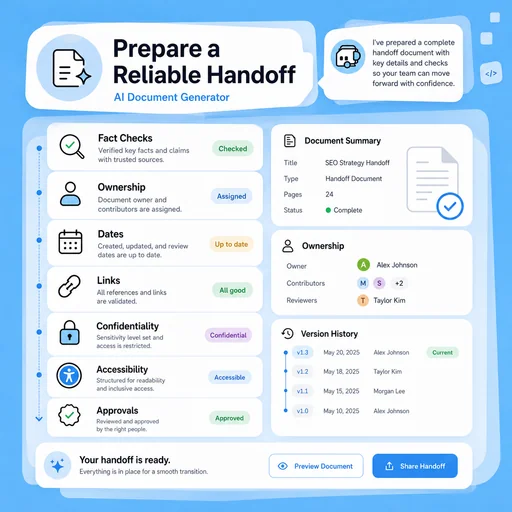
Prepare a Reliable Handoff

Check facts, ownership, dates, links, confidentiality, accessibility, and version history before delivery.

Try Now
Illustrative workflow for prepare a reliable handoff.

Keep the Entire Workflow Connected

A workflow comparison, not a performance benchmark. Important facts and final results still need human review.

Working Manually

Planning
Organize material separately
Creation
Build each draft by hand
Review
Track issues manually

With MiniMax Code

Planning
Structure the brief and sources
Creation
Generate and revise drafts
Review
Prepare review and handoff checks

Create a Professional Document in Four Steps

Start with a focused brief, create a reviewable draft, and validate the result before delivery.

  1. Step.01

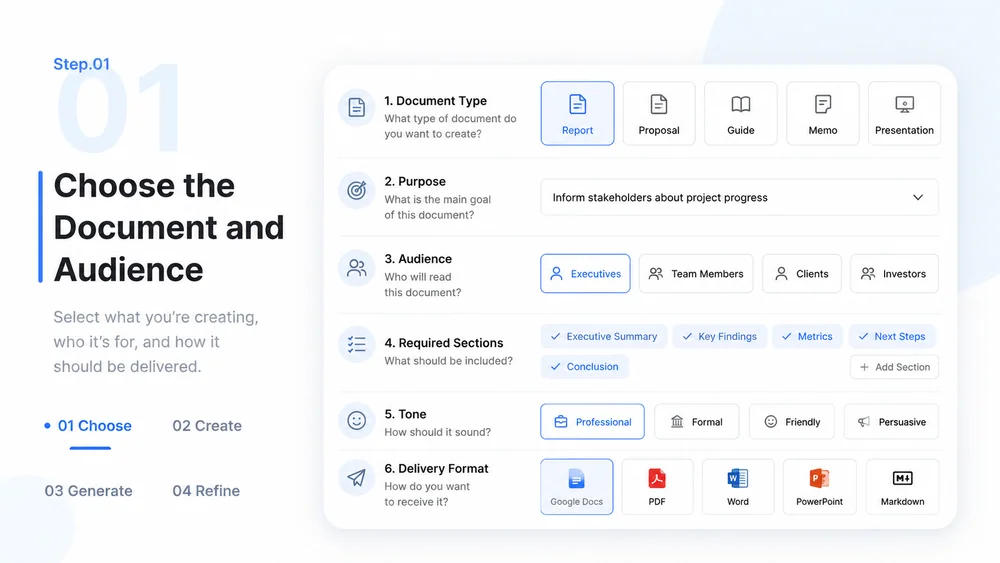
    Choose the Document and Audience

    Define the document type, purpose, readers, required sections, tone, and delivery format.

    AI Document Generator workflow, step 1: Choose the Document and Audience.
  2. Step.02

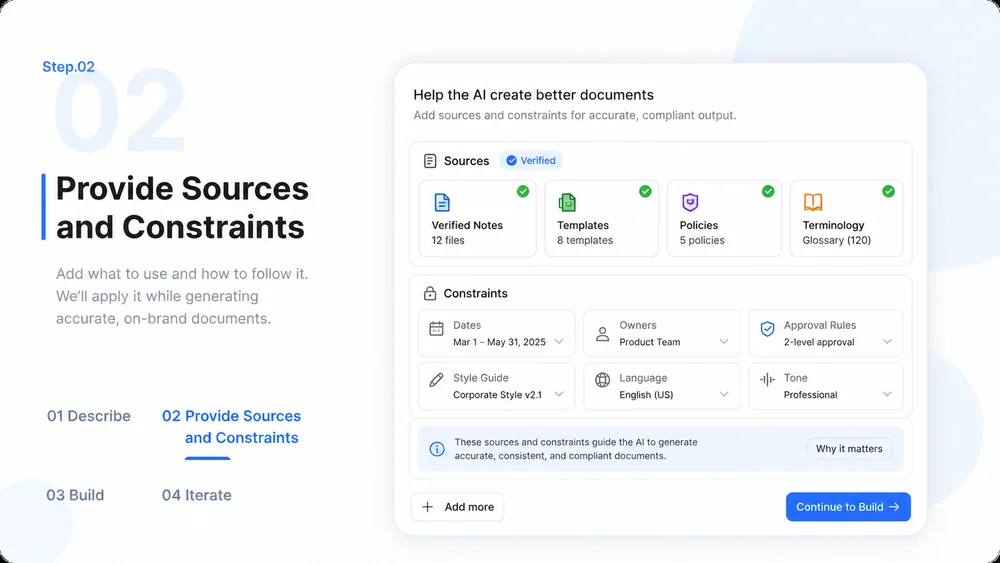
    Provide Sources and Constraints

    Add verified notes, templates, policies, terminology, dates, owners, and approval requirements.

    AI Document Generator workflow, step 2: Provide Sources and Constraints.
  3. Step.03

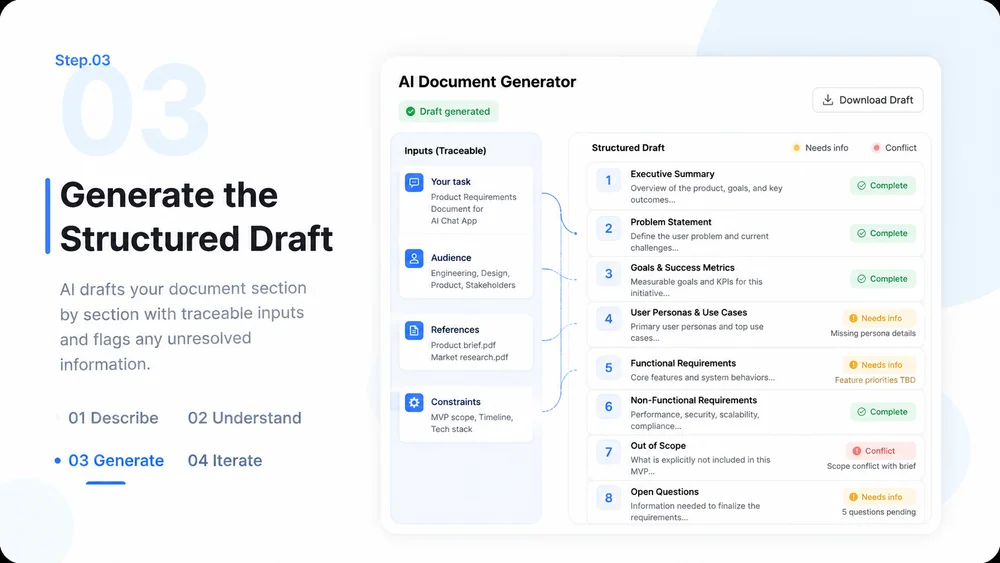
    Generate the Structured Draft

    Create the document section by section, preserving sources and marking unresolved information.

    AI Document Generator workflow, step 3: Generate the Structured Draft.
  4. Step.04

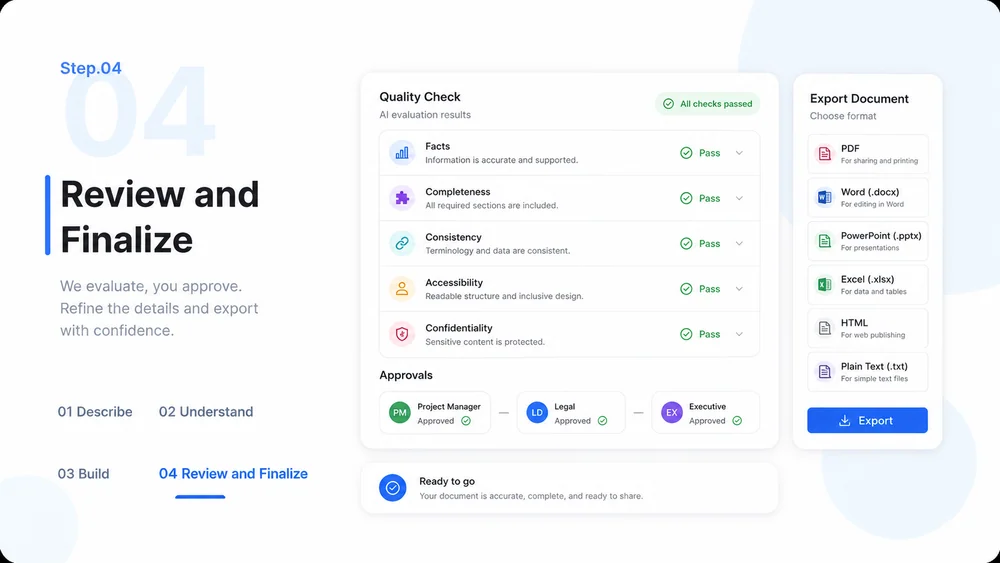
    Review and Finalize

    Check facts, completeness, consistency, accessibility, confidentiality, and approvals before export.

    AI Document Generator workflow, step 4: Review and Finalize.

AI Document Generator FAQs

What to prepare, where the work happens, and what still needs review.

Create Your Next Work Document with Clear Structure