Context First
Ground Every Draft in Real Details
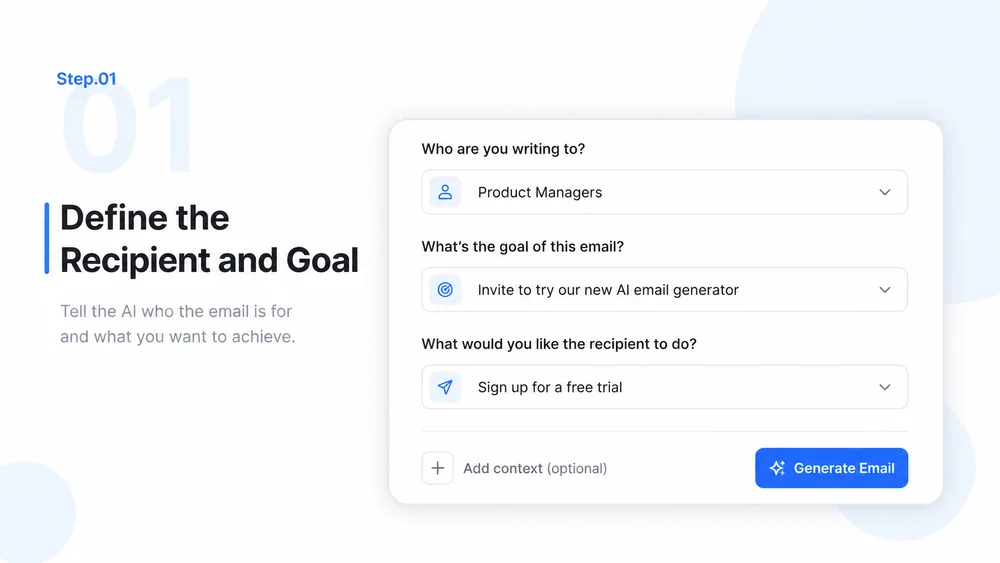
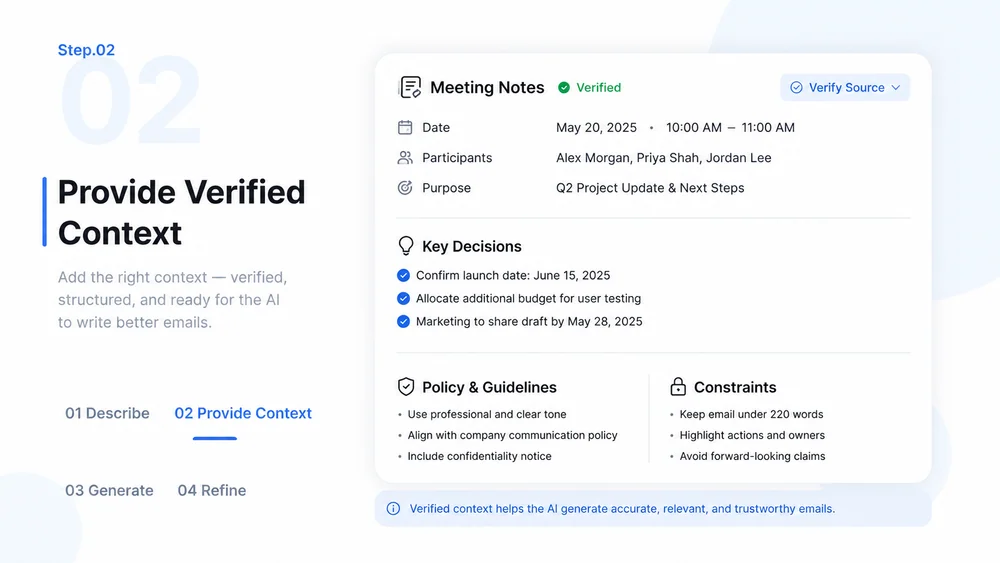
Provide the recipient, relationship, purpose, source facts, and desired outcome so the draft stays specific and reviewable.
Try Now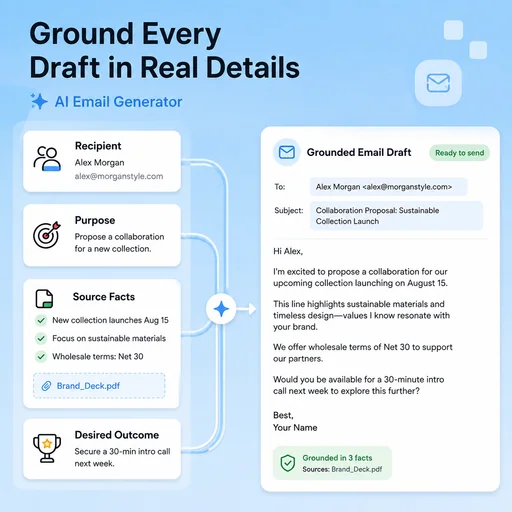
Turn goals, context, and source details into clear, reviewable emails for work, sales, and customer communication.
Choose a sample or describe your professional email, then continue in MiniMax Code.
Sample prompts
Each example starts from verifiable material and a clear brief. Choose a prompt, then adapt it to your own requirements.
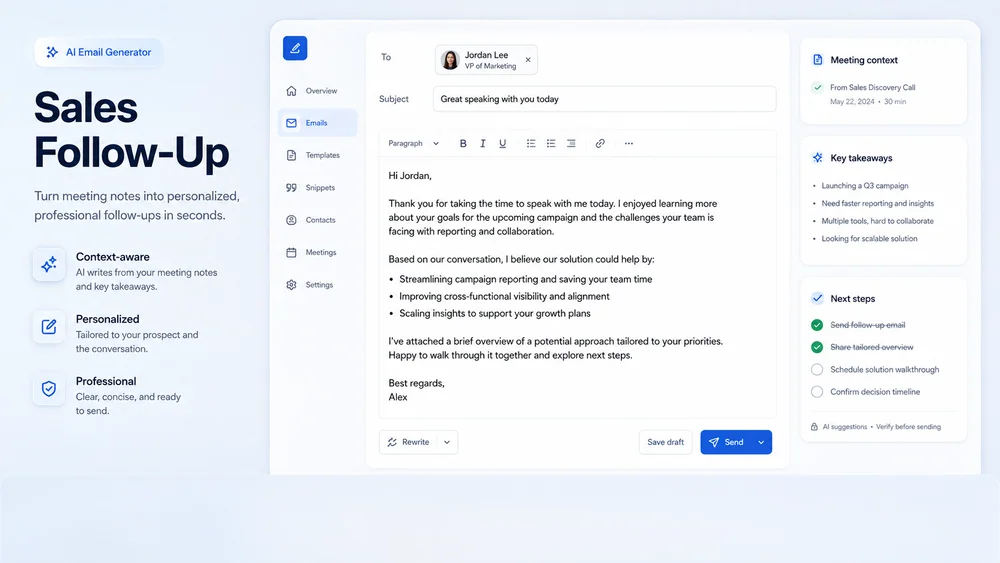
A focused follow-up that restates value, captures agreed next steps, and avoids unsupported claims.
Keep planning, creation, review, and handoff connected in one clear workflow.
Context First
Provide the recipient, relationship, purpose, source facts, and desired outcome so the draft stays specific and reviewable.
Try NowTone Control
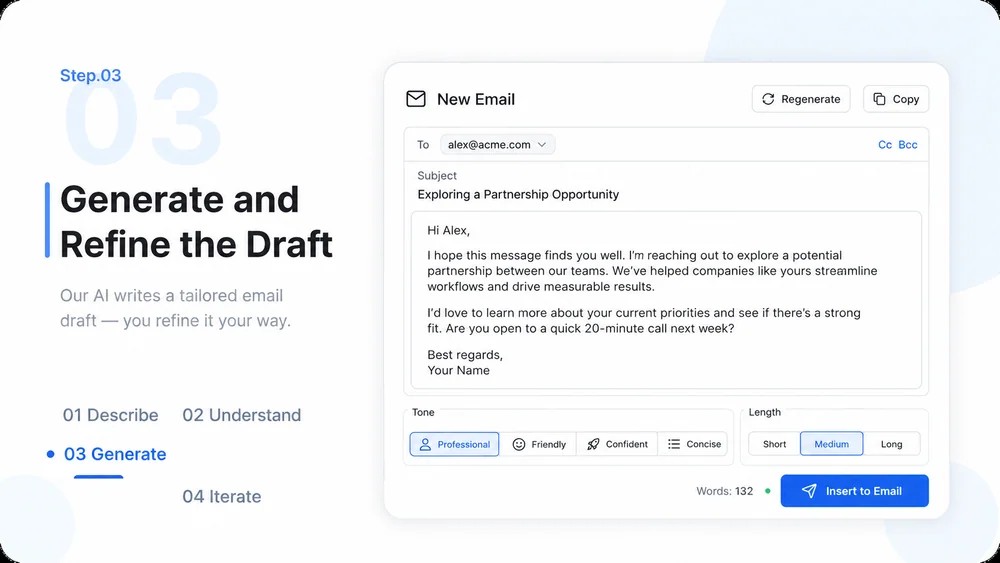
Define tone, length, formality, and phrases to avoid, then compare alternatives before choosing the final version.
Try Now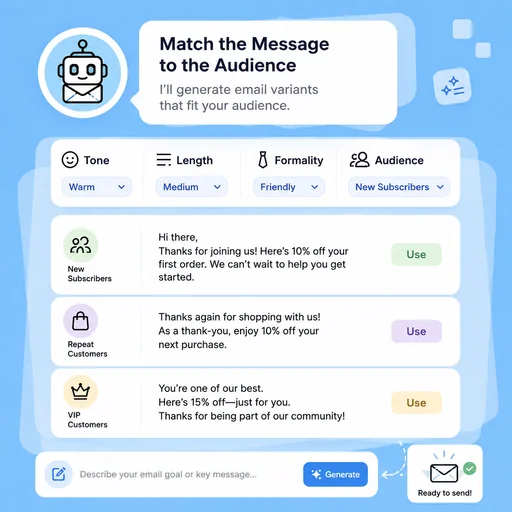
Review & Send
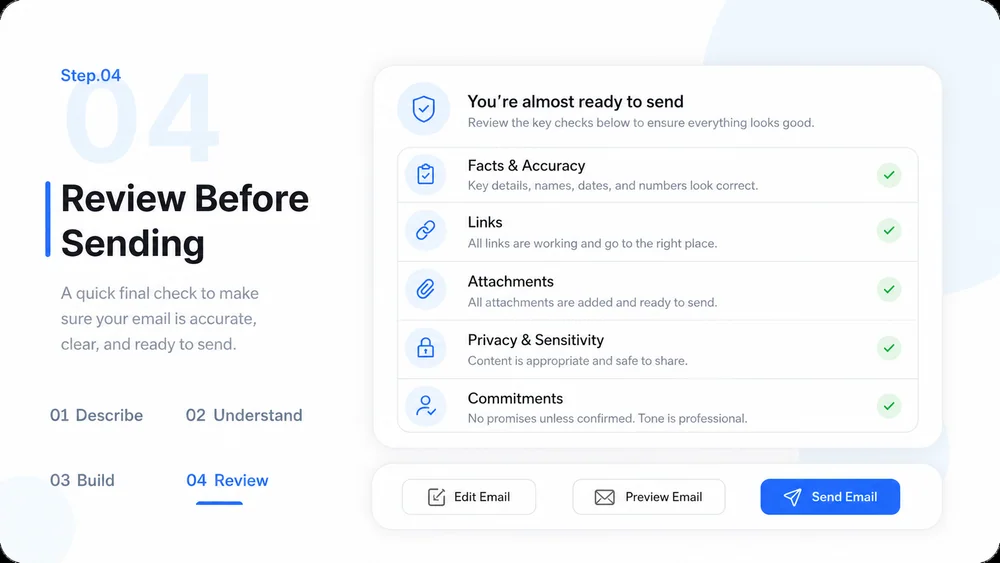
Verify names, dates, links, claims, attachments, and commitments before copying the approved draft into your email client.
Try Now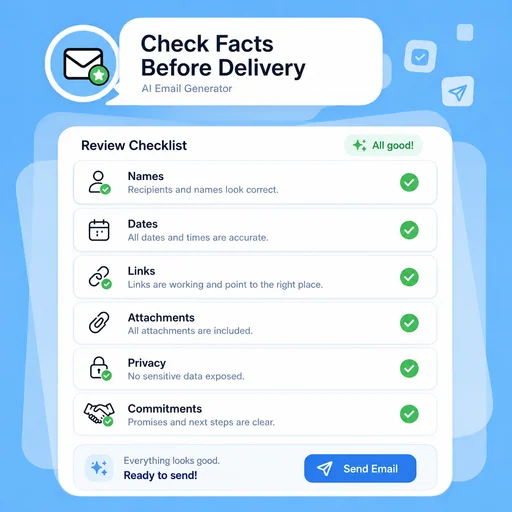
A workflow comparison, not a performance benchmark. Important facts and final results still need human review.
Start with a focused brief, create a reviewable draft, and validate the result before delivery.
Explain who will receive the email, what they need to know, and the action you want them to take.
Add source notes, dates, names, decisions, policies, and constraints that the message must follow.
Create a structured draft, then adjust tone, length, subject line, and call to action.
Check facts, links, attachments, privacy, and commitments, then send through your normal email workflow.
What to prepare, where the work happens, and what still needs review.
