Summarize Long PDFs without Losing the Evidence

Extract key points, preserve page references, compare sections, and flag uncertainty in reviewable PDF summaries.

Start with a PDF summary brief

Choose a sample or describe your PDF summary, then continue in MiniMax Code.

Sample prompts

Explore Four AI PDF Summarizer Examples

Each example starts from verifiable material and a clear brief. Choose a prompt, then adapt it to your own requirements.

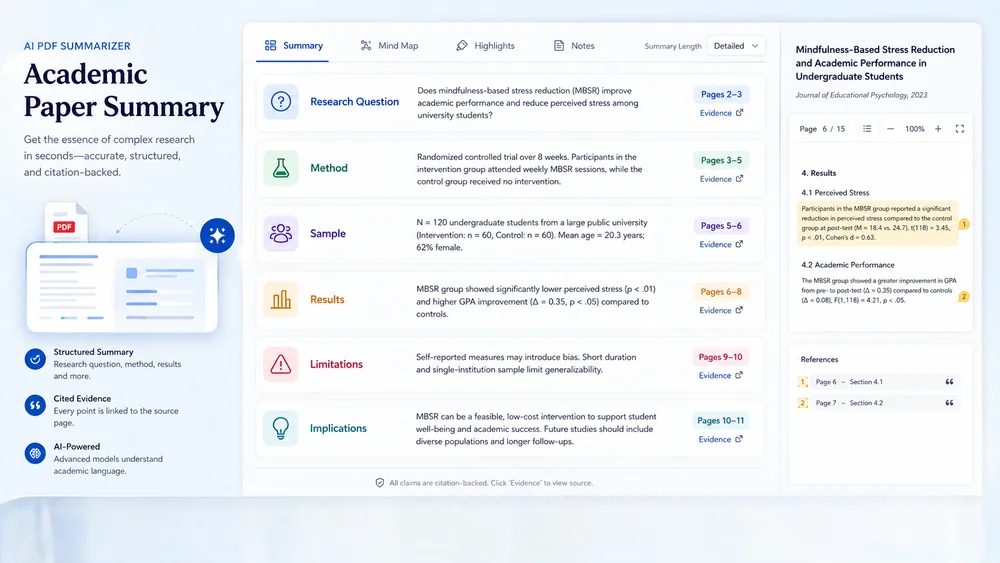
Illustrative academic paper summary created from a focused brief.

Turn Long PDFs into Reviewable, Cited Briefs

Keep planning, creation, review, and handoff connected in one clear workflow.

Purpose & Depth

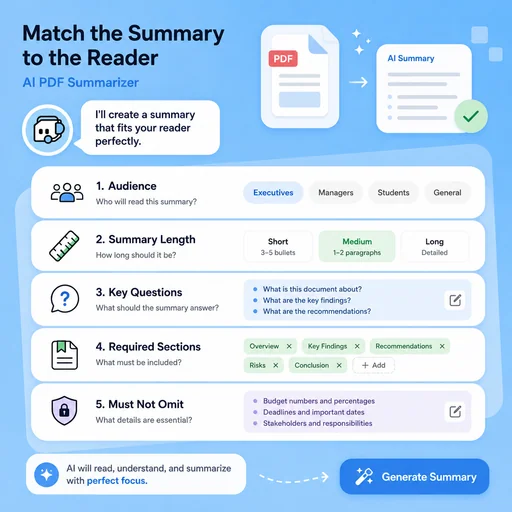
Match the Summary to the Reader

Define the audience, desired length, questions, required sections, and details that must not be omitted.

Try Now
Illustrative workflow for match the summary to the reader.

Traceable Extraction

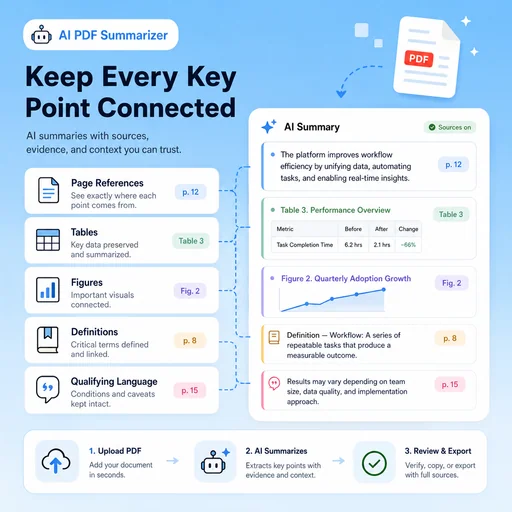
Keep Every Key Point Connected

Capture page references, tables, figures, definitions, and qualifying language alongside the summary.

Try Now
Illustrative workflow for keep every key point connected.

Risk-Aware Review

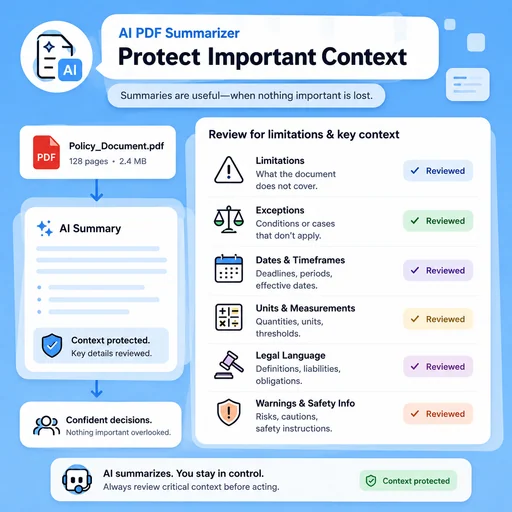
Protect Important Context

Check whether compression removed limitations, exceptions, dates, units, legal language, or safety information.

Try Now
Illustrative workflow for protect important context.

Keep the Entire Workflow Connected

A workflow comparison, not a performance benchmark. Important facts and final results still need human review.

Working Manually

Planning
Organize material separately
Creation
Build each draft by hand
Review
Track issues manually

With MiniMax Code

Planning
Structure the brief and sources
Creation
Generate and revise drafts
Review
Prepare review and handoff checks

Summarize a PDF in Four Steps

Start with a focused brief, create a reviewable draft, and validate the result before delivery.

  1. Step.01

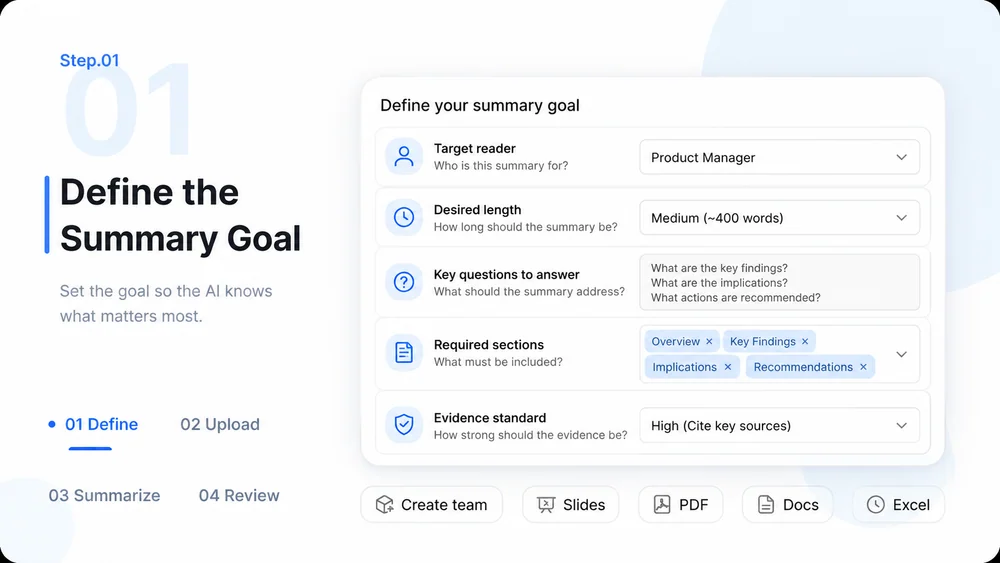
    Define the Summary Goal

    Specify the reader, length, questions, required sections, and evidence standard.

    AI PDF Summarizer workflow, step 1: Define the Summary Goal.
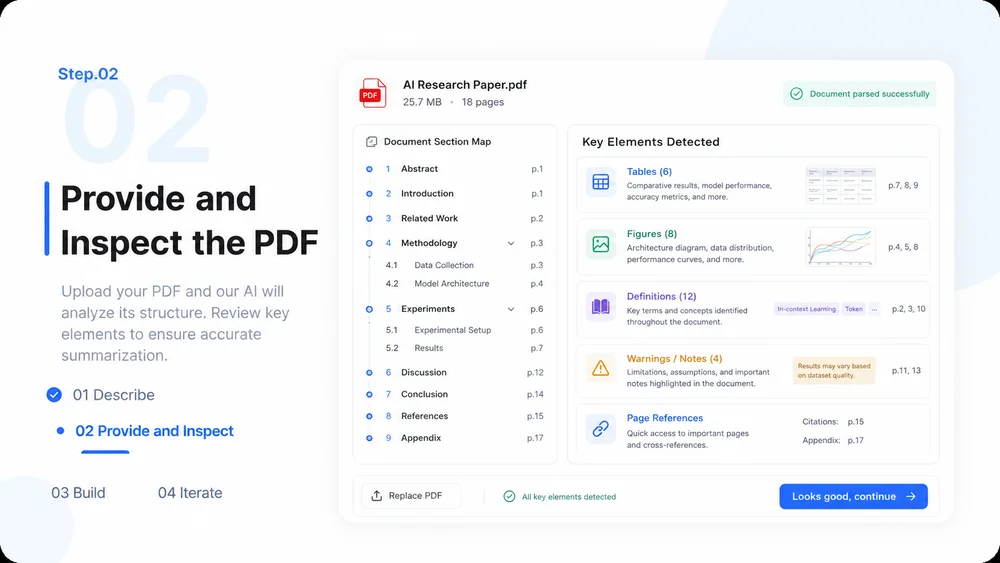
  2. Step.02

    Provide and Inspect the PDF

    Add the document in MiniMax Code and map sections, tables, figures, definitions, and page references.

    AI PDF Summarizer workflow, step 2: Provide and Inspect the PDF.
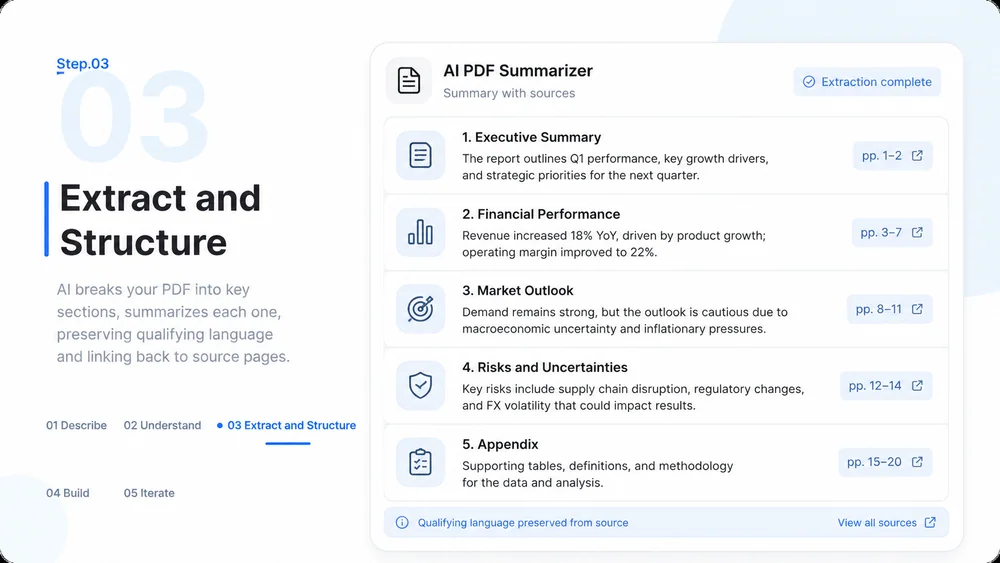
  3. Step.03

    Extract and Structure

    Summarize section by section, preserve qualifying language, and connect key points to pages.

    AI PDF Summarizer workflow, step 3: Extract and Structure.
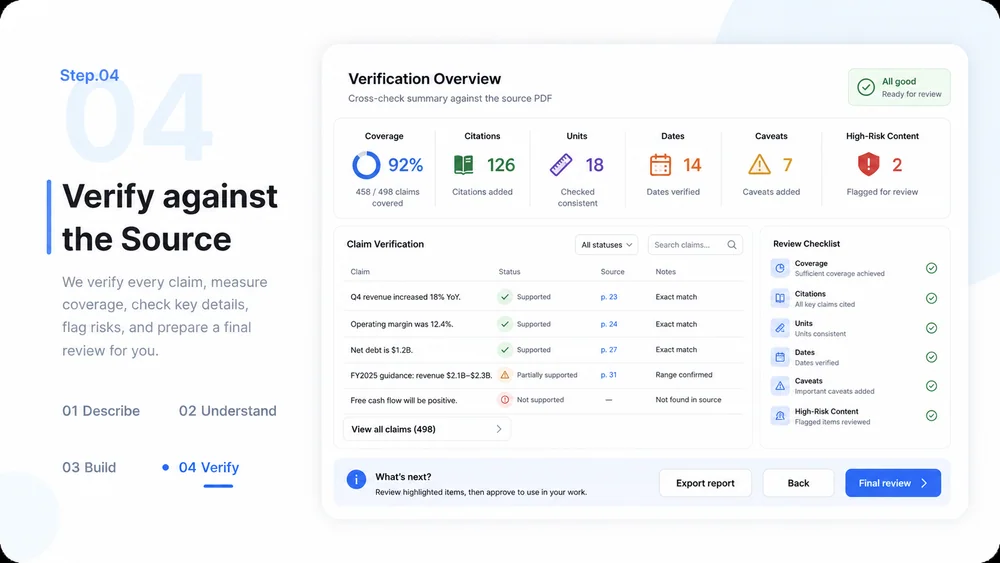
  4. Step.04

    Verify against the Source

    Review coverage, citations, units, dates, caveats, and high-risk content before using the summary.

    AI PDF Summarizer workflow, step 4: Verify against the Source.

AI PDF Summarizer FAQs

What to prepare, where the work happens, and what still needs review.

Turn a Long PDF into a Traceable Brief