AI Poster Generator for Messages That Stand Out

Start with one message, a target audience, and the size of your canvas. MiniMax Code helps explore poster concepts where the headline, imagery, and essential details work together.

Start with Your AI Poster Generator Brief

Choose an example or describe your task, then continue in MiniMax Code.

Sample prompts

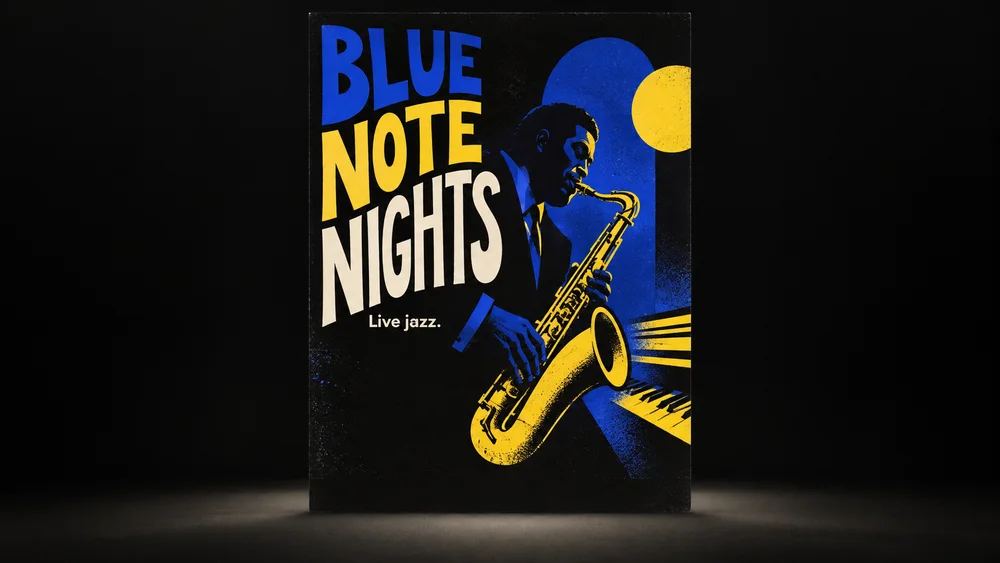
Four Posters with Distinct Visual Voices

Illustrative poster concepts vary their composition, lettering, and materials rather than changing colors on one template.

Illustrative jazz night poster concept for AI Poster Generator.

Make the Main Message Easy to Notice

Plan the brief, develop the work, and review the details with AI Poster Generator.

Visual Hierarchy

Decide What the Reader Sees First

Prioritize the headline, main visual, and essential information. A poster should communicate at a glance before someone reads the smaller details.

Try Now
AI Poster Generator workflow illustration: Decide What the Reader Sees First.

Art Direction

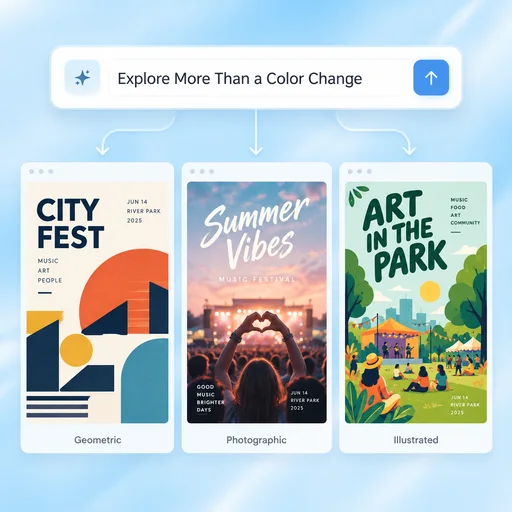
Explore More Than a Color Change

Compare meaningful typography, composition, and image directions. Use references to describe the mood without copying another designer's artwork or brand identity.

Try Now
AI Poster Generator workflow illustration: Explore More Than a Color Change.

Format Review

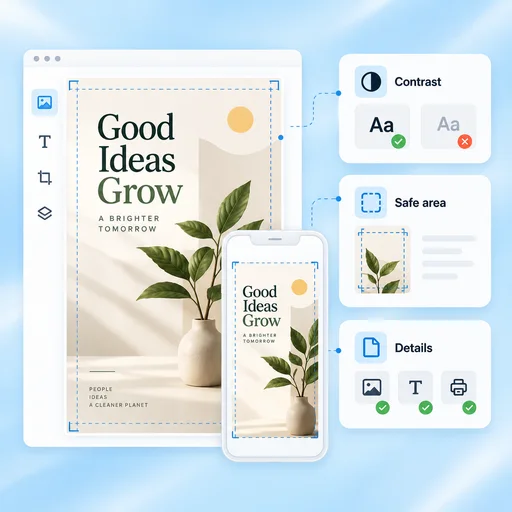
Check the Poster Where It Will Appear

Review contrast and text at the intended size. Confirm safe areas, image rights, spelling, and print or digital specifications before publishing the final file.

Try Now
AI Poster Generator workflow illustration: Check the Poster Where It Will Appear.

A More Connected AI Poster Generator Workflow

A comparison of working approaches, not a measured performance claim. Review the output before using it.

Working Manually

Brief
Start designing before resolving the message
Concepts
Rebuild each visual direction separately
Proofing
Review the artwork without a structured checklist

With MiniMax Code

Brief
Organize audience, message and format first
Concepts
Explore composition and type alternatives from one brief
Proofing
Check content, contrast, placement and production needs

Get Started with AI Poster Generator in Four Steps

Start with the right inputs and keep a human review before the final handoff.

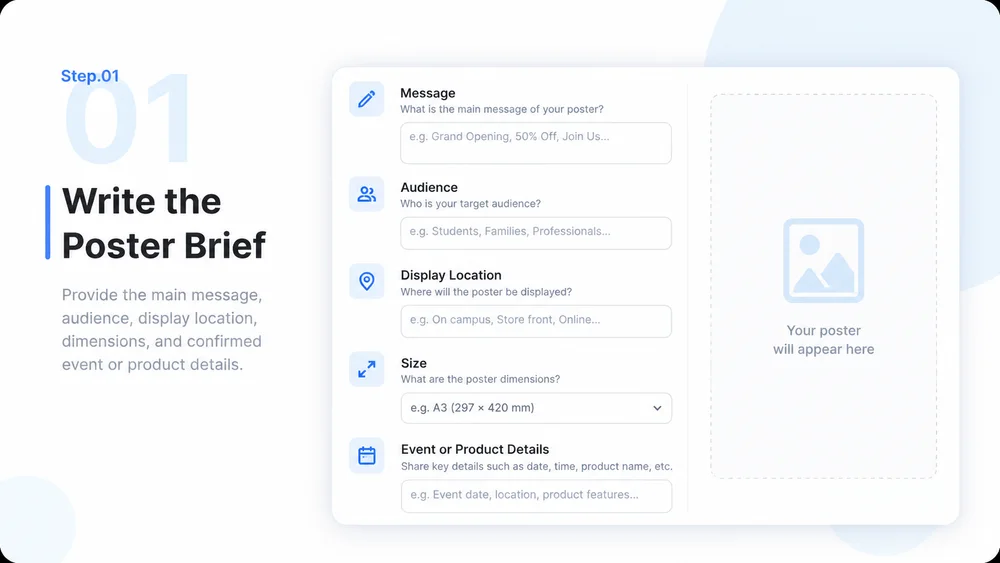
  1. Step.01

    Write the Poster Brief

    Provide the main message, audience, display location, dimensions, and confirmed event or product details.

    AI Poster Generator step 1: Write the Poster Brief.
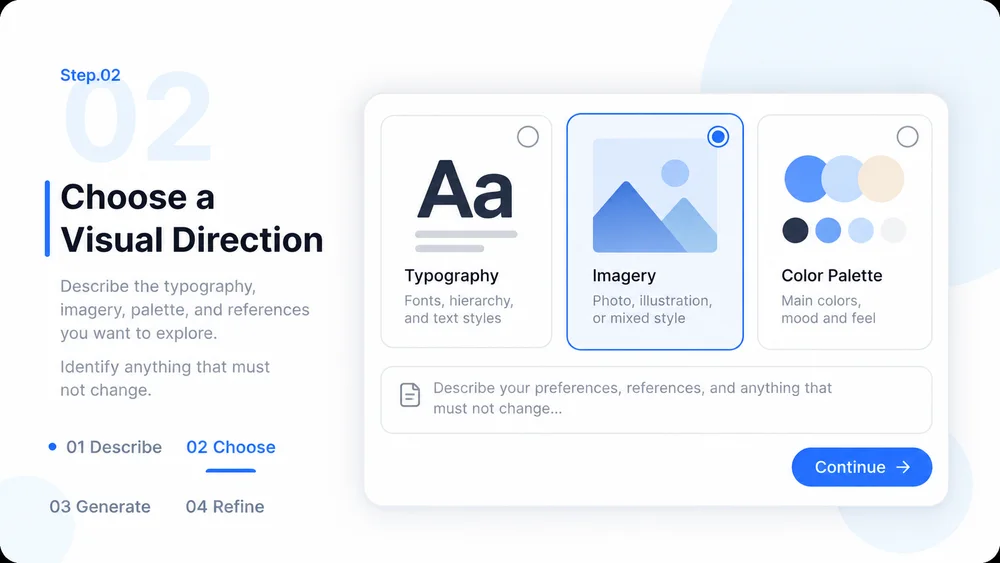
  2. Step.02

    Choose a Visual Direction

    Describe the typography, imagery, palette, and references you want to explore. Identify anything that must not change.

    AI Poster Generator step 2: Choose a Visual Direction.
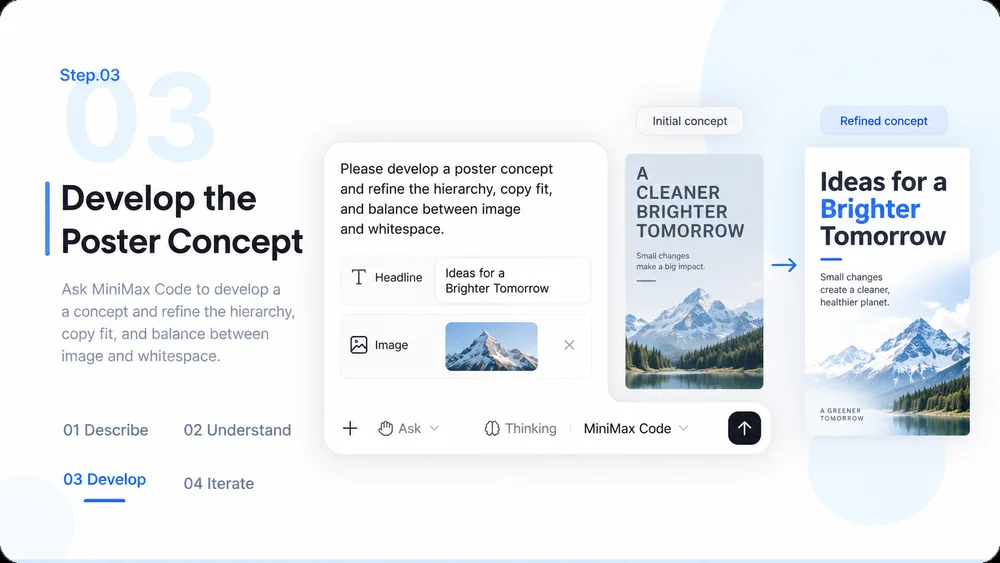
  3. Step.03

    Develop the Poster Concept

    Ask MiniMax Code to develop a concept and refine the hierarchy, copy fit, and balance between image and whitespace.

    AI Poster Generator step 3: Develop the Poster Concept.
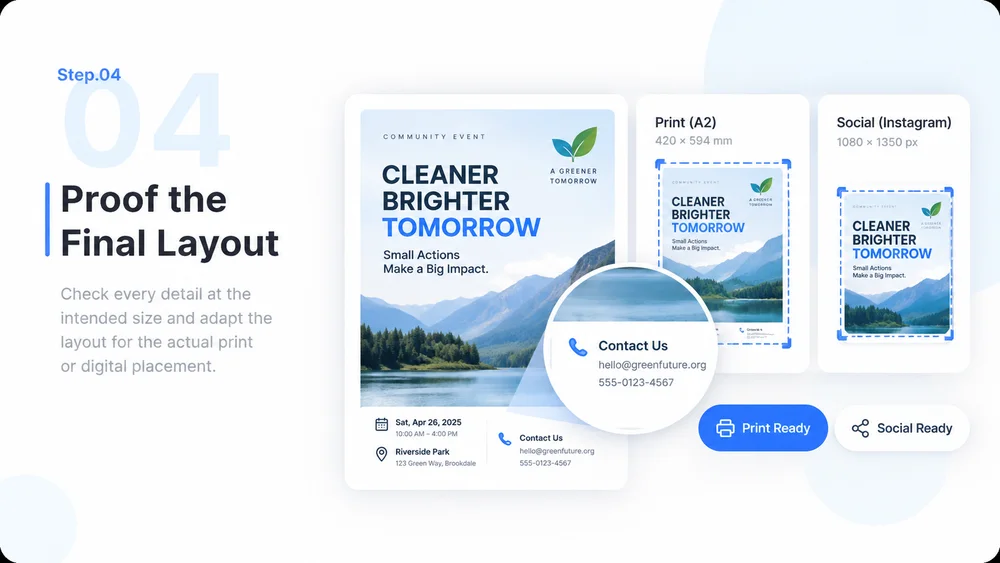
  4. Step.04

    Proof the Final Layout

    Check every detail at the intended size and adapt the layout for the actual print or digital placement.

    AI Poster Generator step 4: Proof the Final Layout.

AI Poster Generator FAQs

Practical answers about inputs, scope, review, and where the work happens.

Give Your Next Poster One Clear Message