AI Presentation Maker for Clear, Polished Decks

Use MiniMax Code as an AI presentation maker and AI presentation generator to turn source material into a presentation outline maker workflow and polished slides.

Start with a Presentation brief

Choose a sample or describe your audience-focused presentation, then continue in MiniMax Code.

Sample prompts

Explore Four AI Presentation Maker Examples

Illustrative examples for different work scenarios. Use a prompt as a starting brief, then adapt it to verified source material and requirements.

Illustrative conference talk generated from a focused brief.

Move from Brief to a Reviewable Presentation Maker

Keep planning, generation, review, and handoff connected in one clear workflow.

Audience Strategy

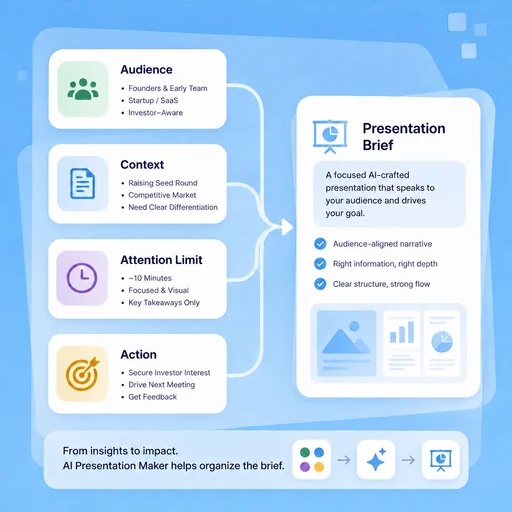
Design for What the Audience Needs

Clarify prior knowledge, attention limits, and desired action before choosing slide content.

Try Now
Illustrative workflow for design for what the audience needs.

Story & Evidence

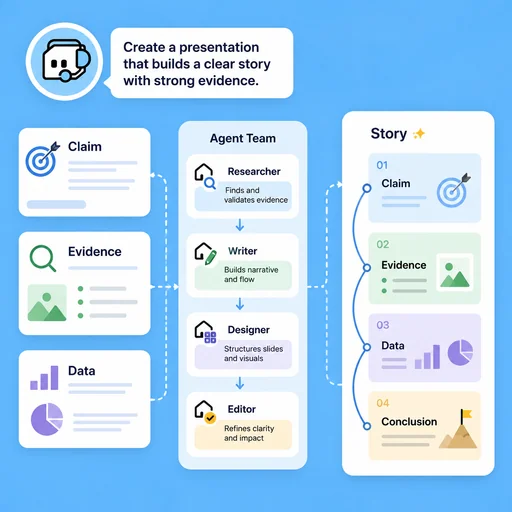
Connect Ideas with a Clear Narrative

Sequence claims, examples, data, and transitions so each section supports the presentation purpose.

Try Now
Illustrative workflow for connect ideas with a clear narrative.

Delivery Practice

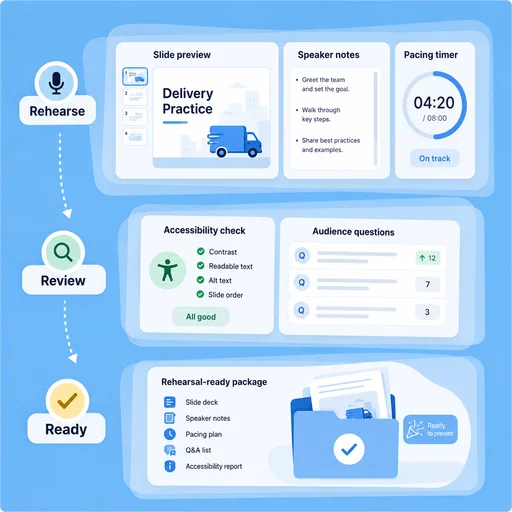
Refine Slides and Speaker Flow Together

Review pacing, notes, accessibility, and likely questions before presenting to a real audience.

Try Now
Illustrative workflow for refine slides and speaker flow together.

Keep the Work Connected

A workflow comparison, not a performance benchmark. You still review key facts and the final result.

Working Manually

Planning
Organize material by hand
Creation
Create each part manually
Review
Check issues separately

With MiniMax Code

Planning
Structure the brief
Creation
Generate and revise a draft
Review
Prepare a review checklist

Create Your Presentation Maker in Four Steps

Start with a focused brief, create a reviewable draft, and validate the result before delivery.

  1. Step.01

    Clarify the Audience

    Define the audience, setting, time limit, existing knowledge, and desired outcome.

    AI Presentation Maker workflow, step 1: Clarify the Audience.
  2. Step.02

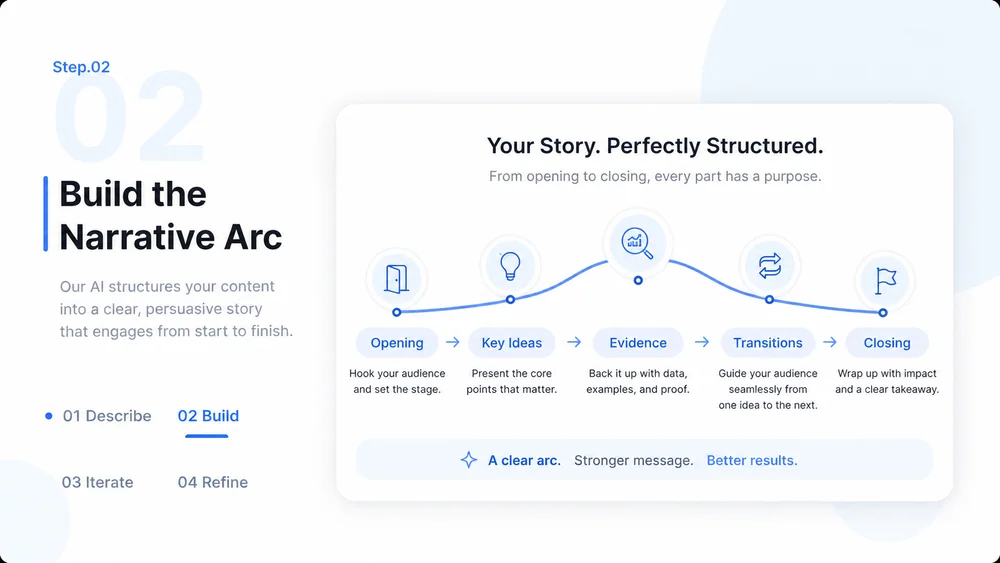
    Build the Narrative Arc

    Organize the opening, key ideas, evidence, transitions, and closing into a coherent flow.

    AI Presentation Maker workflow, step 2: Build the Narrative Arc.
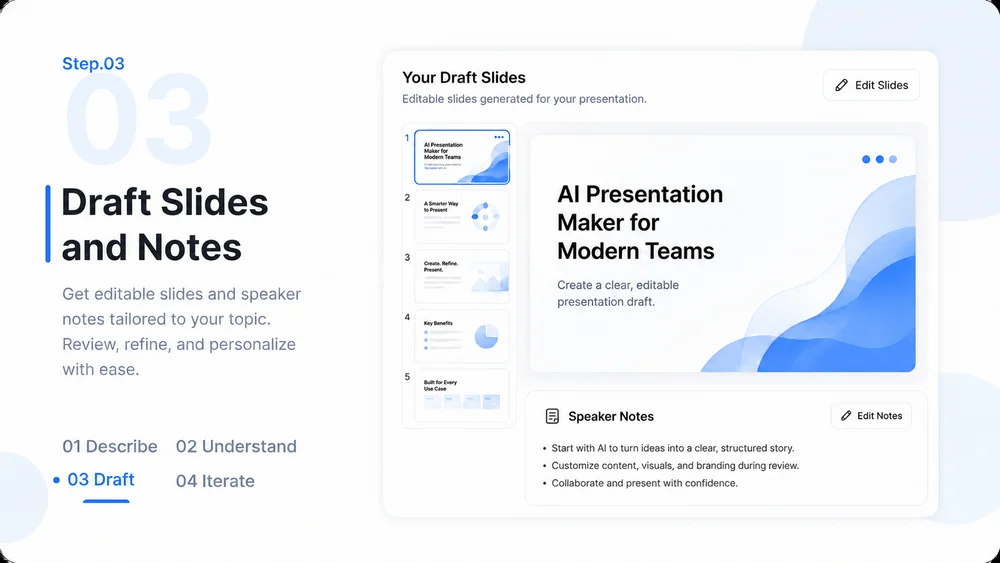
  3. Step.03

    Draft Slides and Notes

    Create concise slide content, visual guidance, and speaker notes that complement rather than repeat one another.

    AI Presentation Maker workflow, step 3: Draft Slides and Notes.
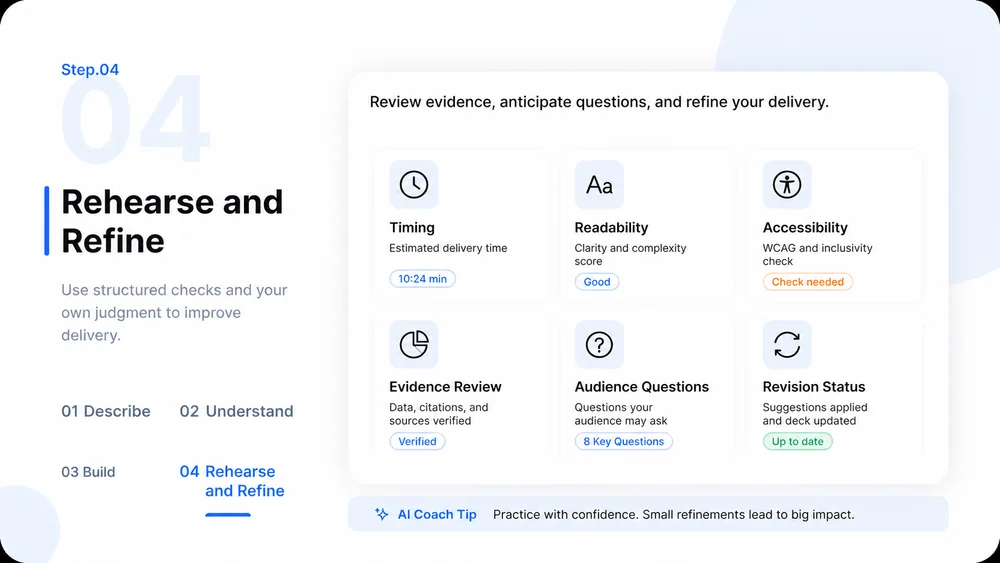
  4. Step.04

    Rehearse and Refine

    Check timing, readability, accessibility, evidence, and likely questions, then revise the presentation.

    AI Presentation Maker workflow, step 4: Rehearse and Refine.

AI Presentation Maker FAQs

What to prepare, where the work happens, and what still needs review.

Turn Your Ideas into a Clear Presentation