AI Python Code Generator for Testable Scripts

Describe the input, expected output, and constraints of your Python task. MiniMax Code helps draft the implementation, explain its choices, and prepare tests you can run in your environment.

Start with Your AI Python Code Generator Brief

Choose an example or describe your task, then continue in MiniMax Code.

Sample prompts

Four Python Tasks with Concrete Inputs and Outputs

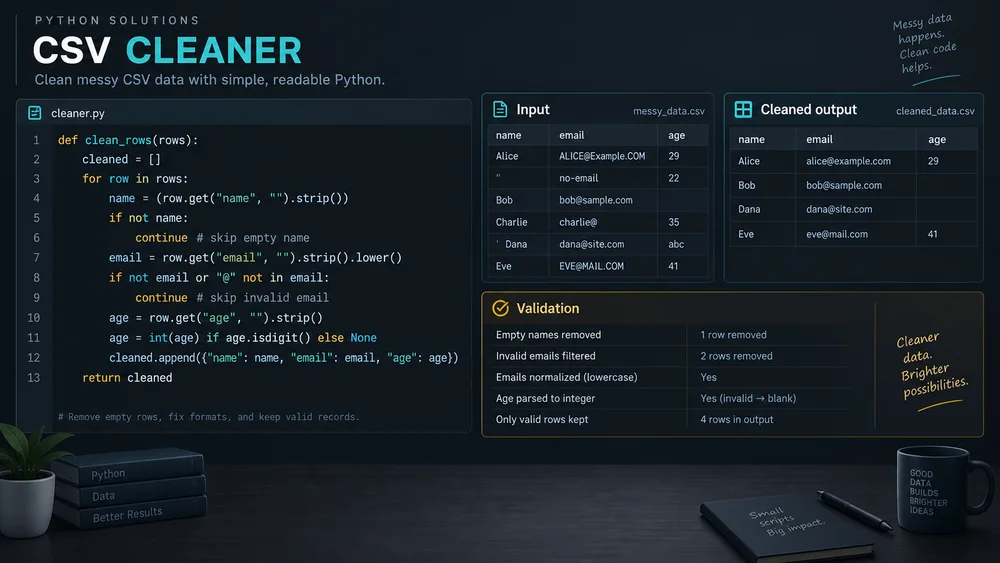
Illustrative code-workspace concepts show practical scripts, not proof of execution, benchmarks, or production readiness.

Illustrative csv data cleaner concept for AI Python Code Generator.

Build Python Code You Can Inspect and Test

Plan the brief, develop the work, and review the details with AI Python Code Generator.

Task Definition

Make Inputs and Outputs Explicit

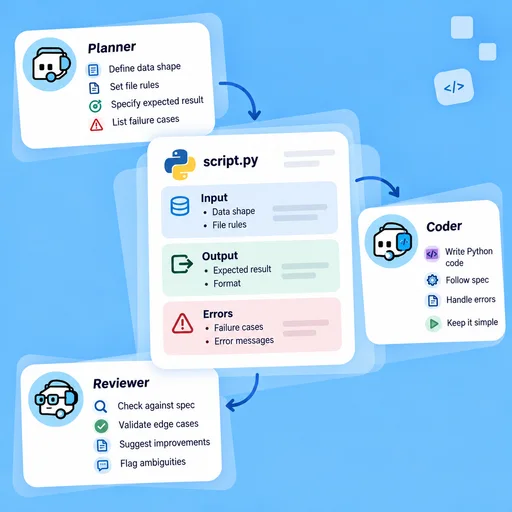
State the data shape, file rules, expected result, and failure cases. Clear constraints help turn a broad request into an implementation you can evaluate.

Try Now
AI Python Code Generator workflow illustration: Make Inputs and Outputs Explicit.

Implementation

Keep Code and Setup Together

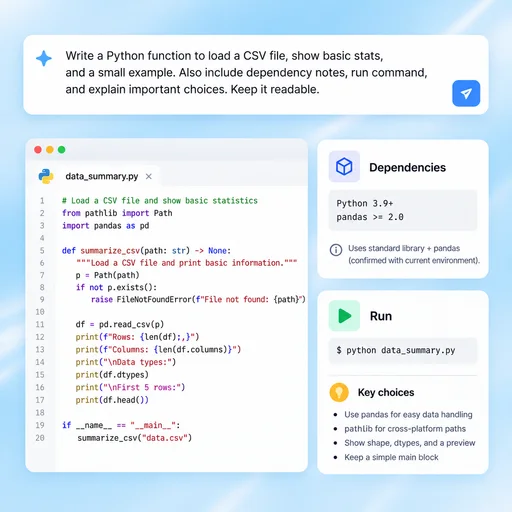
Ask for readable functions, dependency notes, run commands, and explanations of important choices. Use your actual environment and version constraints rather than assuming every library is available.

Try Now
AI Python Code Generator workflow illustration: Keep Code and Setup Together.

Verification

Test Before Touching Important Data

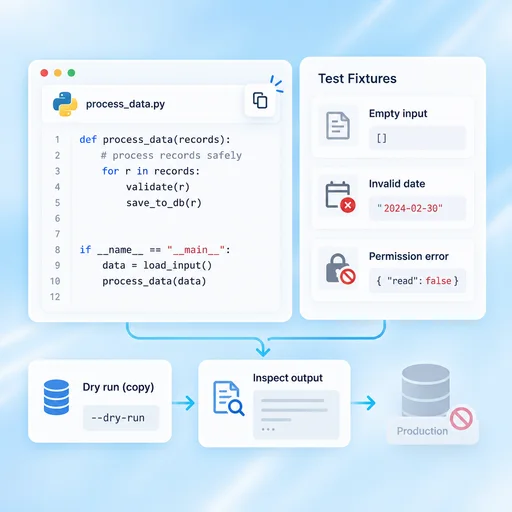
Start with small fixtures and review edge cases, permissions, and failure behavior. Use copies or dry runs for risky operations and inspect the output before production use.

Try Now
AI Python Code Generator workflow illustration: Test Before Touching Important Data.

A More Connected AI Python Code Generator Workflow

A comparison of working approaches, not a measured performance claim. Review the output before using it.

Working Manually

Task setup
Infer requirements while writing the script
Implementation
Write code and setup notes independently
Testing
Add tests after the first real-data run

With MiniMax Code

Task setup
Clarify inputs, outputs and edge cases in the brief
Implementation
Draft code with dependencies and assumptions together
Testing
Plan small fixtures and failure cases before integration

Get Started with AI Python Code Generator in Four Steps

Start with the right inputs and keep a human review before the final handoff.

  1. Step.01

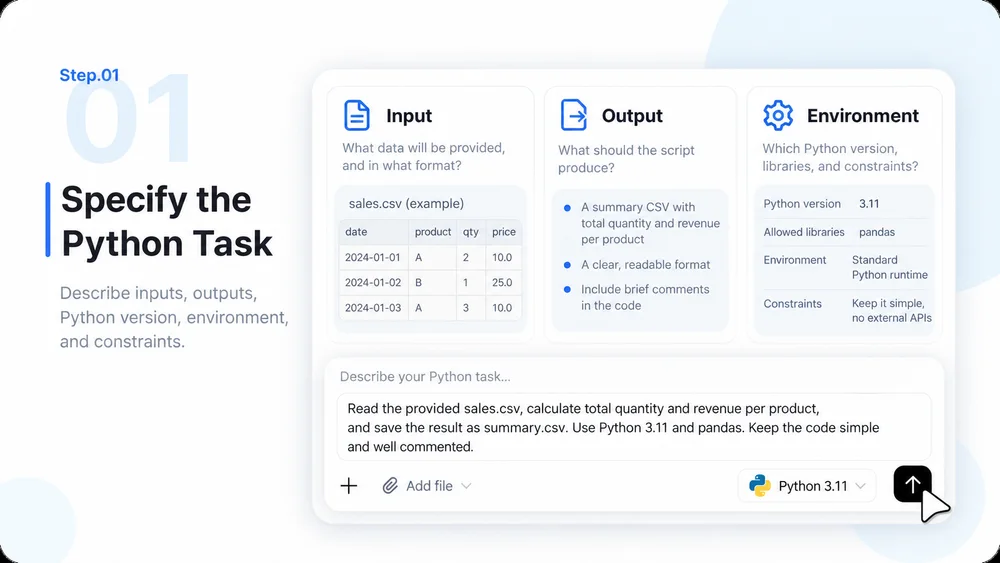
    Specify the Python Task

    Describe inputs, outputs, Python version, environment, and constraints. Include a small non-sensitive example.

    AI Python Code Generator step 1: Specify the Python Task.
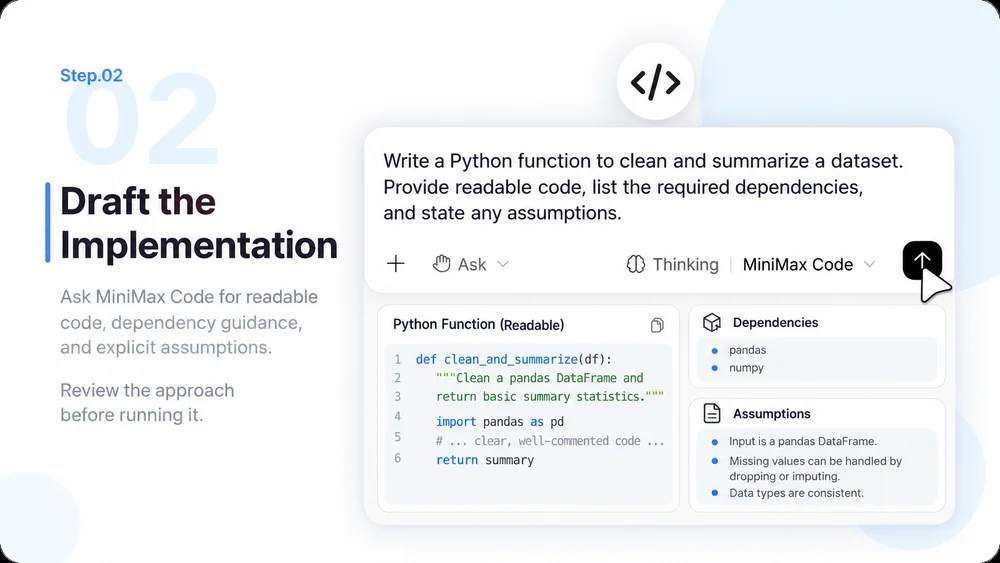
  2. Step.02

    Draft the Implementation

    Ask MiniMax Code for readable code, dependency guidance, and explicit assumptions. Review the approach before running it.

    AI Python Code Generator step 2: Draft the Implementation.
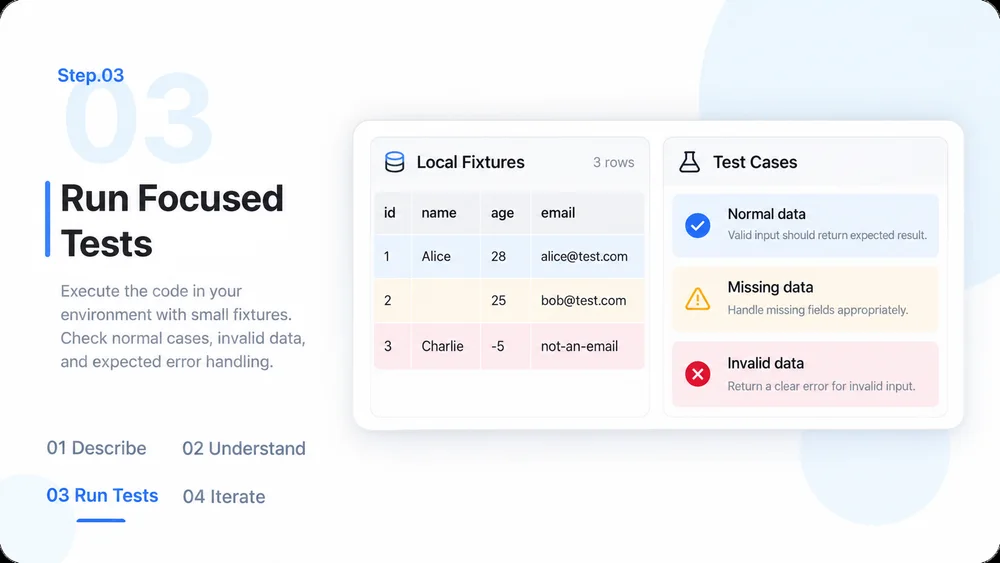
  3. Step.03

    Run Focused Tests

    Execute the code in your environment with small fixtures. Check normal cases, invalid data, and expected error handling.

    AI Python Code Generator step 3: Run Focused Tests.
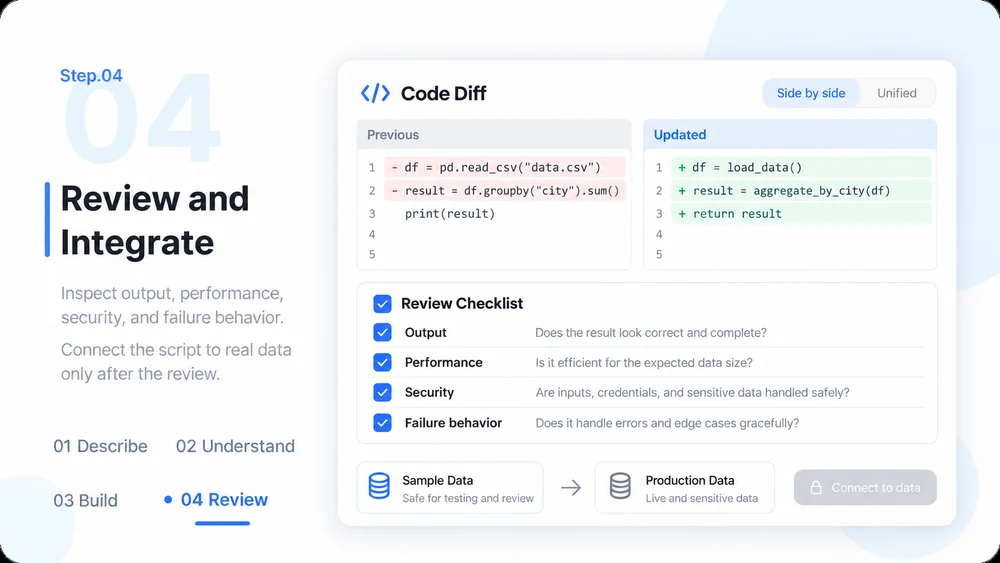
  4. Step.04

    Review and Integrate

    Inspect output, performance, security, and failure behavior. Connect the script to real data only after the review.

    AI Python Code Generator step 4: Review and Integrate.

AI Python Code Generator FAQs

Practical answers about inputs, scope, review, and where the work happens.

Start Your Next Python Script with a Testable Brief