AI Resume Builder for Verified Experience and Relevant Roles

Bring your experience and a target job description. MiniMax Code helps select relevant evidence, write clear achievement bullets, and prepare a resume you can verify before applying.

Start with a Resume brief

Choose a sample or describe your tailored resume, then continue in MiniMax Code.

Sample prompts

Explore Four AI Resume Builder Examples

Illustrative examples for different work scenarios. Use a prompt as a starting brief, then adapt it to verified source material and requirements.

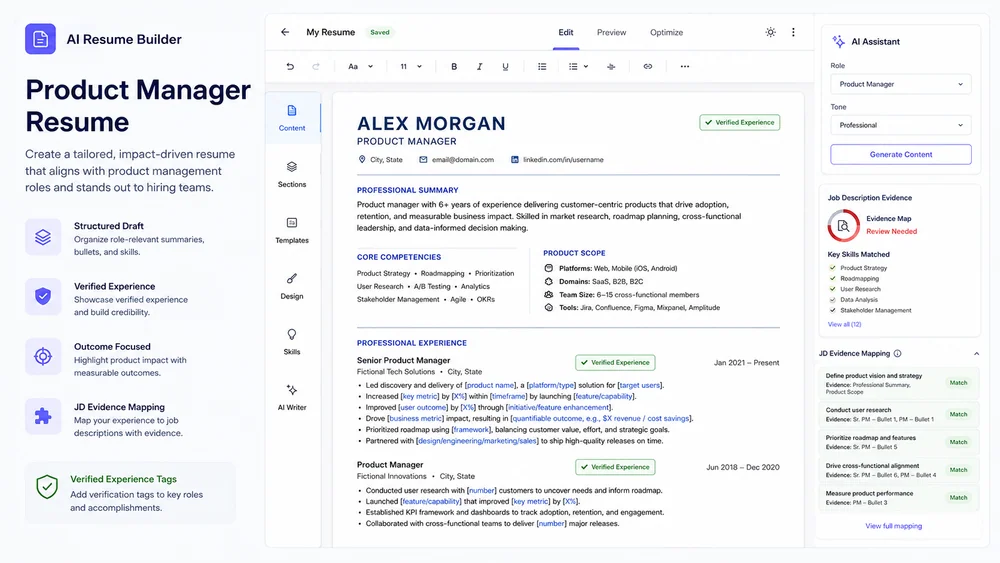
Illustrative product manager resume generated from a focused brief.

A concise resume connecting product outcomes, scope, and verified evidence to the target role.

Move from Brief to a Reviewable Resume Builder

Show the experience that matters for a role without inventing qualifications or overstating results.

Evidence Inventory

Start with Facts You Can Verify

Collect roles, dates, projects, outcomes, links, and metrics before writing or tailoring resume claims. When a metric is unavailable, describe the actual scope or outcome instead of making up a percentage.

Try Now
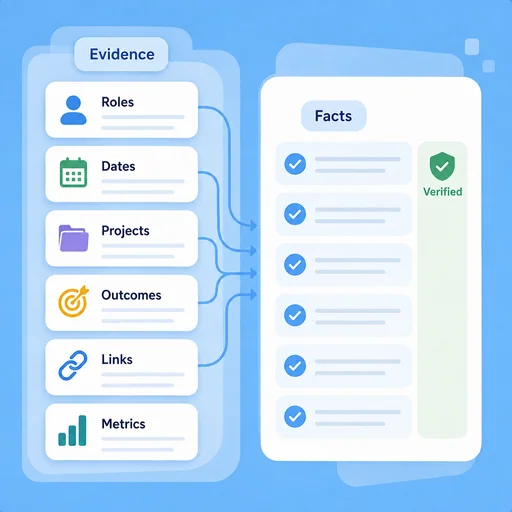
Illustrative workflow for start with facts you can verify.

Role Alignment

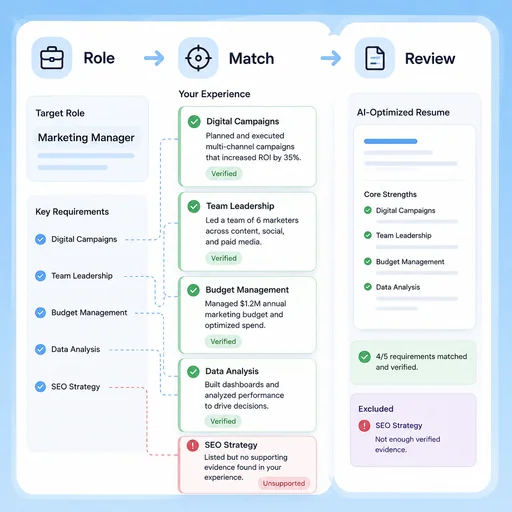
Match Relevant Experience to the Job

Map verified evidence to role requirements while keeping wording specific and avoiding unsupported claims. Use the employer's terminology where it truthfully matches your work, and make transferable skills explicit for career changes.

Try Now
Illustrative workflow for match relevant experience to the job.

Application Review

Check Clarity Before You Apply

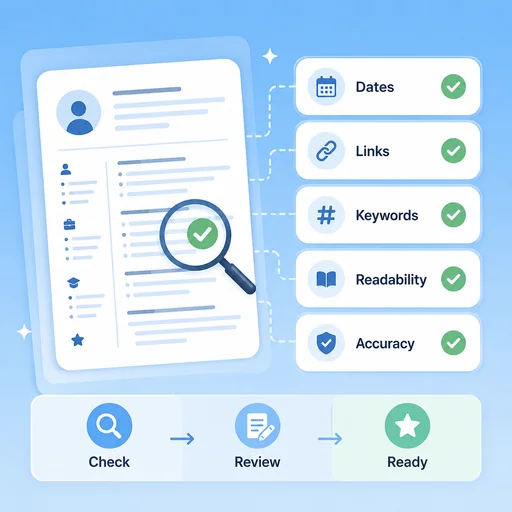
Review hierarchy, dates, links, keywords, readability, and factual accuracy for every application. Use clear section labels and check the exported file's text order; no layout or keyword score guarantees an ATS pass.

Try Now
Illustrative workflow for check clarity before you apply.

Keep the Work Connected

A workflow comparison, not a performance benchmark. You still review key facts and the final result.

Working Manually

Planning
Organize material by hand
Creation
Create each part manually
Review
Check issues separately
Job tailoring
Match each requirement to your experience
Achievement claims
Rewrite duties as substantiated outcomes
Application readiness
Inspect formatting and accuracy yourself

With MiniMax Code

Planning
Structure the brief
Creation
Generate and revise a draft
Review
Prepare a review checklist
Job tailoring
Draft a requirement-to-evidence map and relevant bullet options
Achievement claims
Clarify impact while marking missing metrics for confirmation
Application readiness
Prepare a readability and fact-check pass; no hiring guarantee

Create Your Resume Builder in Four Steps

Start with a focused brief, create a reviewable draft, and validate the result before delivery.

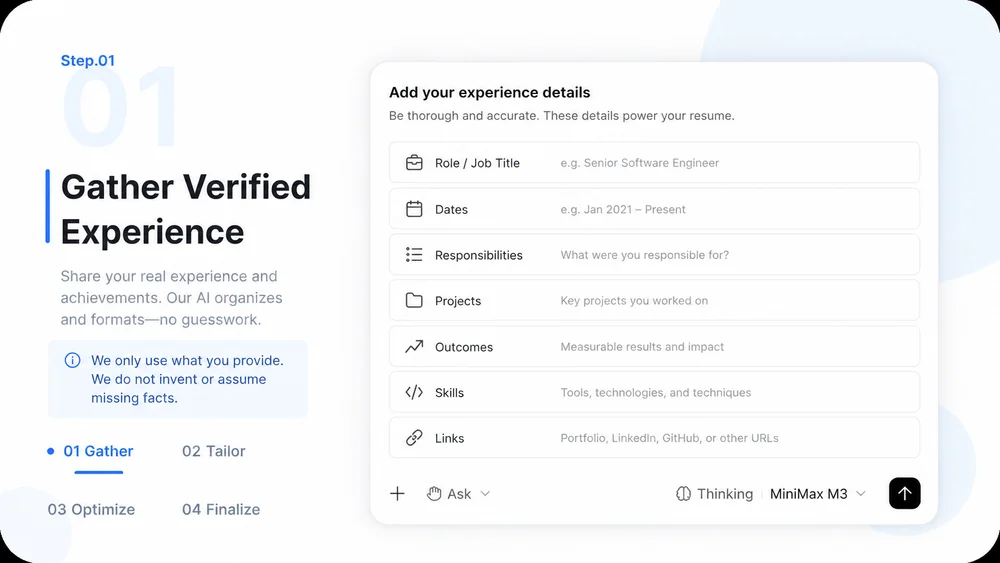
  1. Step.01

    Gather Verified Experience

    Provide roles, dates, responsibilities, projects, outcomes, skills, and links that can be checked.

    AI Resume Builder workflow, step 1: Gather Verified Experience.
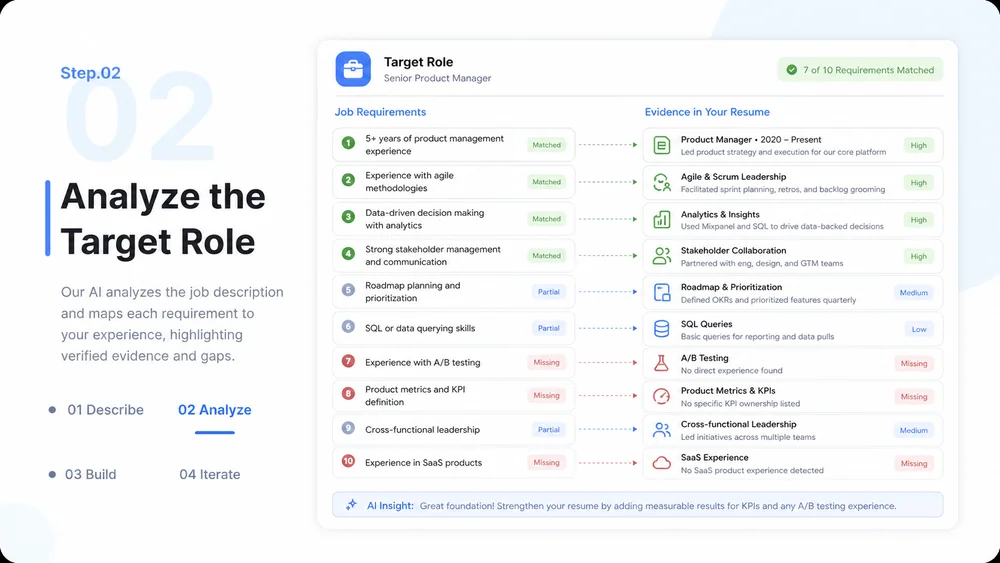
  2. Step.02

    Analyze the Target Role

    Identify required skills and responsibilities, then map only relevant verified evidence to them.

    AI Resume Builder workflow, step 2: Analyze the Target Role.
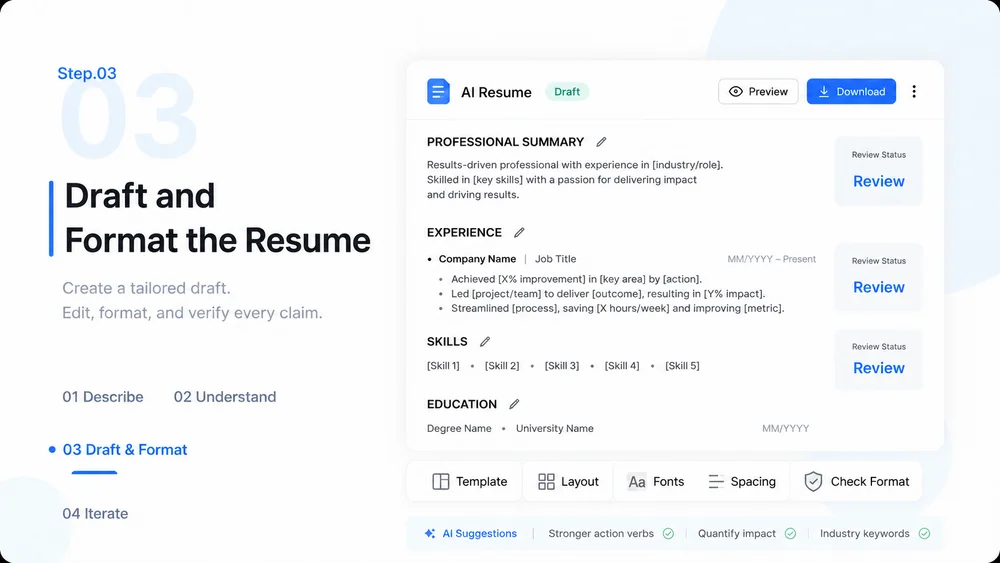
  3. Step.03

    Draft and Format the Resume

    Create concise bullets and a clear editable layout without inventing metrics, employers, or credentials.

    AI Resume Builder workflow, step 3: Draft and Format the Resume.
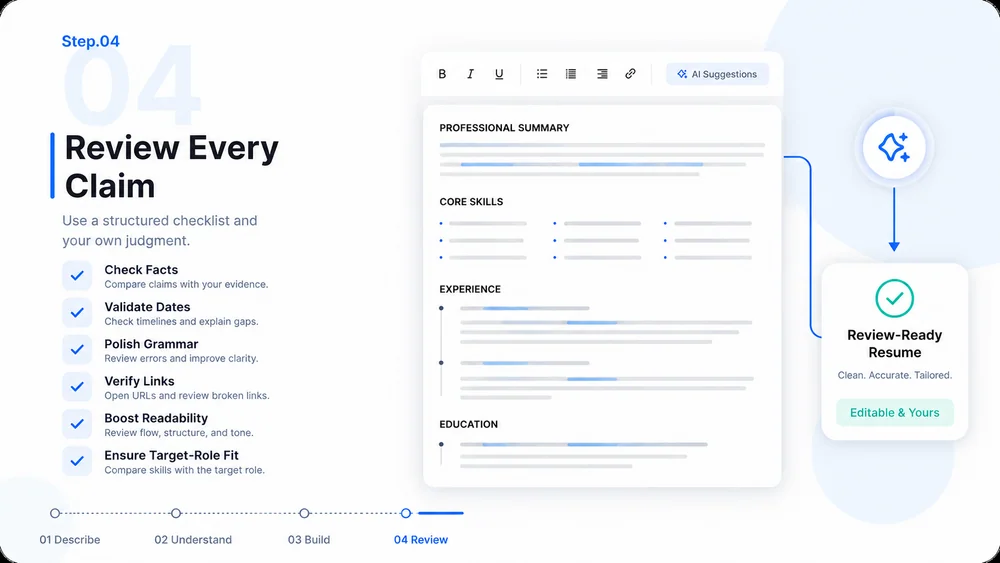
  4. Step.04

    Review Every Claim

    Check facts, dates, grammar, links, readability, and application-specific relevance before submission.

    AI Resume Builder workflow, step 4: Review Every Claim.

AI Resume Builder FAQs

What to prepare, where the work happens, and what still needs review.

Build a Resume That Reflects Your Real Experience