AI Story Generator for Ideas Worth Following

Start with a character, a place, or a question. Explore a plot, write the next scene, and revise the details that make your fictional world feel connected.

Start with Your Story Generator Brief

Choose an example or describe your task, then continue in MiniMax Code.

Sample prompts

Four Genres. Four Very Different Worlds.

Illustrative story concepts pair distinct visual moods with writing prompts. They are fictional examples, not published books or customer work.

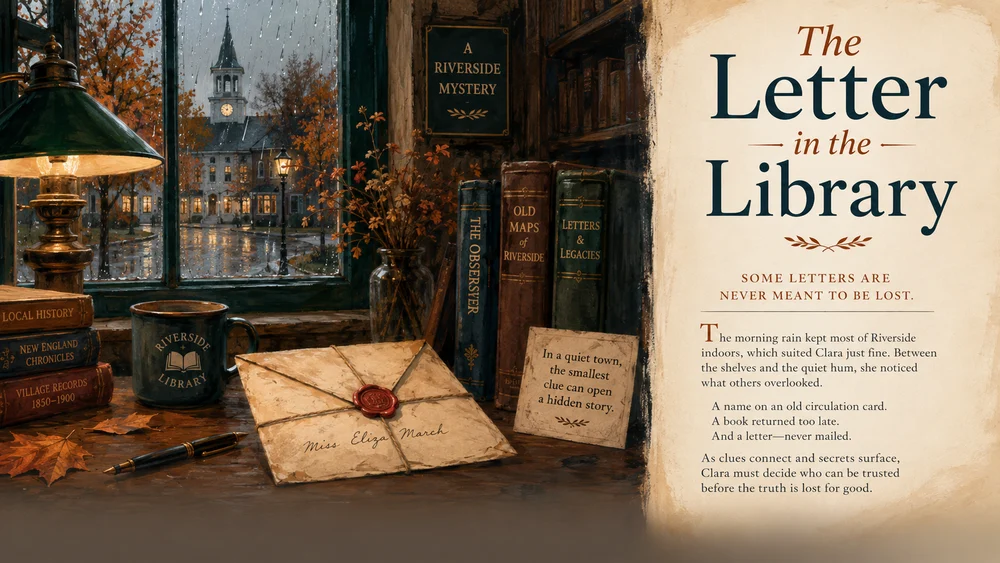
Illustrative cozy mystery concept for AI Story Generator; not a verified customer result.

Build the Story Behind the First Sentence

Focus the brief, develop the work, and review the details that matter for this task.

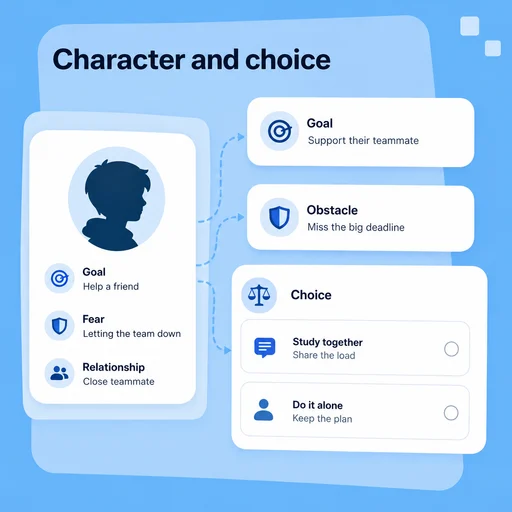
Character Motivation

Give Characters a Reason to Act

Connect goals, fears, relationships, and choices. Ask for alternatives that reveal character instead of adding events without a purpose.

Try Now
Illustrative AI Story Generator workflow: Give Characters a Reason to Act.

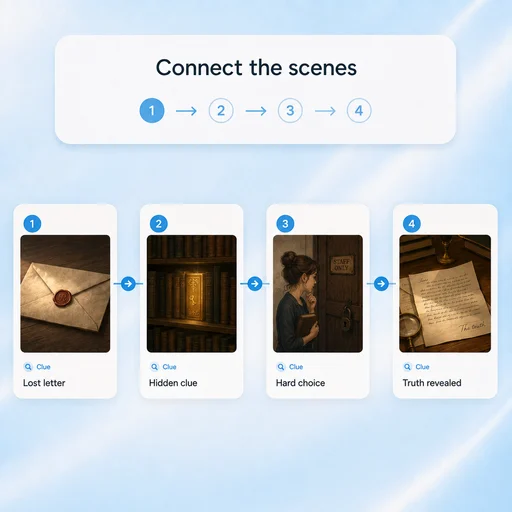
Plot Continuity

Keep Cause and Effect Connected

Map the turning points, track clues or rules, and check whether each scene follows from what came before.

Try Now
Illustrative AI Story Generator workflow: Keep Cause and Effect Connected.

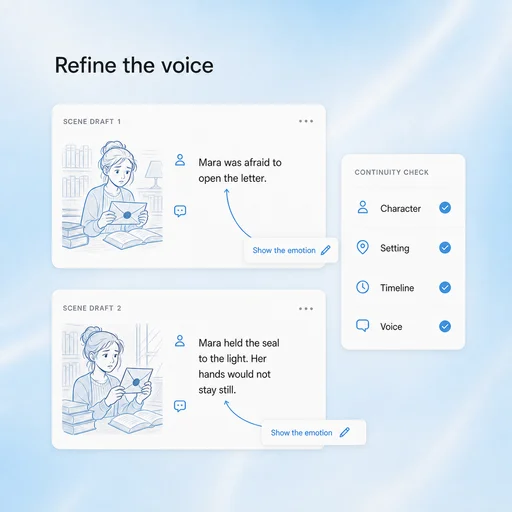
Voice & Revision

Revise the Scene, Keep Your Intent

Try different pacing, dialogue, or viewpoints while preserving the facts of your fictional world and the tone you chose.

Try Now
Illustrative AI Story Generator workflow: Revise the Scene, Keep Your Intent.

A More Connected Story Generator Workflow

A comparison of working approaches, not a measured performance claim. Review the output before using it.

Working Manually

Ideas
Hold several possibilities in scattered notes
Structure
Lose track of turning points
Revision
Restart the whole draft

With MiniMax Code

Ideas
Compare premises and character motivations
Structure
Keep a reviewable outline and continuity notes
Revision
Explore targeted scene and dialogue alternatives

Grow a Story in Four Steps

Start with the right inputs and keep a human review before the final handoff.

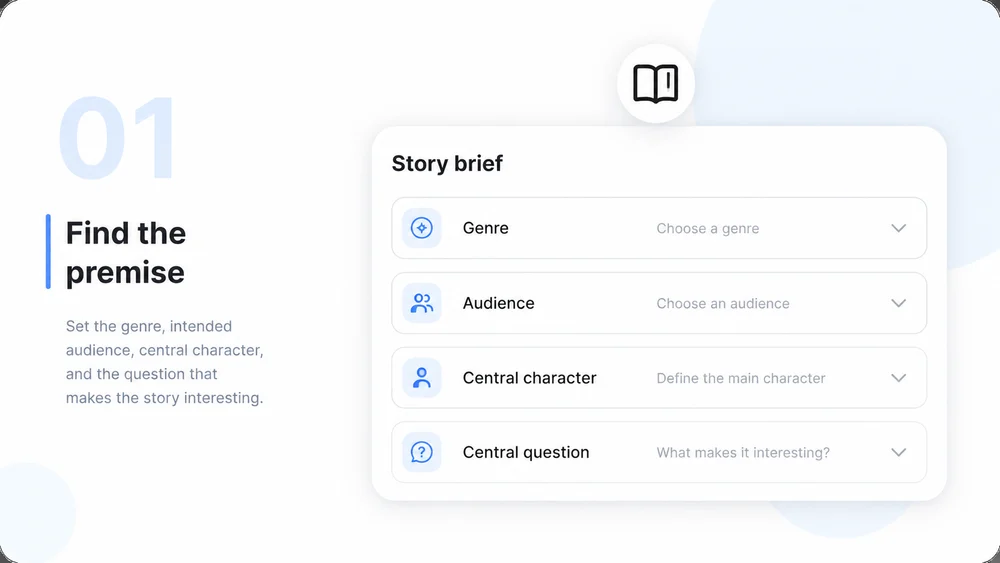
  1. Step.01

    Choose a Premise

    Set the genre, intended audience, central character, and the question that makes the story interesting.

    Illustrative AI Story Generator step 1: Choose a Premise.
  2. Step.02

    Build the Story Plan

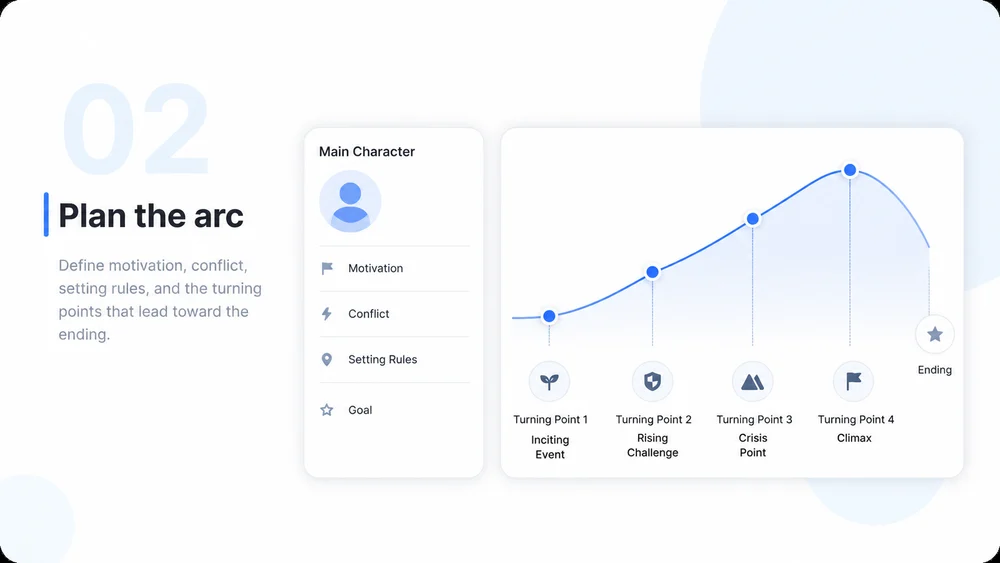
    Define motivation, conflict, setting rules, and the turning points that lead toward the ending.

    Illustrative AI Story Generator step 2: Build the Story Plan.
  3. Step.03

    Write Scene by Scene

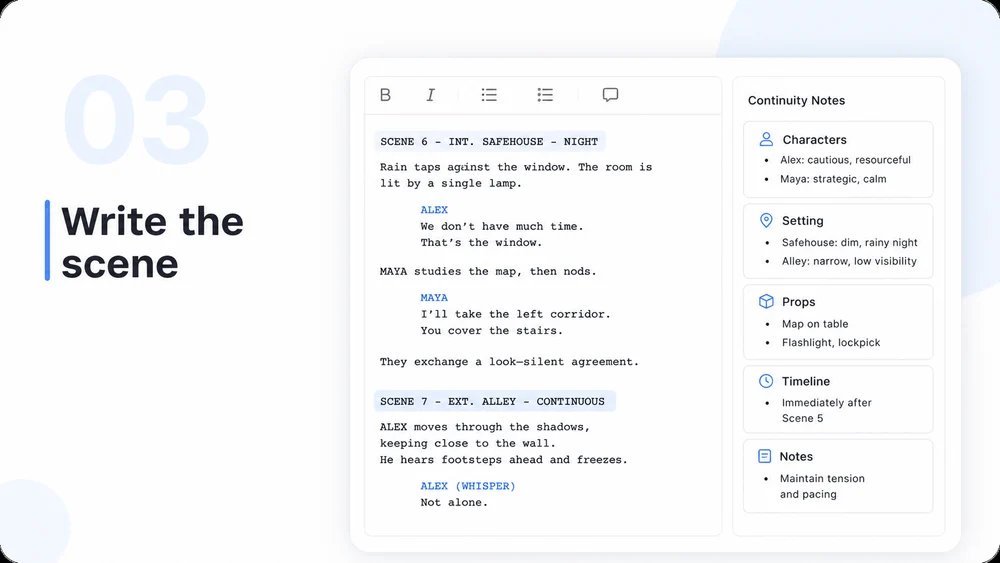
    Develop the draft with specific actions and dialogue, using your outline and continuity notes as context.

    Illustrative AI Story Generator step 3: Write Scene by Scene.
  4. Step.04

    Revise for Coherence

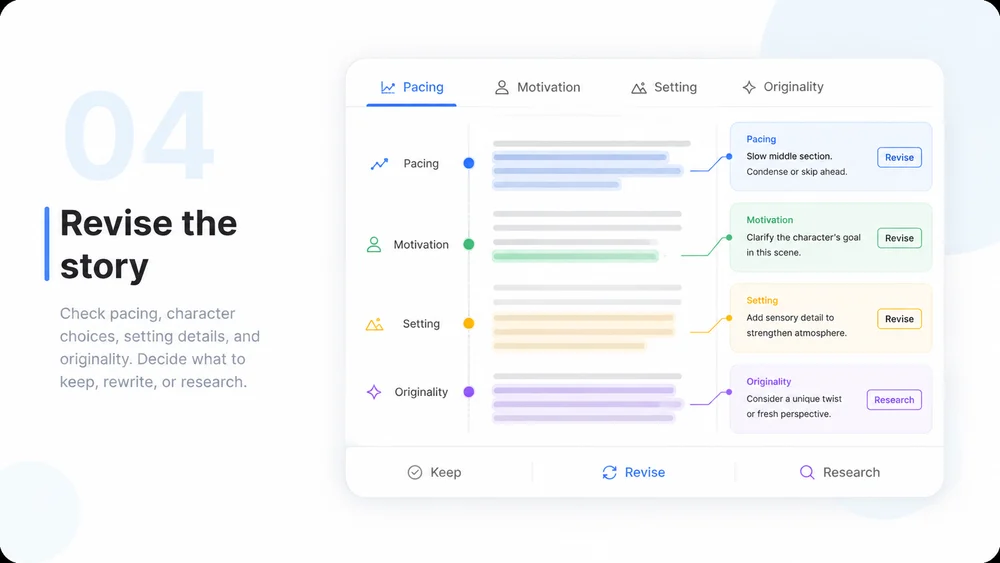
    Check pacing, character choices, setting details, and originality. Decide what to keep, rewrite, or research.

    Illustrative AI Story Generator step 4: Revise for Coherence.

AI Story Generator FAQs

Practical answers about inputs, scope, review, and where the work happens.

Start with an Idea. Find the Next Scene.