AI Website Builder: One Prompt to a Fully Deployable Website

Input an idea, and MiniMax Code automatically handles research, design, development, testing, and optimization. Not just a demo—a truly deliverable, production-ready website.

Start with a Website Prompt

Describe the website you want to build, or choose a sample prompt to get started in MiniMax Code.

Sample website prompts

From One Prompt to a Production-Ready Website

Explore websites MiniMax Code can build across commerce, technology, architecture, and beauty.

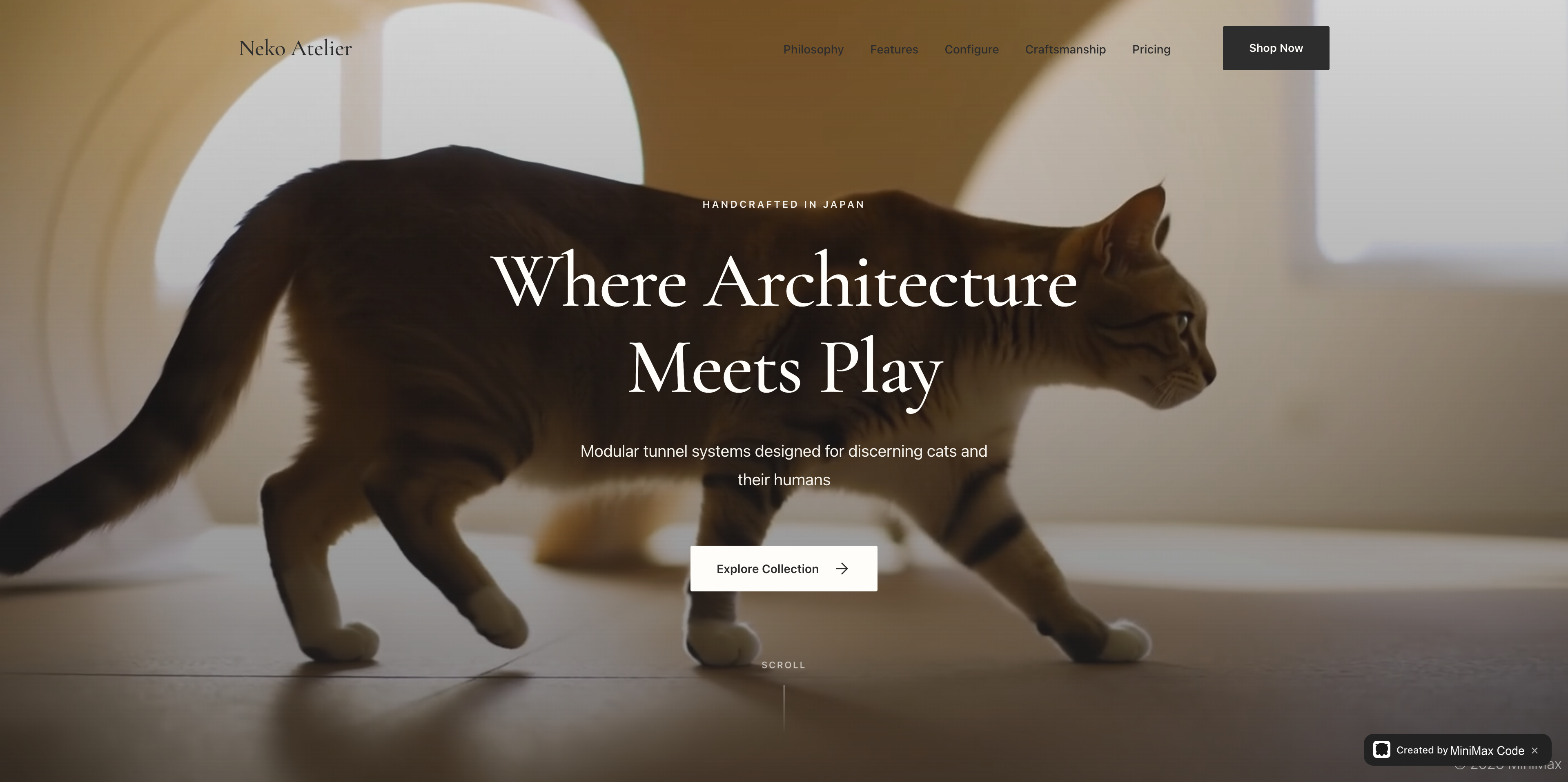
Premium direct-to-consumer website for modular cat furniture with a full-screen lifestyle image

Built for End-to-End Website Creation

Build complete websites from a prompt, expand them with consistent design, and keep your project context across updates.

Build Complete Websites From a Prompt

AI Website Builder

Describe the website you want to create, and MiniMax Code can plan the structure, generate pages, write content, build the frontend, and refine the design—turning an idea into a working website in one workflow.

Try Now
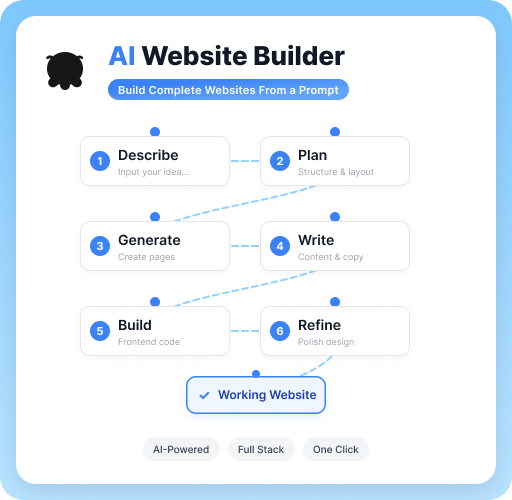
MiniMax Code website workflow from describing an idea through planning, page generation, content writing, frontend development, and refinement

Keep Structure and Design Consistent

From One Page to a Full Website

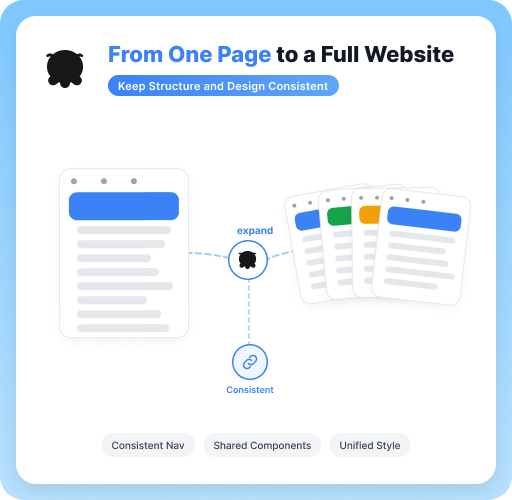
MiniMax Code understands your site structure and design language, making it easy to expand from a single page into a complete multi-page website while keeping navigation, components, and styling consistent.

Try Now
A single website page expanding into a consistent multi-page site with shared navigation, components, and styling

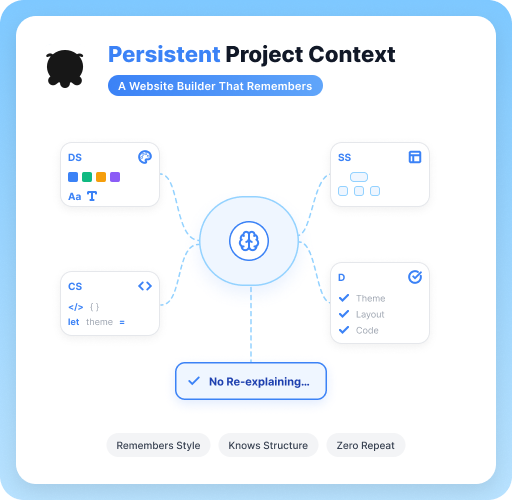
A Website Builder That Remembers

Persistent Project Context

MiniMax Code remembers your design system, site structure, coding preferences, and previous decisions, so you can add pages and update components without repeatedly explaining your project from scratch.

Try Now
MiniMax Code retaining a website design system, site structure, coding preferences, and previous project decisions

Why Choose MiniMax Code

Compare a single-prompt website generator with an AI agent team built for full-stack delivery.

DimensionTraditional AI Website BuildersMiniMax Code AI Agent Team
Development ModeSolo Execution: Generates only single-page static HTML/CSS code based on prompts.Team Collaboration: Dedicated Agents for architecture, UI design, full-stack coding, and testing divide and conquer.
Code Quality & StabilityError-Prone & Hard to Debug: Helpless when facing complex logic or dependency errors.Zero-Error Delivery: A Produce-Verify closed loop lets the Verifier automatically run tests and fix bugs.
Business Logic & DataStatic Showcase Only: Unable to connect to backend databases or handle complex business workflows.Dynamic Full-Stack: Supports database integration, API calling, and automated workflow integration.
Brand & Design ConsistencyGeneric & Repetitive: Generates random styles every time and cannot remember design guidelines.Persistent Memory: Remembers brand CI/VI and component specs—the more you build, the better it aligns with your brand.
Interaction & IterationWeb-Box Dialogue Only: Code modifications require manual copying and pasting.Full Ecosystem Integration: Issue revision commands directly through CLI, Desktop App, or Lark/WeChat.

Build a Website in 4 Simple Steps

Create a complete website from a simple idea with MiniMax Code—from structure and design to working pages.

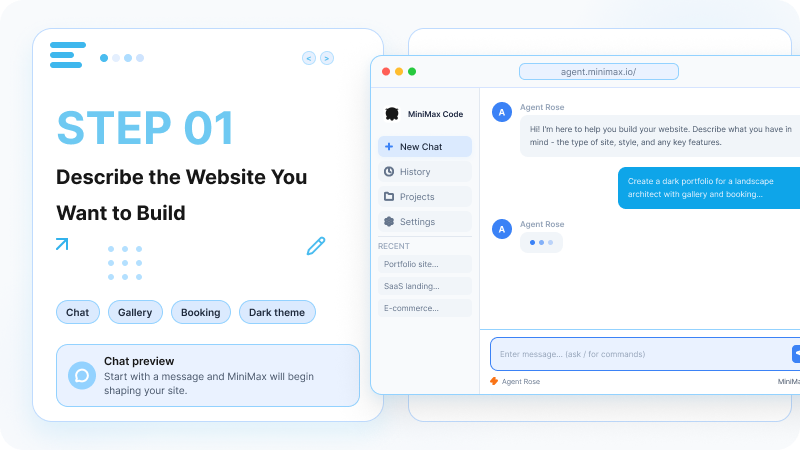
  1. Step.01

    Describe the Website You Want to Build

    Start with a message and MiniMax Code will begin shaping your site.

    A chat prompt describing a website goal, with a portfolio website example
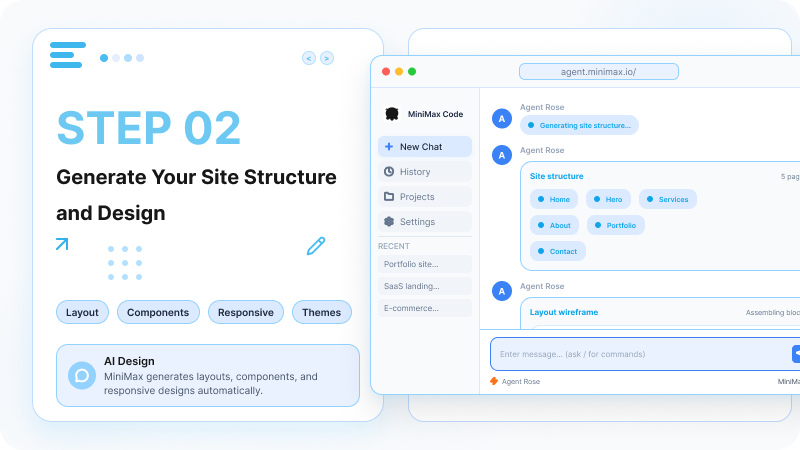
  2. Step.02

    Generate Your Site Structure and Design

    MiniMax Code generates layouts, components, and responsive designs automatically.

    MiniMax Code generating a site map, page structure, layout wireframe, and responsive design
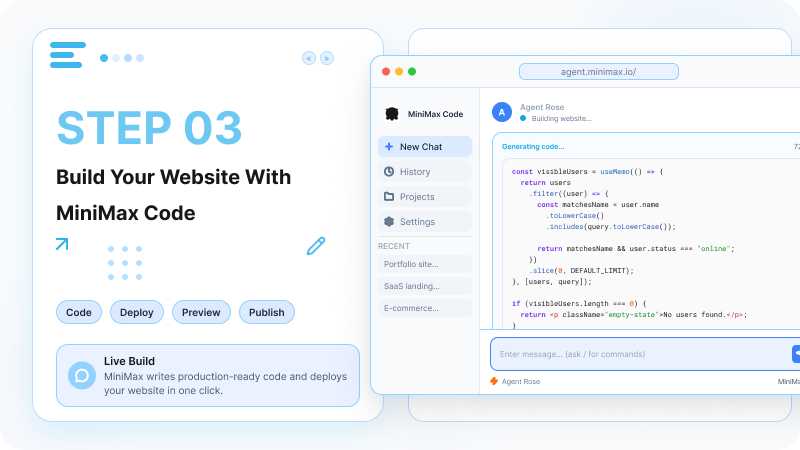
  3. Step.03

    Build Your Website With MiniMax Code

    MiniMax Code writes your website code so you can build, preview, and prepare it for deployment.

    MiniMax Code generating website code with build and preview controls
  4. Step.04

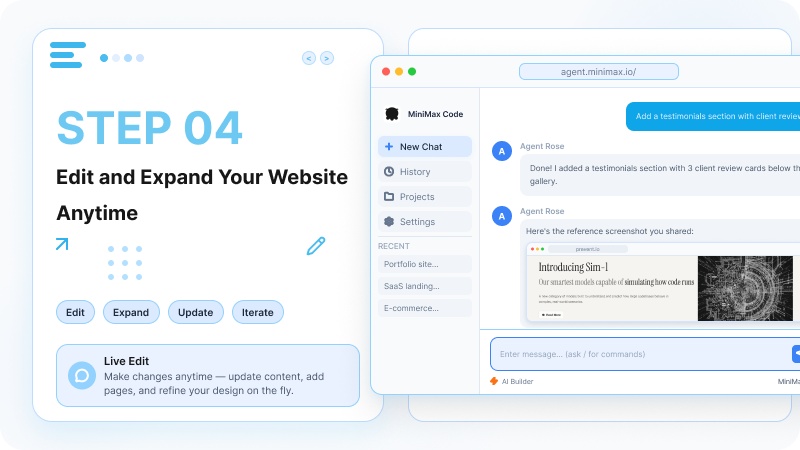
    Edit and Expand Your Website Anytime

    Make changes anytime—update content, add pages, and refine your design on the fly.

    A follow-up prompt adding a testimonials section and refining an existing website

Frequently Asked Questions

Answers about full-stack development, code quality, deployment, no-code workflows, integrations, and credits.

One Prompt. One Fully Deployable Website.