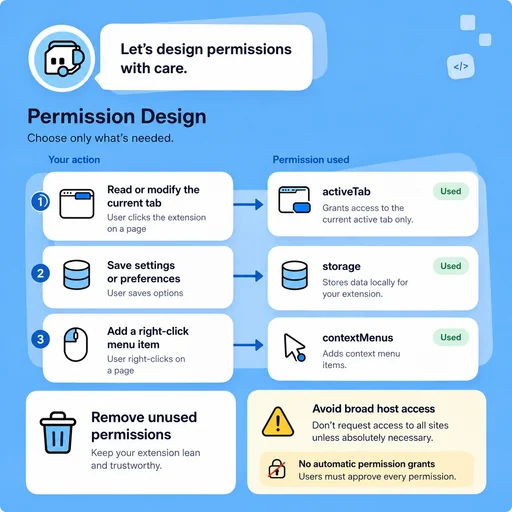
Permission Design
Request Only What the Feature Needs
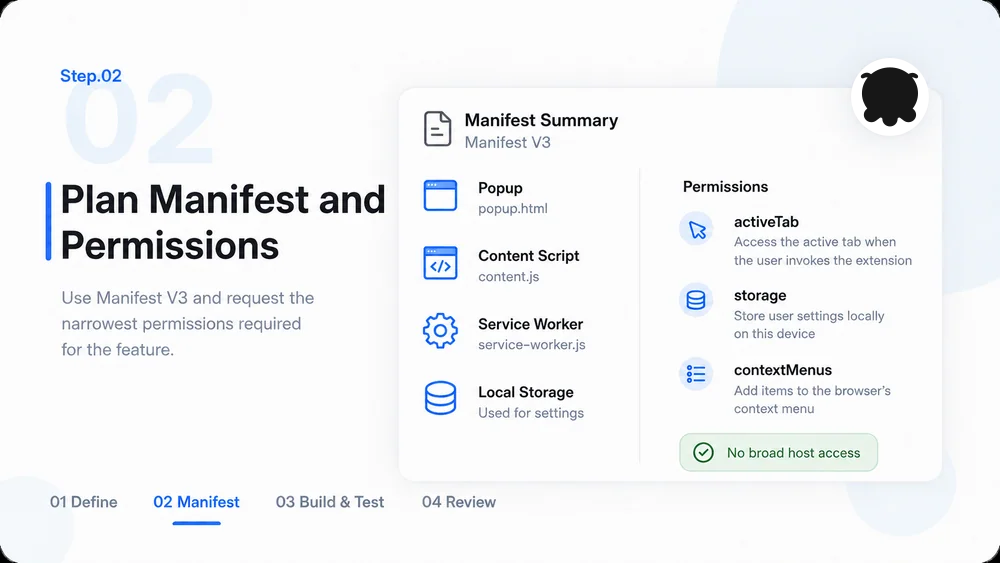
Map each permission to a visible user action and remove broad host access unless the requirement clearly needs it.
Try Now
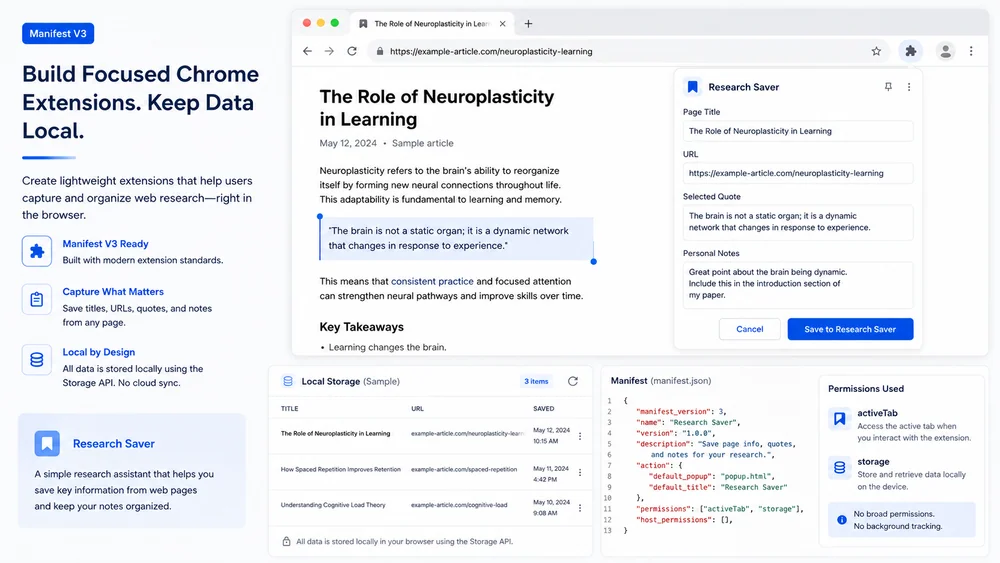
Use MiniMax Code as a Chrome extension builder and AI extension generator to build Chrome extension workflows with permissions, privacy checks, and store handoff notes.
Choose a sample or describe your Chrome extension project, then continue in MiniMax Code.
Sample prompts
Illustrative examples for different work scenarios. Use a prompt as a starting brief, then adapt it to verified source material and requirements.
Keep planning, generation, review, and handoff connected in one clear workflow.
Permission Design
Map each permission to a visible user action and remove broad host access unless the requirement clearly needs it.
Try Now
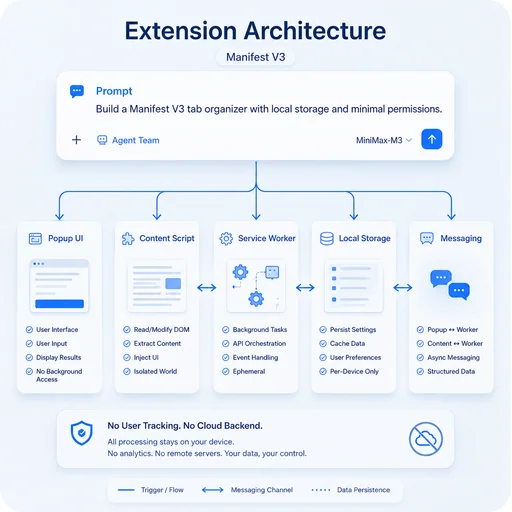
Extension Architecture
Design the popup, content scripts, service worker, storage, and messaging with testable boundaries.
Try Now
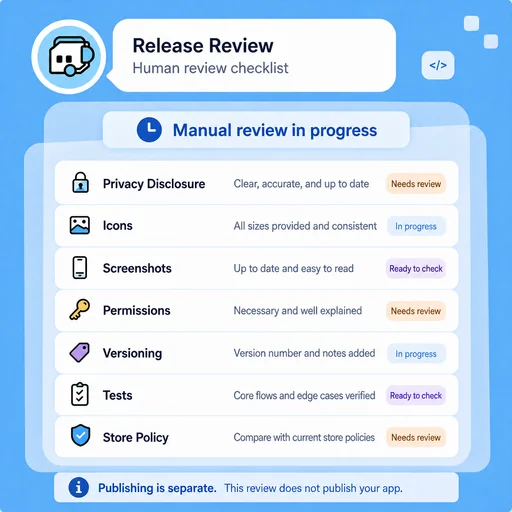
Release Review
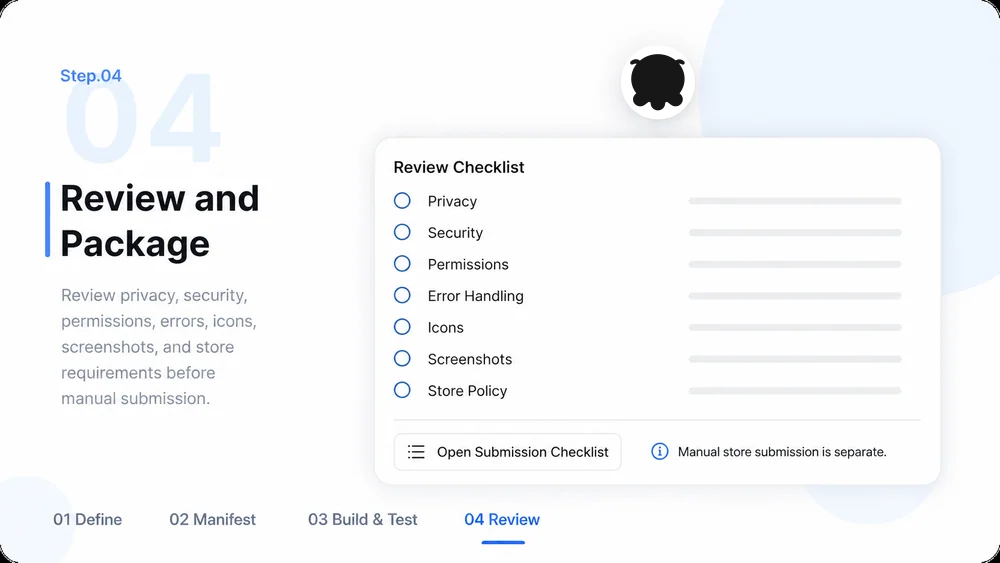
Check privacy disclosure, icons, screenshots, permissions, versioning, tests, and store policies; publishing is separate.
Try Now
A workflow comparison, not a performance benchmark. You still review key facts and the final result.
Start with a focused brief, create a reviewable draft, and validate the result before delivery.
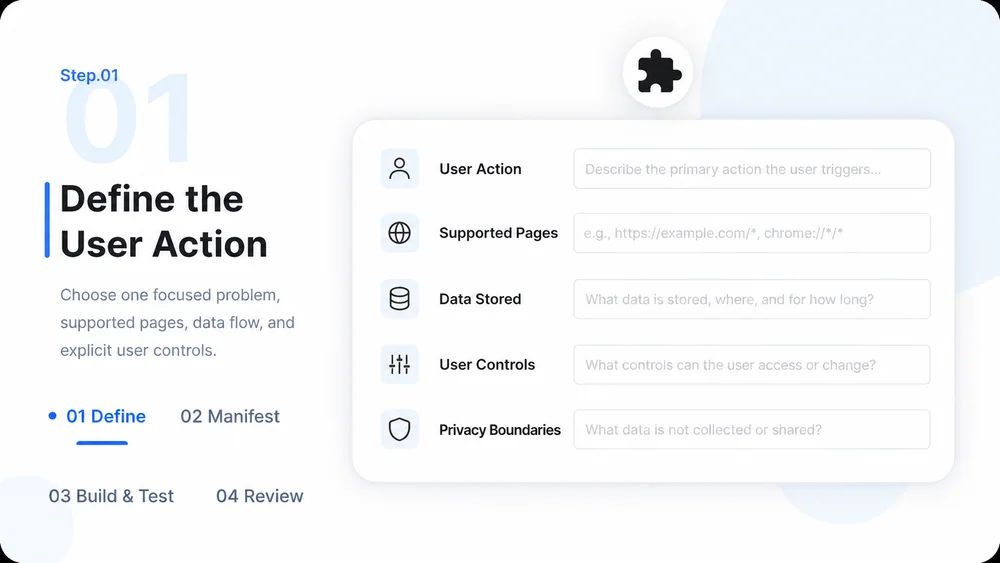
Choose one focused problem, supported pages, data flow, and explicit user controls before building.

Use Manifest V3, map components, and request the narrowest permissions required for the feature.

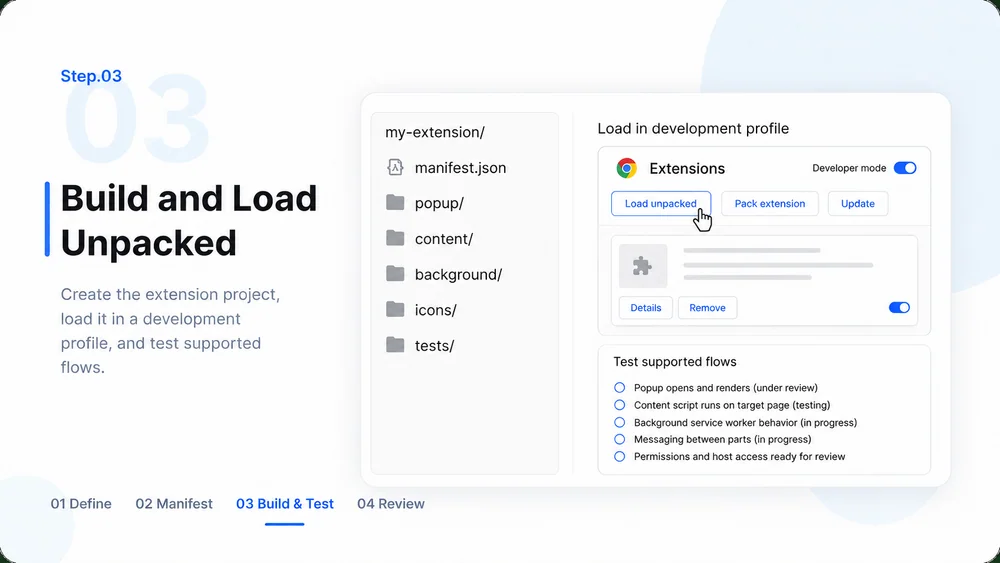
Generate the extension project, load it in a development browser profile, and test supported flows.

Audit privacy, security, permissions, errors, icons, screenshots, and store requirements before manual submission.

What to prepare, where the work happens, and what still needs review.