Tool Contracts
Define Narrow, Typed Capabilities
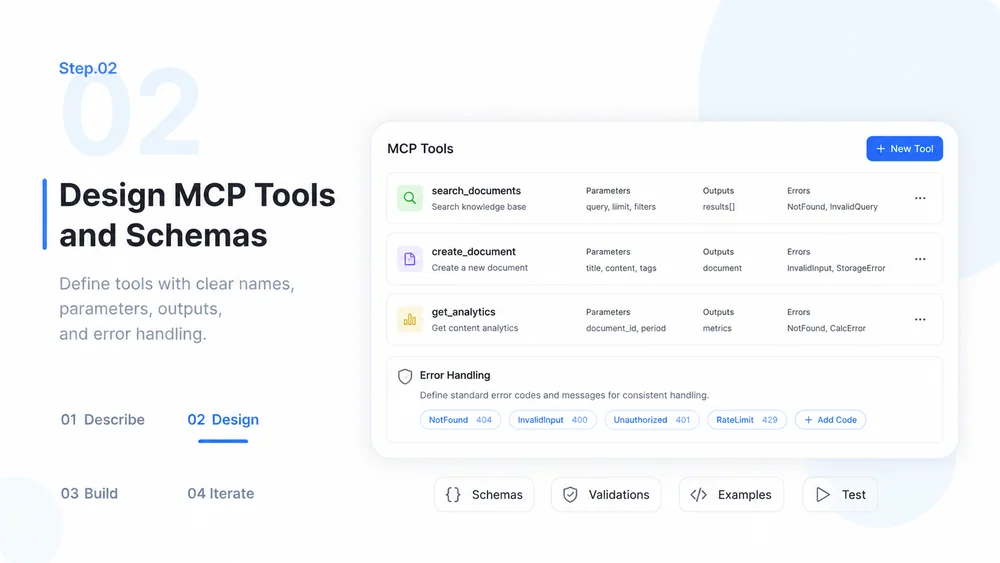
Specify tool names, input and output schemas, validation, errors, timeouts, and safe limits before implementation.
Try Now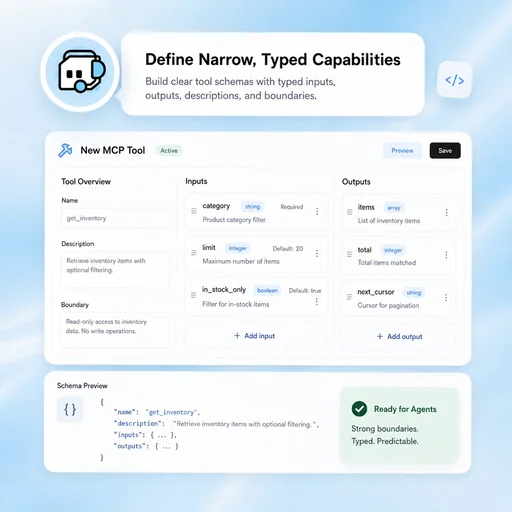
Define tools, permissions, schemas, tests, and human controls for a reviewable Model Context Protocol agent.
Choose a sample or describe your MCP agent, then continue in MiniMax Code.
Sample prompts
Each example starts from verifiable material and a clear brief. Choose a prompt, then adapt it to your own requirements.
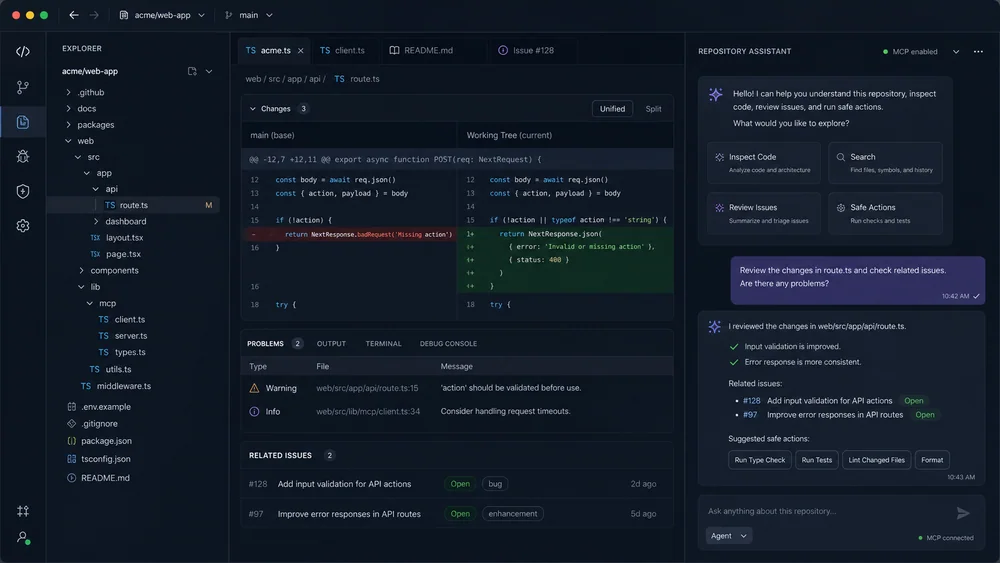
A read-focused agent design for inspecting files, searching code, and summarizing findings with clear permission boundaries.
Keep planning, creation, review, and handoff connected in one clear workflow.
Tool Contracts
Specify tool names, input and output schemas, validation, errors, timeouts, and safe limits before implementation.
Try NowAccess Control
Separate authentication from authorization, minimize scopes, protect secrets, and record which identity performed each action.
Try Now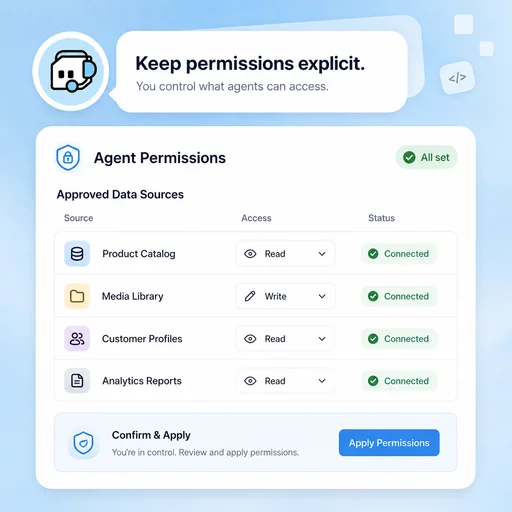
Evaluation & Oversight
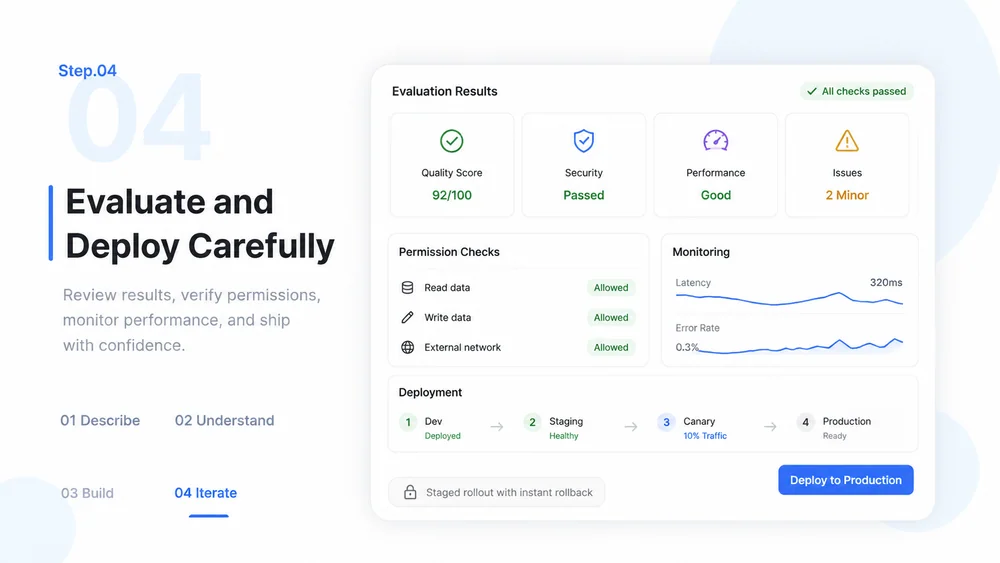
Evaluate success, refusal, failure, injection resistance, logging, and human approval across representative cases.
Try Now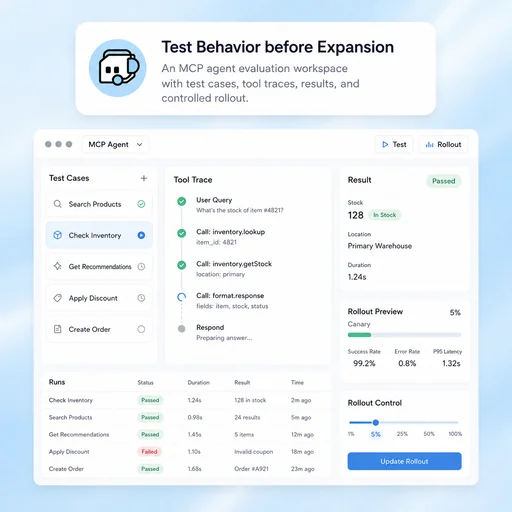
A workflow comparison, not a performance benchmark. Important facts and final results still need human review.
Start with a focused brief, create a reviewable draft, and validate the result before delivery.
State the users, goals, allowed systems, prohibited actions, risk level, and human approval requirements.
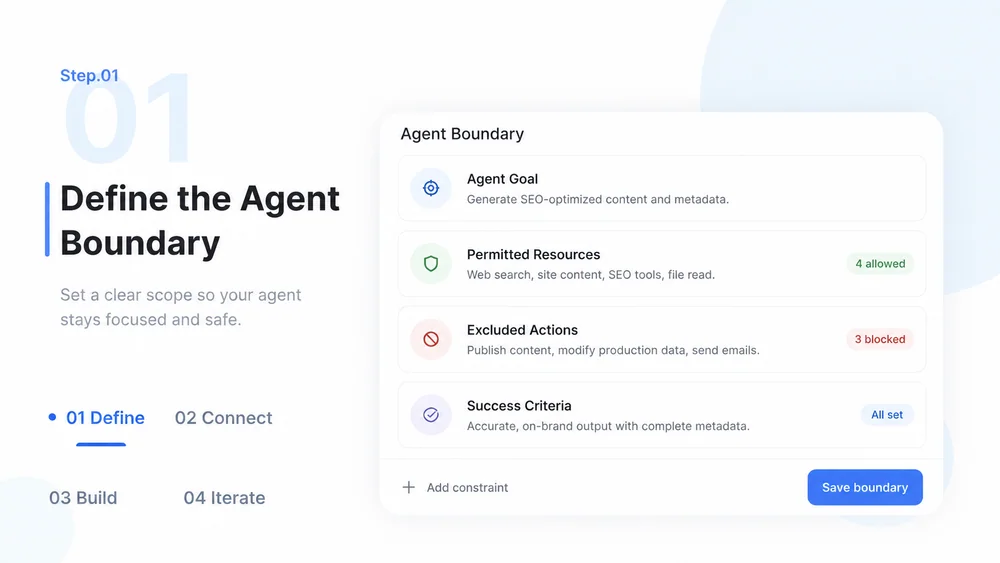
Specify narrow tools, typed inputs and outputs, authentication, authorization, validation, and errors.
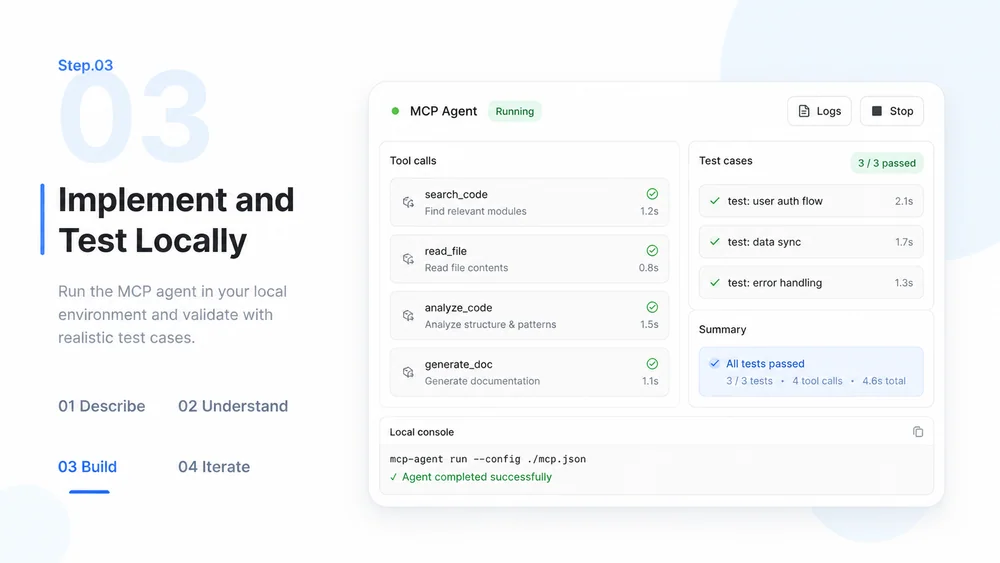
Build the server and client workflow, use test credentials, exercise success and failure cases, and inspect logs.
Run security and behavior evaluations, document operations, protect secrets, and expand access only after review.
What to prepare, where the work happens, and what still needs review.
