Organisation Chart Maker for Clear Team Structure

Use MiniMax Code as an organisation chart maker and AI org chart generator to turn verified team data into a team structure diagram with review checks.

Start with a Organisation chart brief

Choose a sample or describe your editable organisation chart, then continue in MiniMax Code.

Sample prompts

Explore Four Organisation Chart Maker Examples

Illustrative examples for different work scenarios. Use a prompt as a starting brief, then adapt it to verified source material and requirements.

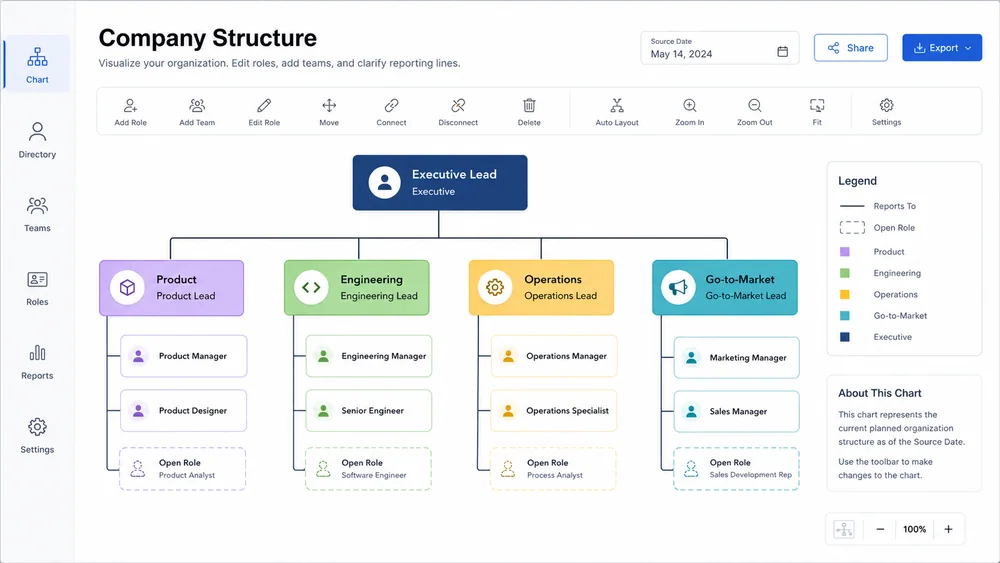
Illustrative company structure generated from a focused brief.

Move from Brief to a Reviewable Organisation Chart Maker

Keep planning, generation, review, and handoff connected in one clear workflow.

Source Data

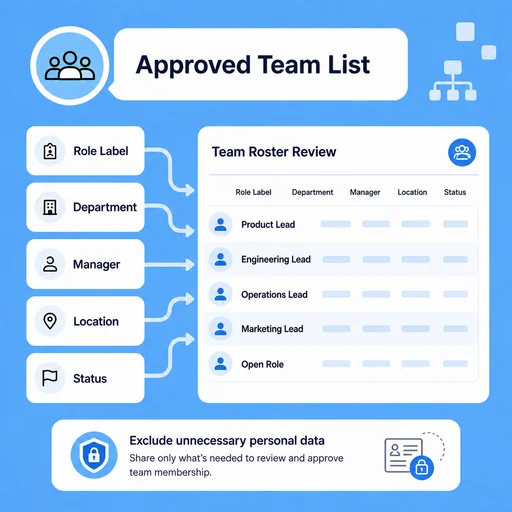
Start from an Approved Team List

Use verified roles, departments, managers, and employment status while excluding unnecessary private data.

Try Now
Illustrative workflow for start from an approved team list.

Relationship Design

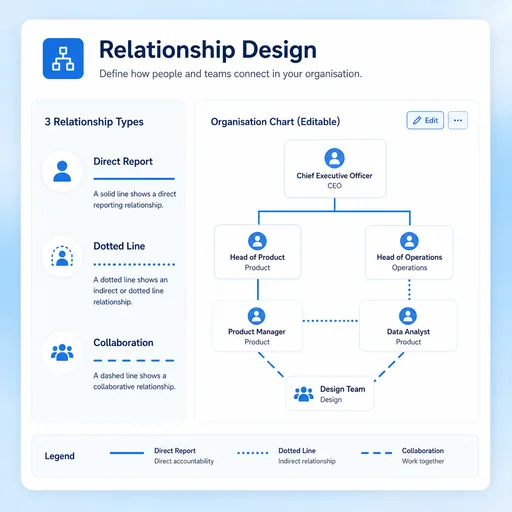
Make Reporting Lines Easy to Read

Separate direct reporting, collaboration, and dotted-line relationships with a clear legend.

Try Now
Illustrative workflow for make reporting lines easy to read.

Change Review

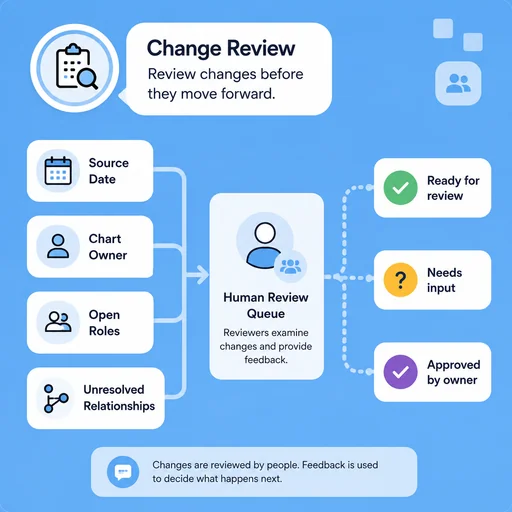
Keep the Chart Current

Track roster date, owners, open roles, and unresolved relationships so updates can be reviewed before sharing.

Try Now
Illustrative workflow for keep the chart current.

Keep the Work Connected

A workflow comparison, not a performance benchmark. You still review key facts and the final result.

Working Manually

Planning
Organize material by hand
Creation
Create each part manually
Review
Check issues separately

With MiniMax Code

Planning
Structure the brief
Creation
Generate and revise a draft
Review
Prepare a review checklist

Create Your Organisation Chart Maker in Four Steps

Start with a focused brief, create a reviewable draft, and validate the result before delivery.

  1. Step.01

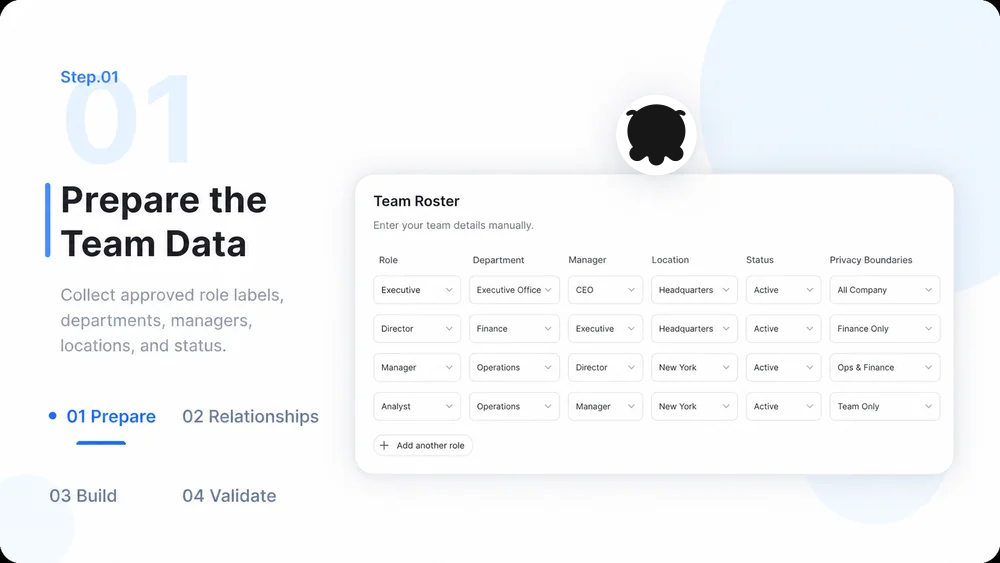
    Prepare the Team Data

    Collect approved names or role labels, departments, managers, locations, and status without unnecessary personal data.

    Organisation Chart Maker workflow, step 1: Prepare the Team Data.
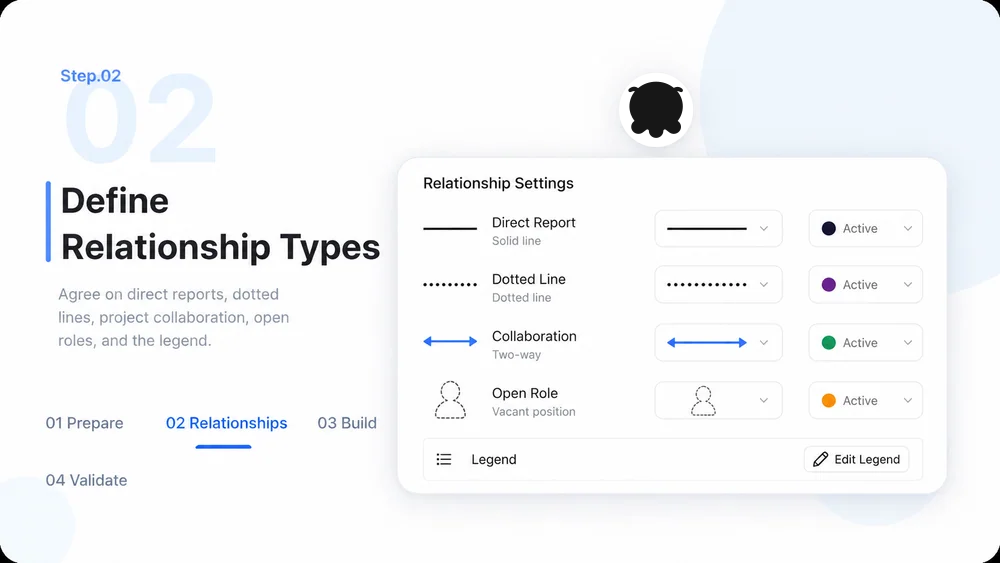
  2. Step.02

    Define Relationship Types

    Agree on direct reports, dotted lines, project collaboration, open roles, and the chart legend.

    Organisation Chart Maker workflow, step 2: Define Relationship Types.
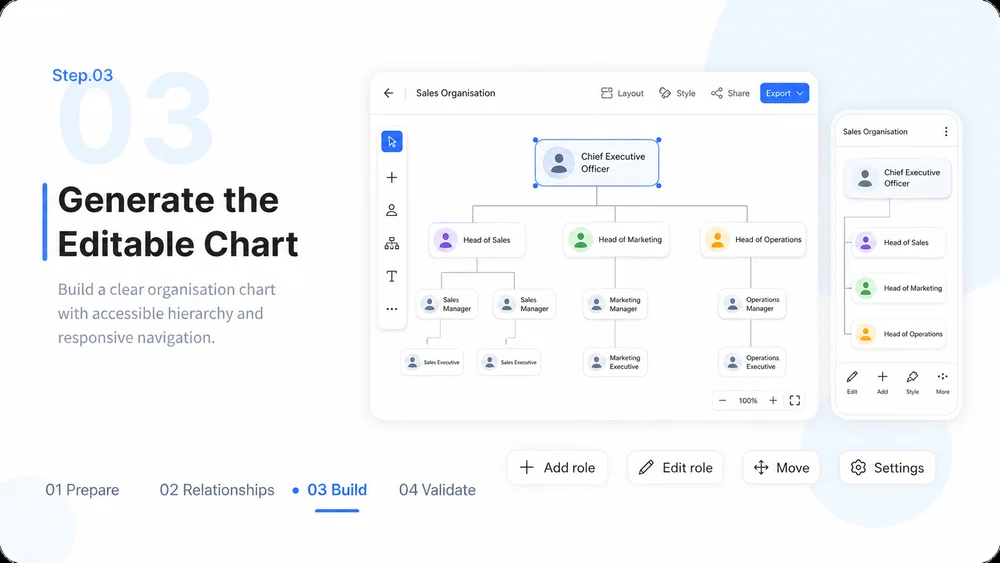
  3. Step.03

    Generate the Editable Chart

    Build an accessible organisation chart or diagram with clear hierarchy and responsive navigation.

    Organisation Chart Maker workflow, step 3: Generate the Editable Chart.
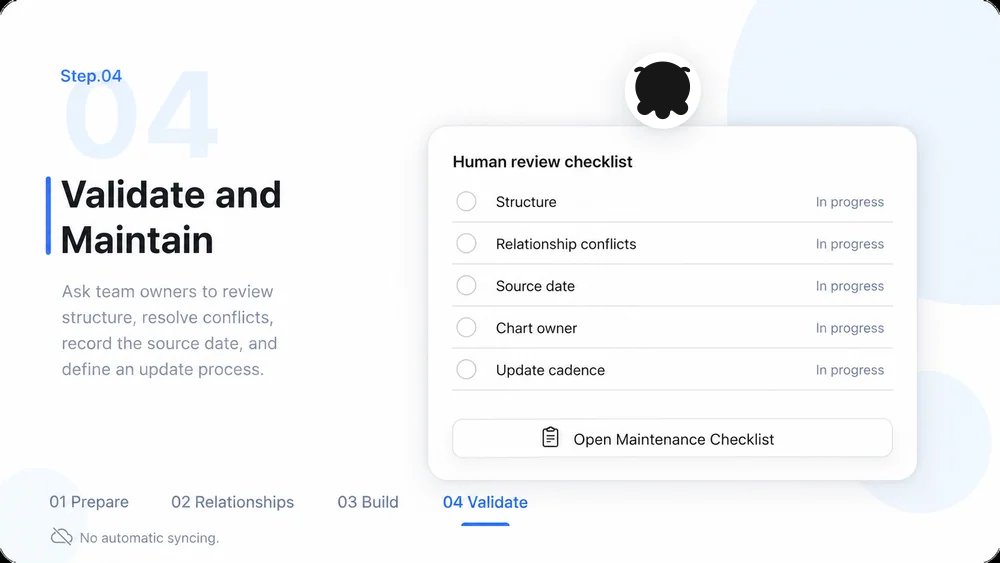
  4. Step.04

    Validate and Maintain

    Ask team owners to verify structure, resolve conflicts, record the source date, and define an update process.

    Organisation Chart Maker workflow, step 4: Validate and Maintain.

Organisation Chart Maker FAQs

What to prepare, where the work happens, and what still needs review.

Turn Team Data into a Clear Organisation Chart