Transform PDF Content into a Clear Presentation

Turn PDF content into a structured, editable presentation workflow while preserving evidence and review checkpoints.

Start with a PDF-to-PPT brief

Choose a sample or describe your editable presentation, then continue in MiniMax Code.

Sample prompts

Explore Four PDF to PPT Converter Examples

Each example starts from verifiable material and a clear brief. Choose a prompt, then adapt it to your own requirements.

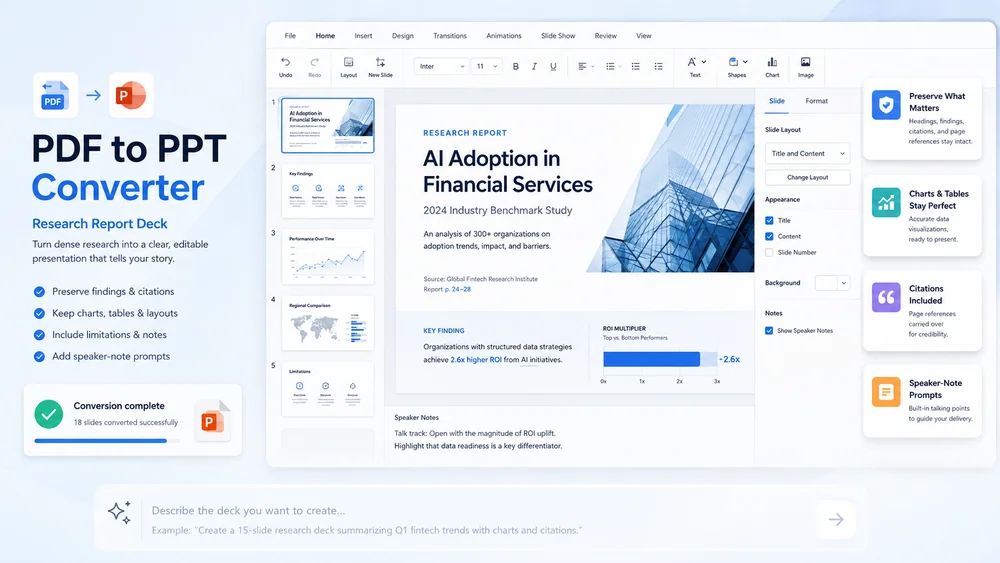
Illustrative research report deck created from a focused brief.

Turn PDF Content into a Reviewable Presentation

Keep planning, creation, review, and handoff connected in one clear workflow.

Source Mapping

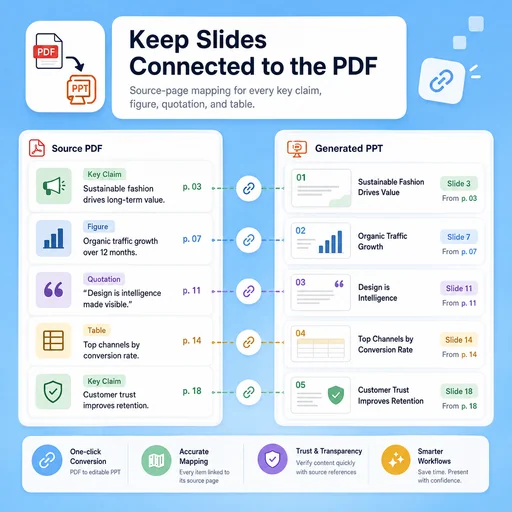
Keep Slides Connected to the PDF

Map every material slide claim, figure, and quotation to the relevant source page before design.

Try Now
Illustrative workflow for keep slides connected to the pdf.

Narrative Design

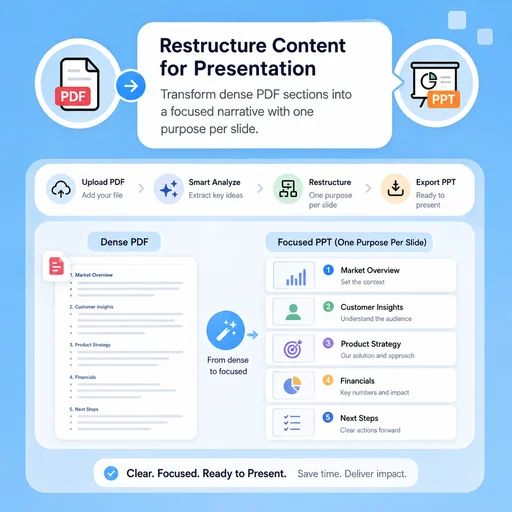
Restructure Content for Presentation

Turn dense sections into a focused sequence with one purpose per slide and clear transitions.

Try Now
Illustrative workflow for restructure content for presentation.

Editable Handoff

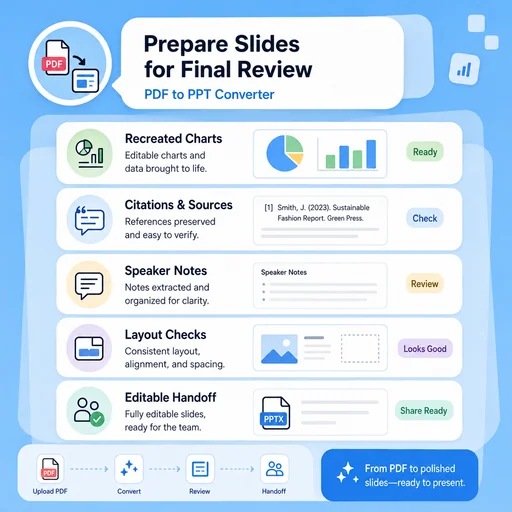
Prepare Slides for Final Review

Document recreated charts, unresolved layout issues, citations, speaker notes, and export checks before delivery.

Try Now
Illustrative workflow for prepare slides for final review.

Keep the Entire Workflow Connected

A workflow comparison, not a performance benchmark. Important facts and final results still need human review.

Working Manually

Planning
Organize material separately
Creation
Build each draft by hand
Review
Track issues manually

With MiniMax Code

Planning
Structure the brief and sources
Creation
Generate and revise drafts
Review
Prepare review and handoff checks

Convert a PDF to PPT in Four Steps

Start with a focused brief, create a reviewable draft, and validate the result before delivery.

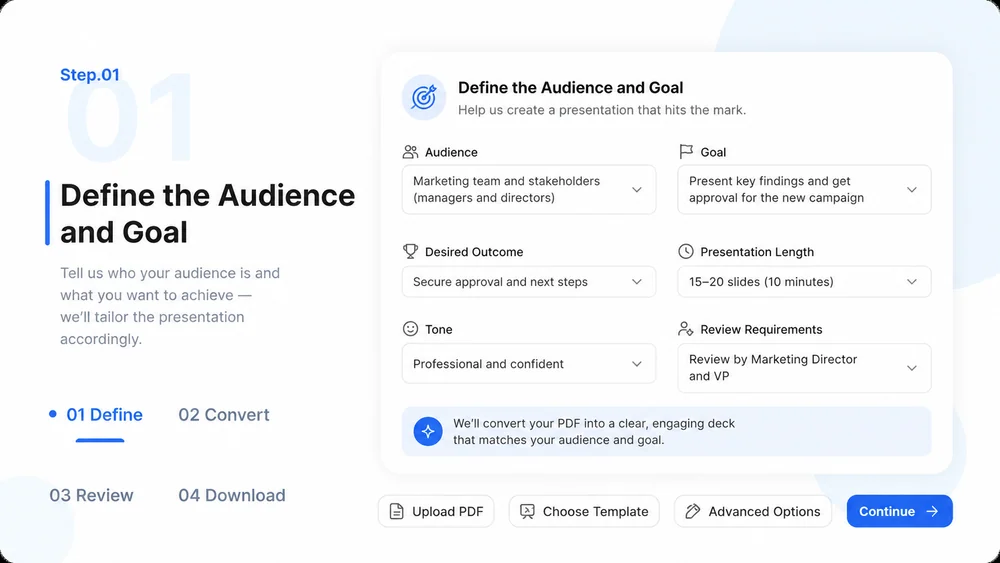
  1. Step.01

    Define the Audience and Goal

    Explain who will view the presentation, what they need to understand, and how long the deck should be.

    PDF to PPT Converter workflow, step 1: Define the Audience and Goal.
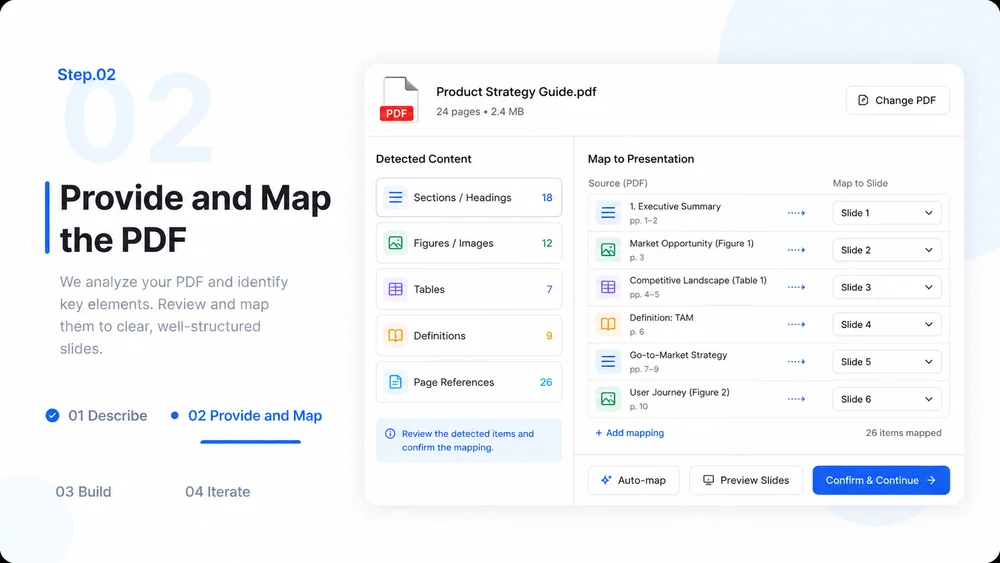
  2. Step.02

    Provide and Map the PDF

    Add the source document in MiniMax Code, identify sections, figures, tables, and page references.

    PDF to PPT Converter workflow, step 2: Provide and Map the PDF.
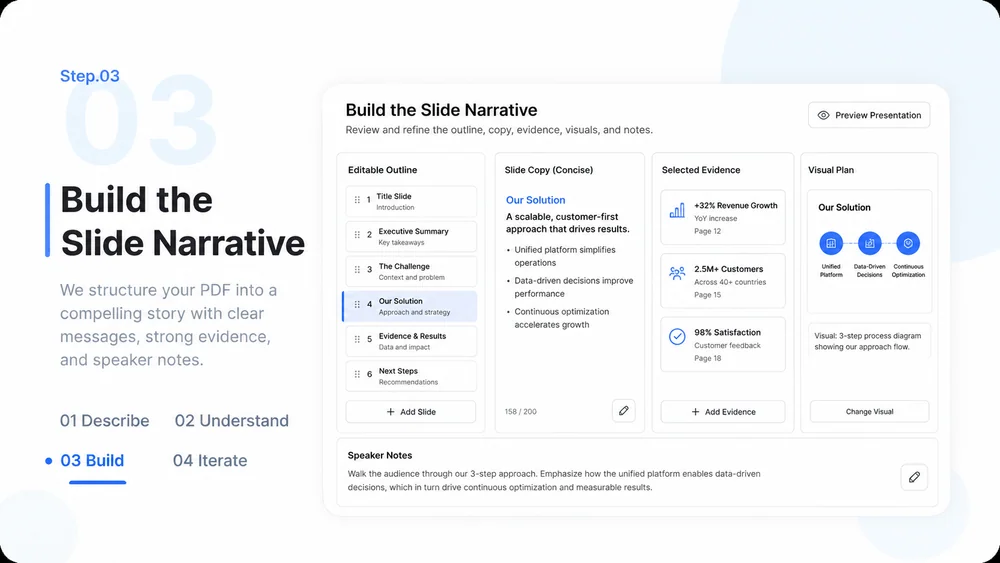
  3. Step.03

    Build the Slide Narrative

    Create an editable outline, select supporting evidence, and plan visuals and speaker notes.

    PDF to PPT Converter workflow, step 3: Build the Slide Narrative.
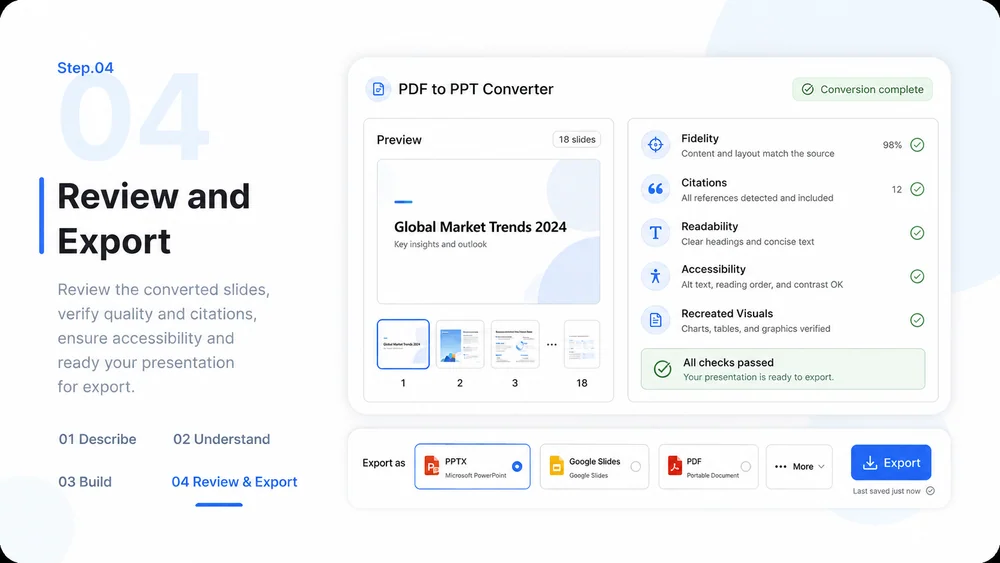
  4. Step.04

    Review and Export

    Check fidelity, citations, readability, accessibility, and recreated visuals before final export.

    PDF to PPT Converter workflow, step 4: Review and Export.

PDF to PPT Converter FAQs

What to prepare, where the work happens, and what still needs review.

Turn Your PDF into a Reviewable Slide Deck