PDF Translator for Context-Aware Document Workflows

Use MiniMax Code as a PDF translator and AI document translator to translate PDF online workflows while preserving structure, terminology, and review checks.

Start with a Translation brief

Choose a sample or describe your translated document workflow, then continue in MiniMax Code.

Sample prompts

Explore Four PDF Translator Examples

Illustrative examples for different work scenarios. Use a prompt as a starting brief, then adapt it to verified source material and requirements.

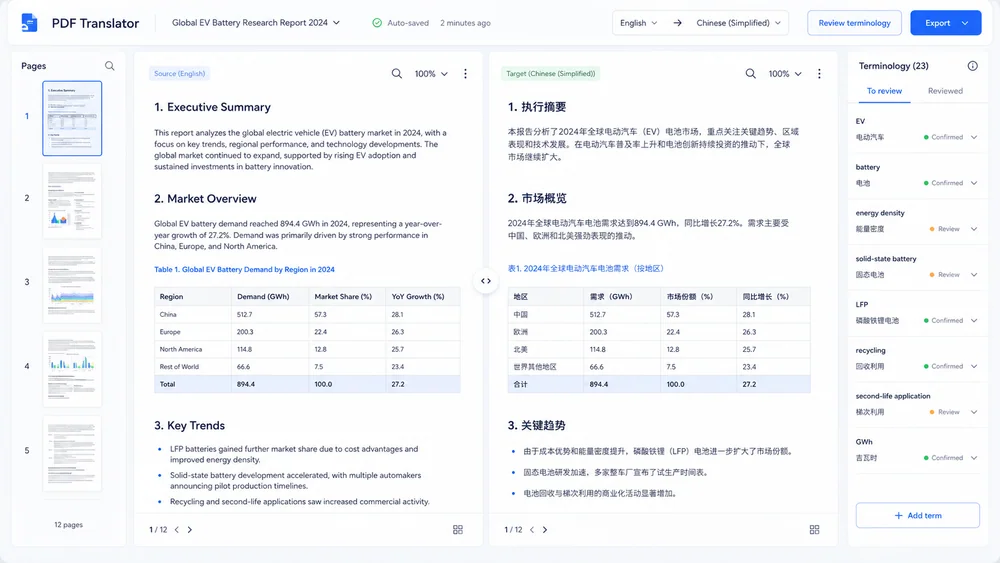
Illustrative research report translation generated from a focused brief.

Move from Brief to a Reviewable PDF Translator

Keep planning, generation, review, and handoff connected in one clear workflow.

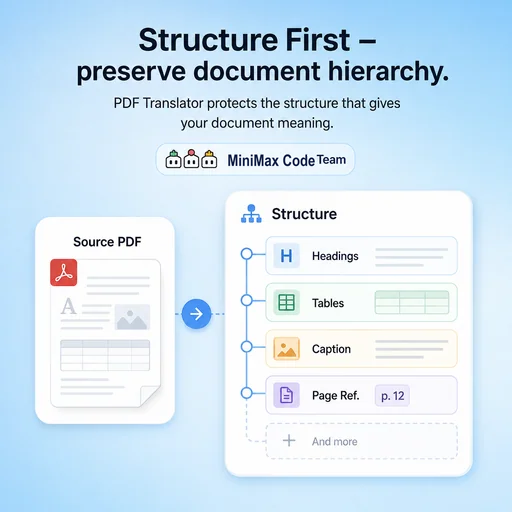
Structure First

Preserve the Document Hierarchy

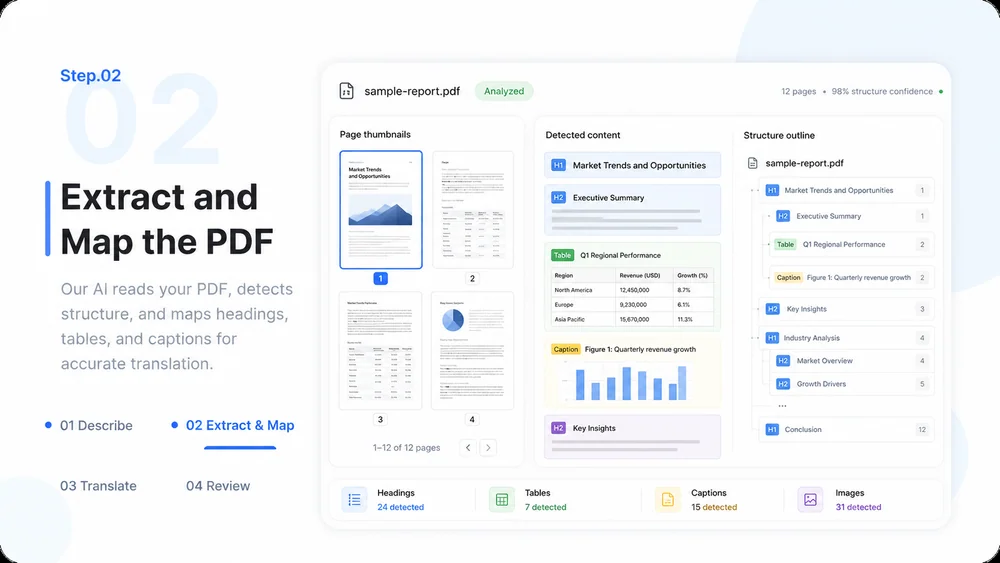
Extract and map headings, lists, tables, captions, and page references before translating so the result stays reviewable.

Try Now
Illustrative workflow for preserve the document hierarchy.

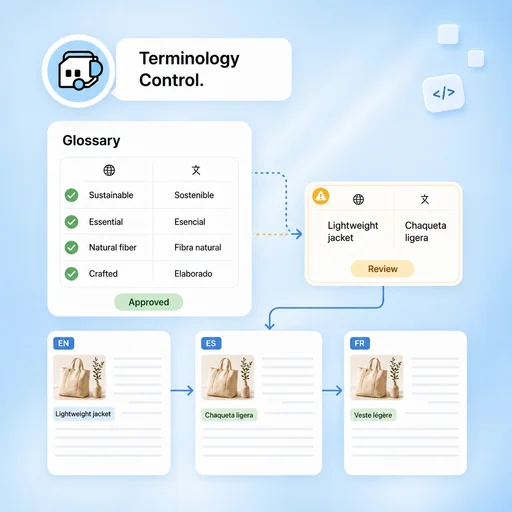
Terminology Control

Keep Important Terms Consistent

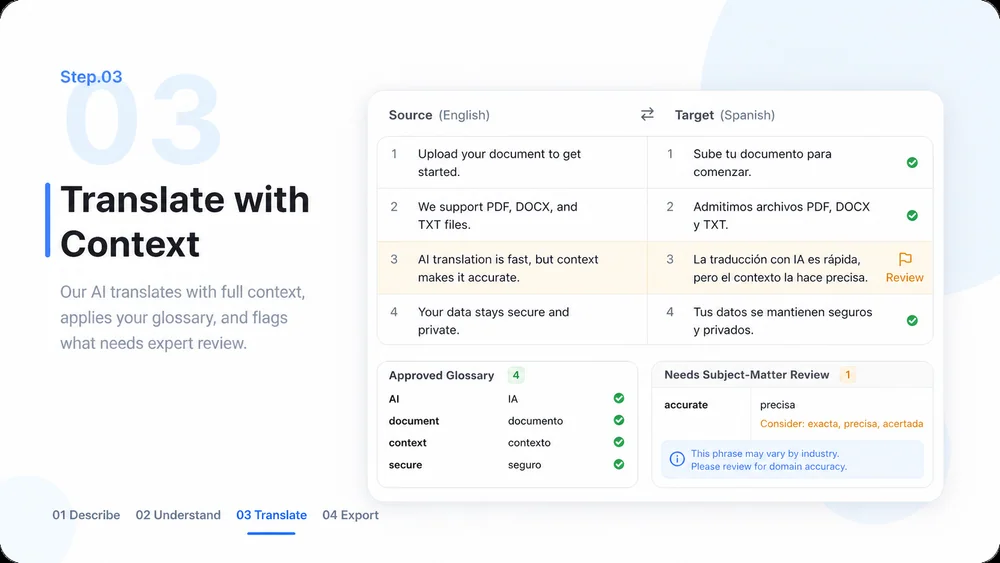
Create an approved glossary, identify ambiguous phrases, and apply reviewer decisions across the document.

Try Now
Illustrative workflow for keep important terms consistent.

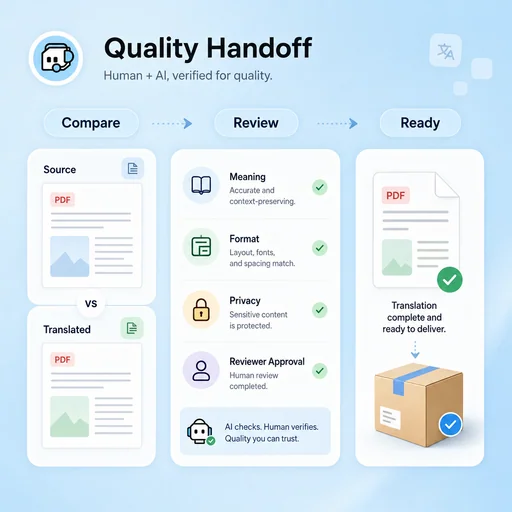
Quality Handoff

Prepare Translation for Human Review

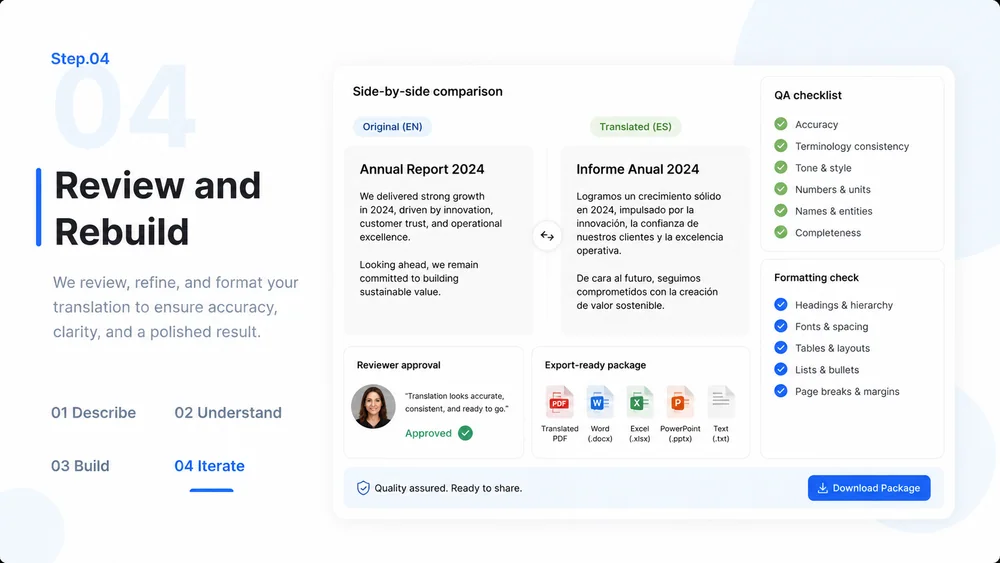
Compare source and target sections, flag uncertain content, and document remaining layout or legal checks before delivery.

Try Now
Illustrative workflow for prepare translation for human review.

Keep the Work Connected

A workflow comparison, not a performance benchmark. You still review key facts and the final result.

Working Manually

Planning
Organize material by hand
Creation
Create each part manually
Review
Check issues separately

With MiniMax Code

Planning
Structure the brief
Creation
Generate and revise a draft
Review
Prepare a review checklist

Create Your PDF Translator in Four Steps

Start with a focused brief, create a reviewable draft, and validate the result before delivery.

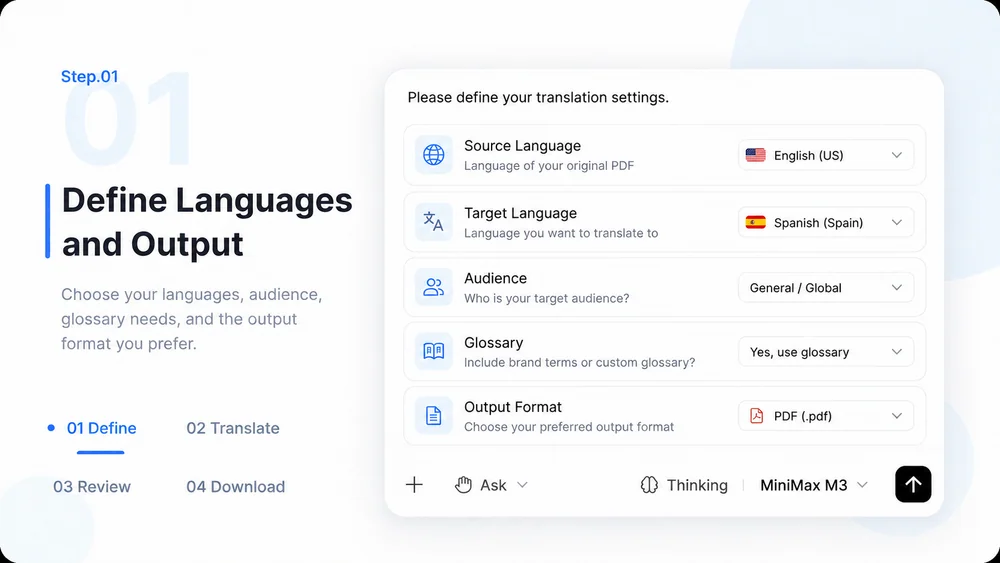
  1. Step.01

    Define Languages and Output

    Specify the source language, target language, audience, terminology requirements, and desired output format.

    PDF Translator workflow, step 1: Define Languages and Output.
  2. Step.02

    Extract and Map the PDF

    Provide the document in MiniMax Code and map its headings, tables, captions, and special text before translation.

    PDF Translator workflow, step 2: Extract and Map the PDF.
  3. Step.03

    Translate with Context

    Translate section by section, reuse approved terms, and flag text that needs subject-matter review.

    PDF Translator workflow, step 3: Translate with Context.
  4. Step.04

    Review and Rebuild

    Check meaning, terminology, formatting, and accessibility, then prepare the translated document for final export.

    PDF Translator workflow, step 4: Review and Rebuild.

PDF Translator FAQs

What to prepare, where the work happens, and what still needs review.

Translate Documents with a Reviewable Workflow