PowerPoint Generator for Editable Decks

Use MiniMax Code as a PowerPoint generator, AI PowerPoint maker, and editable presentation generator to turn a structured brief into a reviewable deck.

Start with a PowerPoint brief

Choose a sample or describe your editable deck, then continue in MiniMax Code.

Sample prompts

Explore Four PowerPoint Generator Examples

Illustrative examples for different work scenarios. Use a prompt as a starting brief, then adapt it to verified source material and requirements.

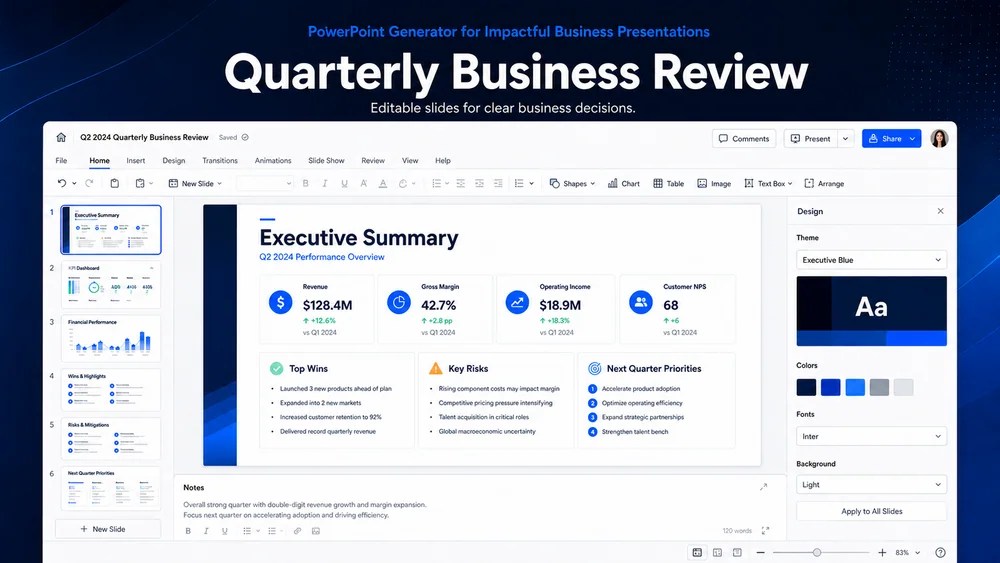
Illustrative quarterly business review generated from a focused brief.

Move from Brief to a Reviewable PowerPoint Generator

Keep planning, generation, review, and handoff connected in one clear workflow.

Narrative Design

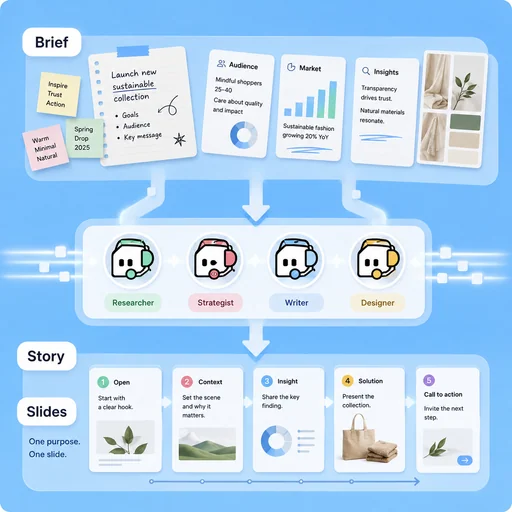
Turn Source Material into a Slide Story

Organize notes, research, and business context into a sequence with one clear purpose per slide.

Try Now
Illustrative workflow for turn source material into a slide story.

Editable Structure

Keep Content Ready for Revision

Separate slide copy, evidence, chart notes, and visual direction so the deck can be reviewed and updated.

Try Now
Illustrative workflow for keep content ready for revision.

Delivery Review

Check the Deck Before Presenting

Review claims, sources, readability, speaker flow, and missing assets before exporting or sharing the presentation.

Try Now
Illustrative workflow for check the deck before presenting.

Keep the Work Connected

A workflow comparison, not a performance benchmark. You still review key facts and the final result.

Working Manually

Planning
Organize material by hand
Creation
Create each part manually
Review
Check issues separately

With MiniMax Code

Planning
Structure the brief
Creation
Generate and revise a draft
Review
Prepare a review checklist

Create Your PowerPoint Generator in Four Steps

Start with a focused brief, create a reviewable draft, and validate the result before delivery.

  1. Step.01

    Define the Audience and Decision

    State who will see the deck, what they need to understand, and the decision or action the presentation should support.

    PowerPoint Generator workflow, step 1: Define the Audience and Decision.
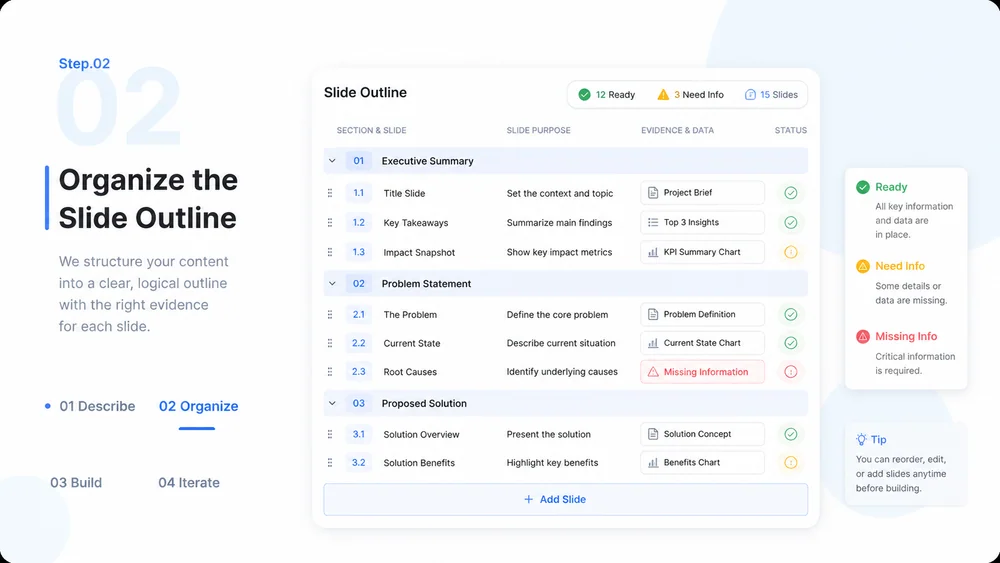
  2. Step.02

    Organize the Slide Outline

    Turn source material into sections and slides, then identify evidence, charts, and missing information.

    PowerPoint Generator workflow, step 2: Organize the Slide Outline.
  3. Step.03

    Build and Refine the Deck

    Create editable slide content and visual direction, then revise hierarchy, pacing, and consistency.

    PowerPoint Generator workflow, step 3: Build and Refine the Deck.
  4. Step.04

    Verify and Prepare Delivery

    Check facts, citations, layout, accessibility, and speaker flow before final export or handoff.

    PowerPoint Generator workflow, step 4: Verify and Prepare Delivery.

PowerPoint Generator FAQs

What to prepare, where the work happens, and what still needs review.

Create an Editable PowerPoint with MiniMax Code