Content Inventory
Collect the Work Worth Showing
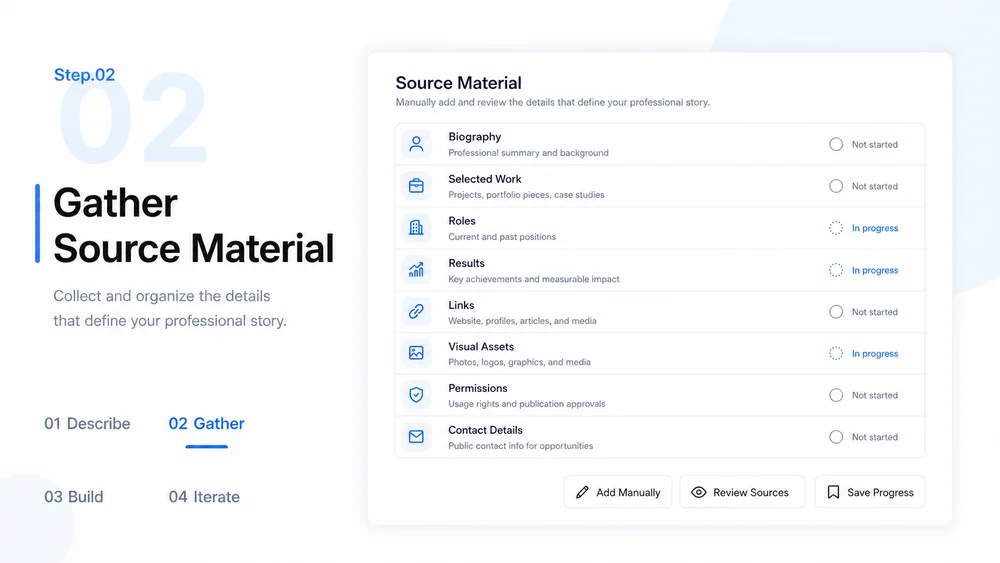
Gather verified biography details, projects, roles, results, links, images, permissions, and contact information.
Try Now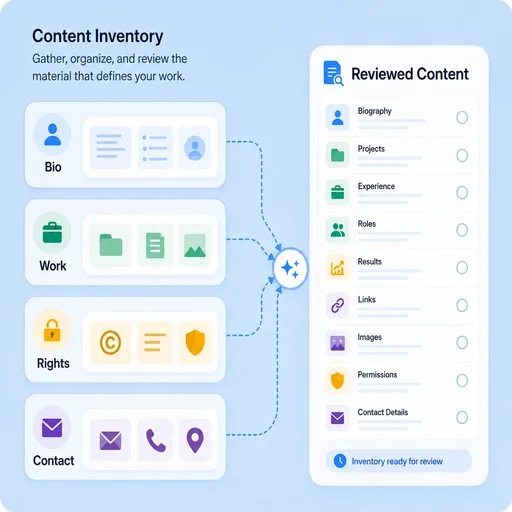
Use MiniMax Code as an AI profile builder, professional profile maker, and portfolio profile builder to organize verified work into an editable portfolio page.
Choose a sample or describe your professional profile page, then continue in MiniMax Code.
Sample prompts
Illustrative examples for different work scenarios. Use a prompt as a starting brief, then adapt it to verified source material and requirements.
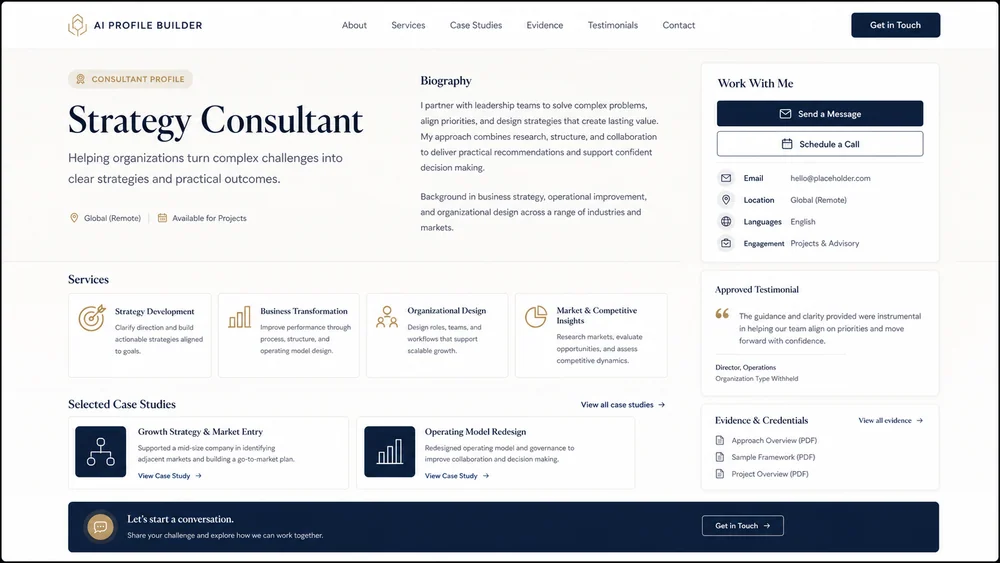
A service-focused profile with expertise, proof, case studies, and clear contact paths.
Keep planning, generation, review, and handoff connected in one clear workflow.
Content Inventory
Gather verified biography details, projects, roles, results, links, images, permissions, and contact information.
Try NowProfile Structure
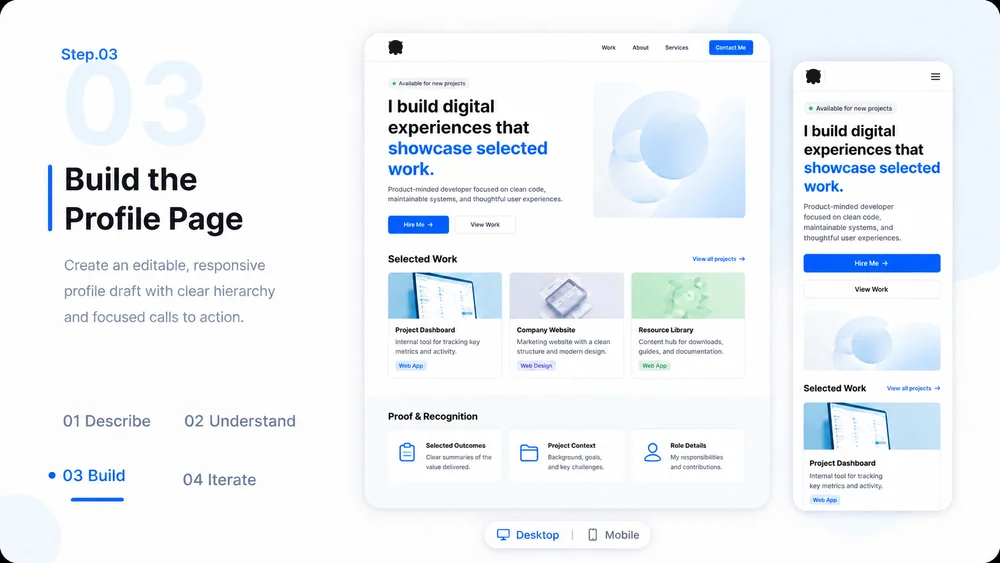
Organize the page around audience questions, selected work, expertise, and a clear next action.
Try Now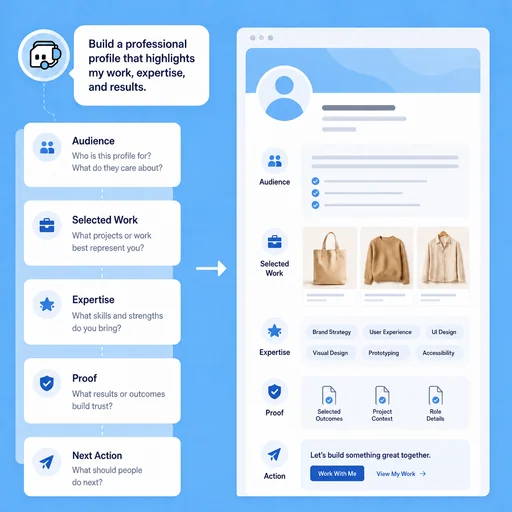
Trust Review
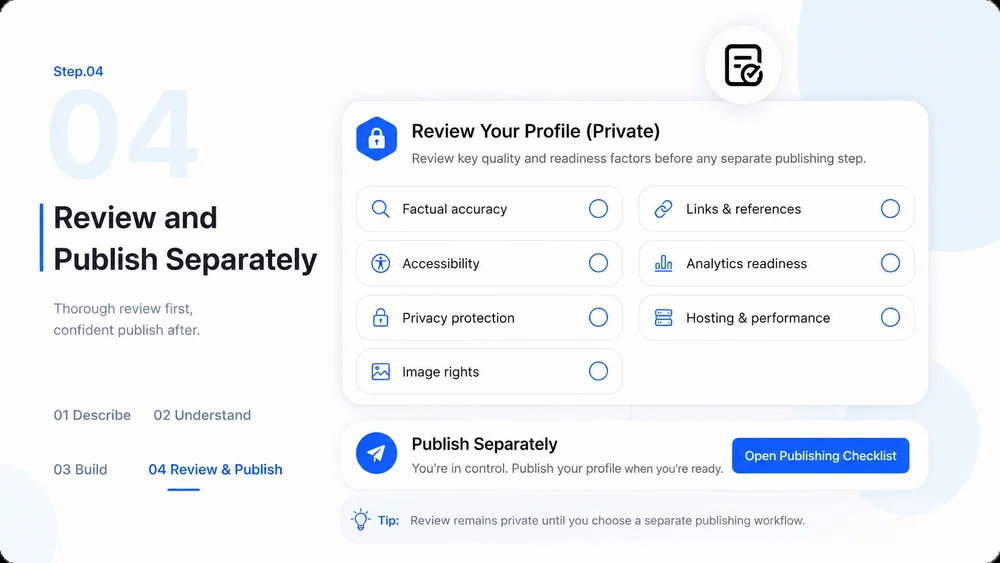
Check names, dates, roles, links, image rights, testimonials, and contact details before publishing.
Try Now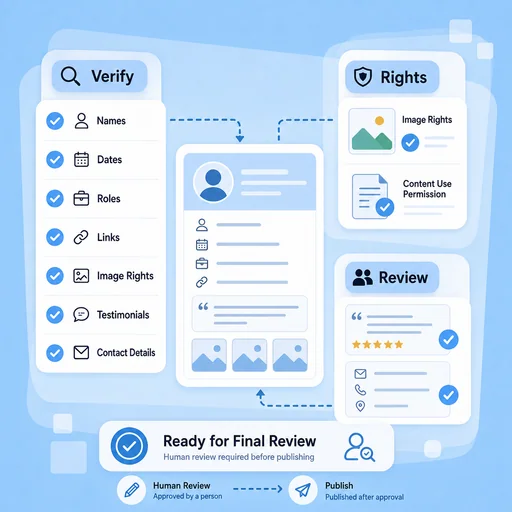
A workflow comparison, not a performance benchmark. You still review key facts and the final result.
Start with a focused brief, create a reviewable draft, and validate the result before delivery.
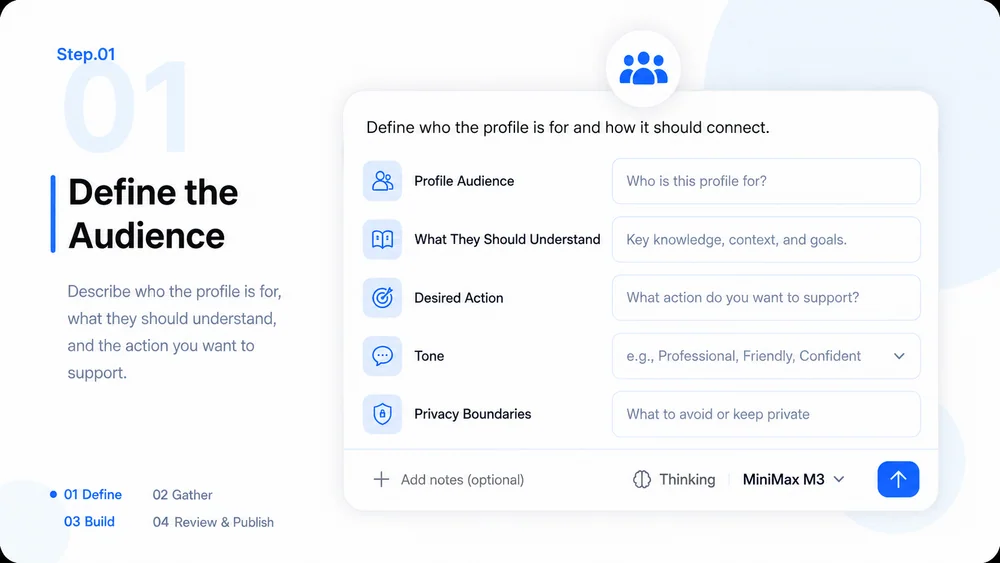
Choose who the profile serves and what they should understand or do after viewing it.
Collect a biography, selected work, roles, results, links, visuals, permissions, and contact details.
Create an editable responsive page with clear hierarchy, proof, and focused calls to action.
Check factual accuracy, accessibility, privacy, image rights, links, analytics, and hosting before launch.
What to prepare, where the work happens, and what still needs review.
