Vibe Coding, Made Easy with MiniMax Code

Use MiniMax Code for vibe coding: answer what is vibe coding, explain vibe coding meaning, compare AI vibe coding workflows, and try vibe coding tools.

Start Vibe Coding with a Prompt

Write your own request or choose a starting point, then continue the task in MiniMax Code.

Example vibe coding prompts

See What Creators Build with Vibe Coding

Explore authorized examples spanning interactive 3D experiences, product storytelling, and playable browser games. Each tab includes a starting prompt for recreating that direction, not a transcript of the creator's original prompt.

How Vibe Coding Works

Start with a natural-language brief, let AI turn it into working software, then guide each revision by reacting to the result and verifying what matters before release.

  1. Step.01

    Describe the Outcome and the Vibe

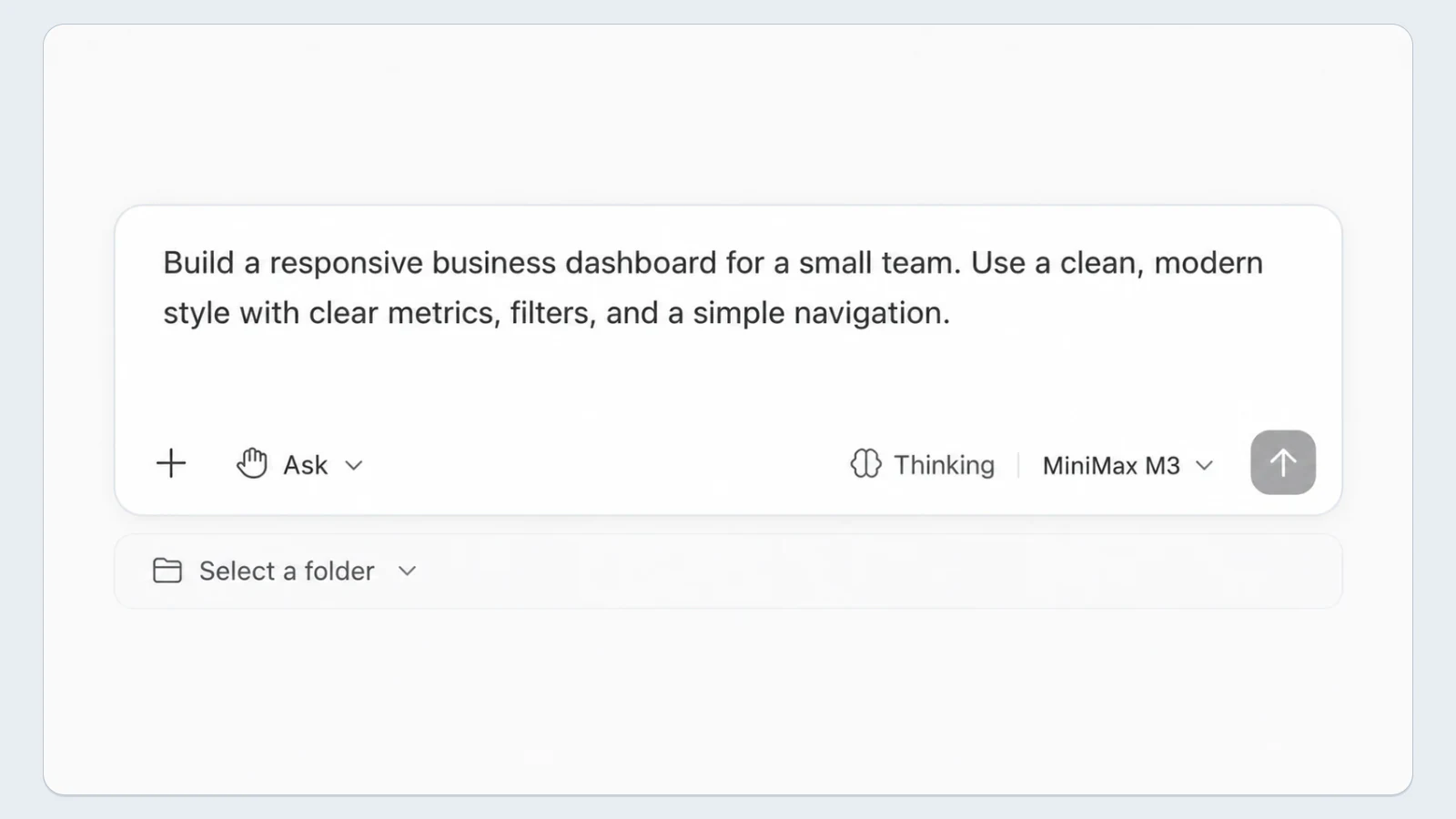
    Tell MiniMax Code what you want to create, who it is for, what it should do, and how it should feel. Add references, constraints, preferred technologies, or an existing project when they matter.

    MiniMax Code prompt describing a responsive business dashboard and selecting a project folder
  2. Step.02

    Generate a Working First Version

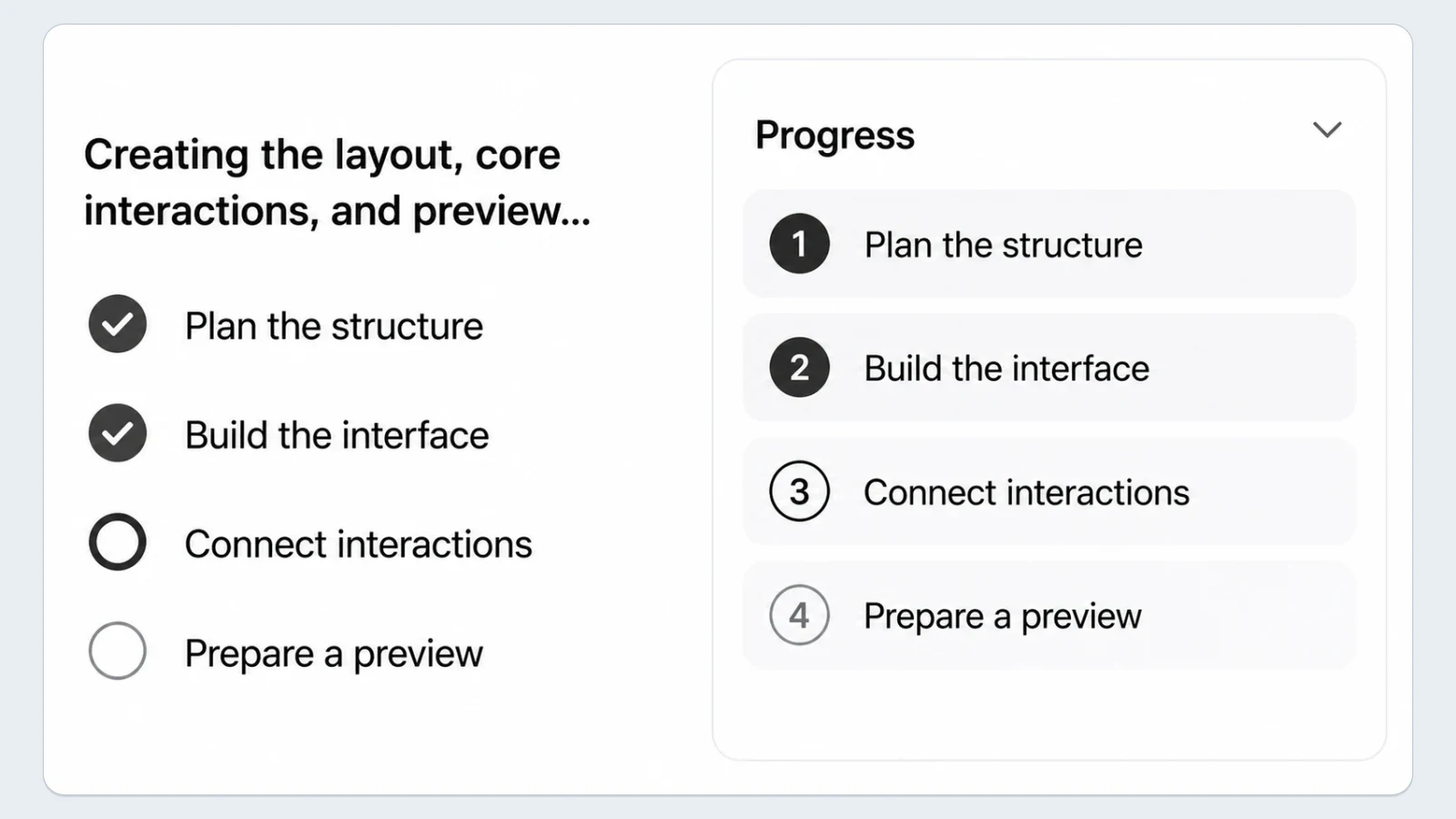
    MiniMax Code interprets your brief, plans the implementation, writes the code, and connects the pieces into something you can preview. You can stay focused on the result instead of specifying every technical step.

    MiniMax Code planning and building a first dashboard version with progress and work-in-progress steps
  3. Step.03

    React to What You See

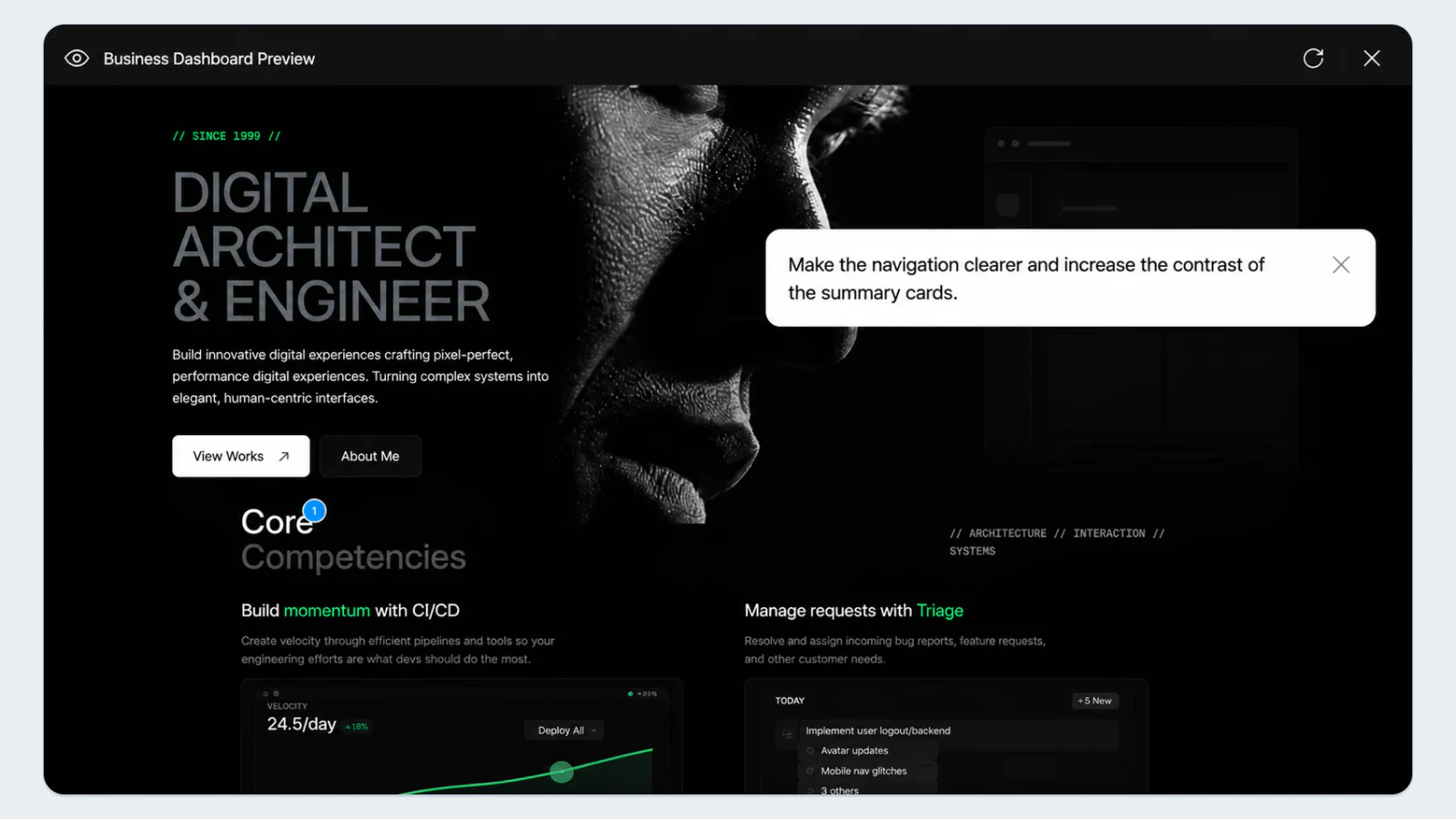
    Use the working result as your next prompt. Ask for clearer navigation, a different visual direction, new behavior, fixes, or anything that does not match your intent.

    Business dashboard preview with natural-language feedback asking for clearer navigation and stronger summary-card contrast
  4. Step.04

    Refine, Test, and Take Control

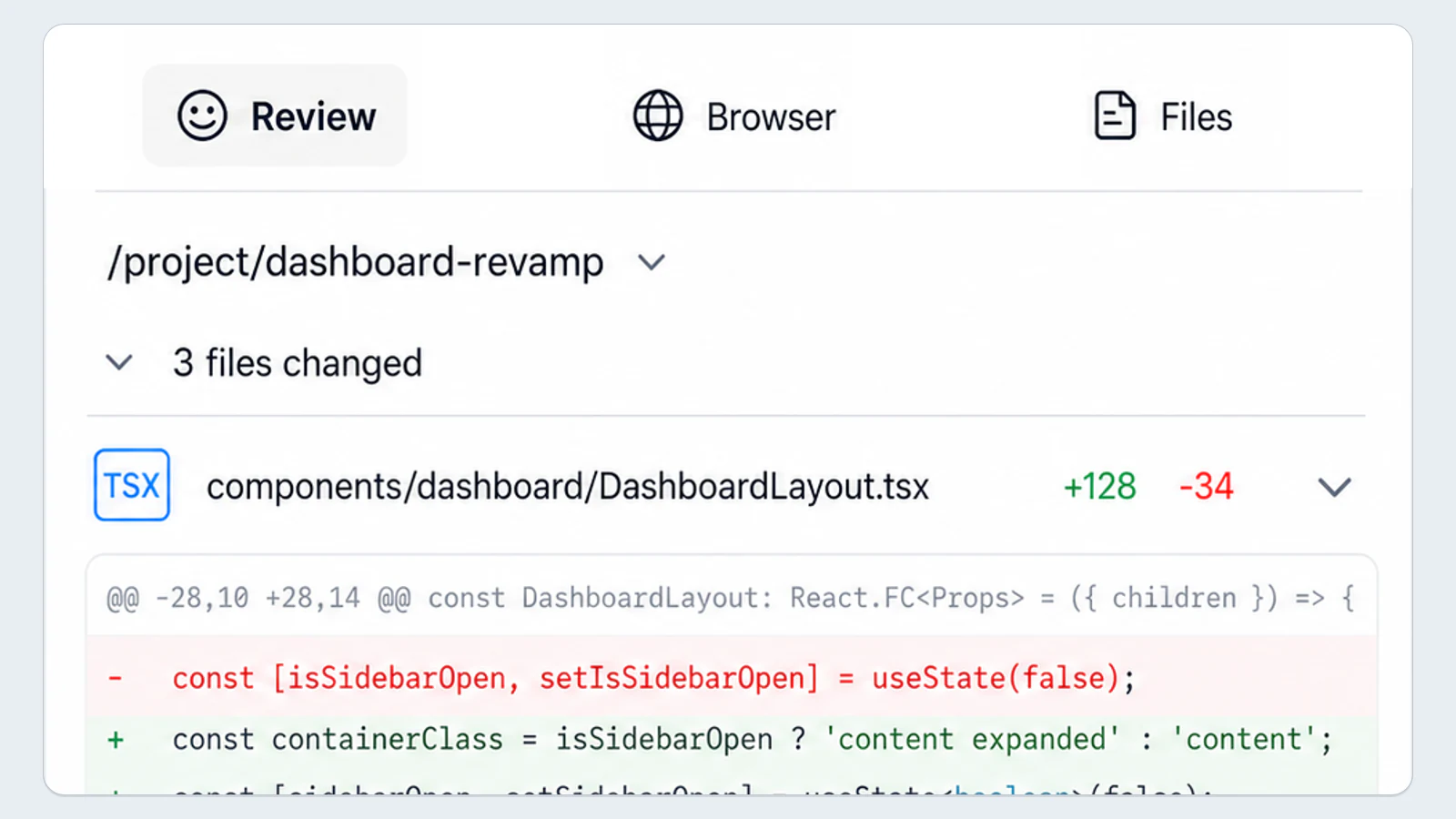
    Repeat the feedback loop until the experience feels right. Then inspect important code and behavior, test critical flows, and resolve security, quality, and product decisions before release.

    MiniMax Code review showing completed dashboard improvements, changed files, code diffs, and a passed build

Manual Coding Workflow vs Vibe Coding with MiniMax Code

Both approaches require judgment and validation. The main difference is how intent becomes implementation and how the work is guided.

Workflow DimensionManual Coding WorkflowVibe Coding with MiniMax Code
Starting PointTranslate requirements into architecture and code directly.Describe the intended outcome, constraints, and project context in natural language.
Planning and ExecutionChoose and sequence implementation tasks yourself.Use an AI agent workflow to help plan and carry out a multi-step request.
IterationEdit code and debug each change directly.Give outcome-focused feedback, then inspect and refine the resulting changes.
ValidationSelect and run the reviews and tests appropriate to the project.Ask the agent to use available checks, then independently review important behavior and risks.
Level of ControlControl each implementation detail directly.Guide at a higher level while retaining access to inspect and edit the code.

Vibe Coding Questions

Practical answers about the workflow, its limits, and responsible use.

Vibe coding is a software development workflow in which you describe the outcome you want in natural language, let AI create or modify code, and guide the result through feedback. You still need to inspect, test, and approve what the AI produces.

Turn Your Next Idea into a Project You Can Review and Refine
