

The plugin marketplace brings domain-specific capabilities into MiniMax Code. Install plugins when a task needs specialized tools for financial data, company lookup, legal search, knowledge workflows, or Office file processing.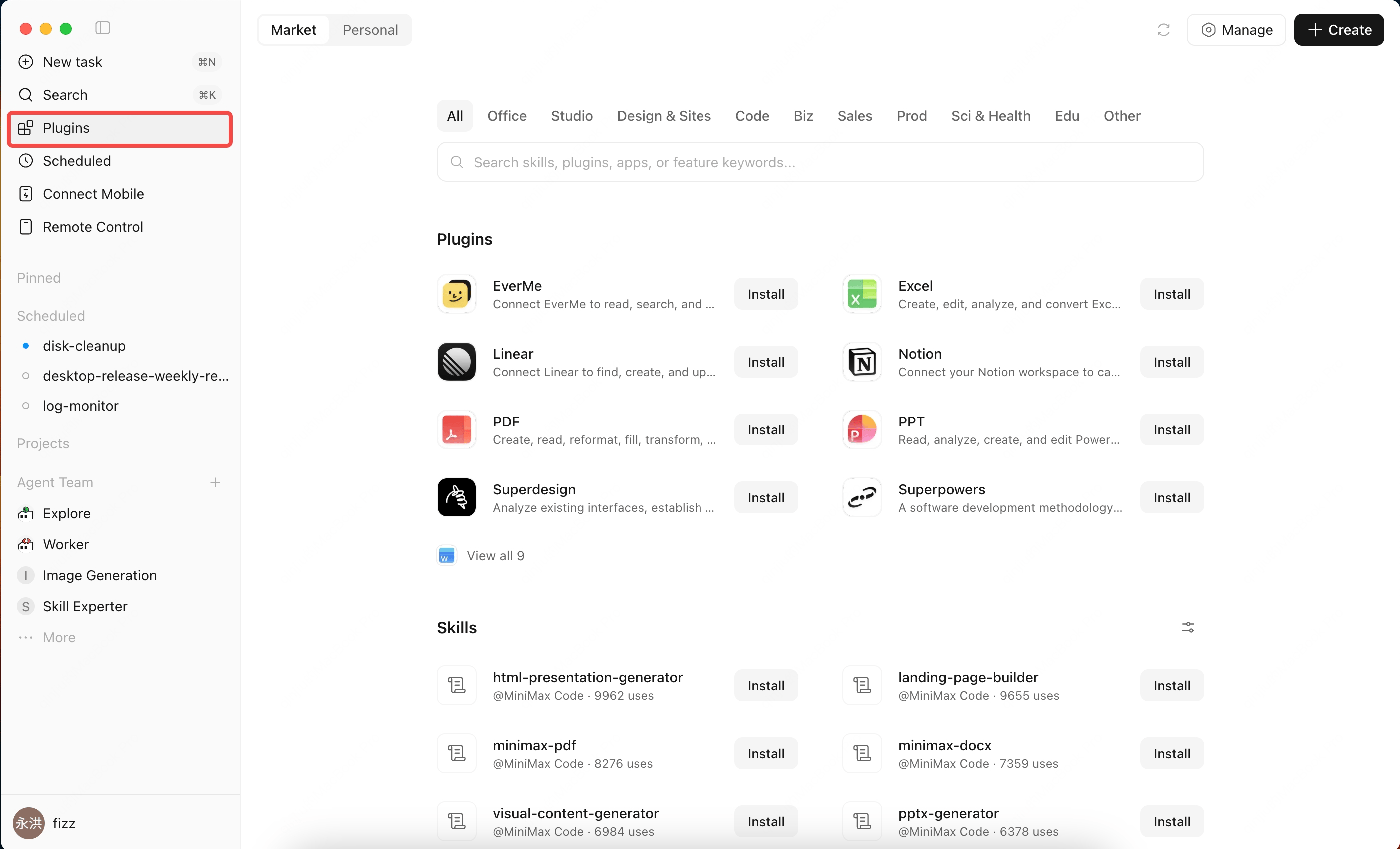
Initial Plugins
Initial plugins include paid Hundsun financial data, Qichacha, EverMe, PKUlaw, and Office apps. Different plugins support different tasks:- Financial data lookup and analysis
- Company information search
- Legal material search
- Knowledge organization and long-term capture
- Office document, spreadsheet, and presentation workflows
Red Skill Search
MiniMax Code also supports Red Skill search, so you can search popular Xiaohongshu skills and reuse common social-content workflows or templates.What a Plugin Can Include
A plugin can include one capability, or combine multiple capabilities. Common capability types include:How to Use Plugins
1
Open the marketplace
Open the plugin marketplace in MiniMax Code, then browse recommended plugins or search by keyword.
2
Review plugin details
Open a plugin detail page to confirm capabilities, use cases, and whether authorization or a subscription is required.
3
Install and connect
Follow the page guidance to install. For plugins that need an account, key, or third-party authorization, confirm the source and permissions before connecting.
4
Use it in a task
Describe the capability you need in the conversation. The Agent can choose the relevant plugin when it needs to query, process, or generate results.
Plugin capabilities, costs, and data sources follow the plugin detail page and the corresponding service provider’s rules.
Submit a Plugin
Developers can submit plugins through a ZIP package or a public GitHub repository. A GitHub source can specify a branch, tag, commit, or plugin subdirectory. The ZIP root or selected GitHub directory must directly contain.minimax-plugin/plugin.json.Plugin Submission Form
Submit a new plugin or update an existing plugin.
Plugin Submission Status
Check progress with the original Feishu account, submission_id, and submission email.
- Desktop: MiniMax Code
- Cloud: MiniMax Agent
- Both desktop and cloud
plugin.json.Standard directory example:plugin.json is the plugin entry point. Keep unused capability arrays as empty arrays:- The package includes at least one capability, and every App, MCP, and Skill file is referenced by
plugin.json. nameuses a lowercase machine name, andversionis increased whenever package content changes.- The icon, name, description, category, and example queries are production-ready.
- Skill frontmatter is complete, and MCP endpoints or commands have been verified.
- The package does not include secrets, personal data, install scripts, symlinks, platform-specific native binaries, or files that depend on executable bits.